Share Test Executions
Share test executions with other users. You can share the asset summary and link for easy access to the latest version.
To share test execution runs, perform the following steps:
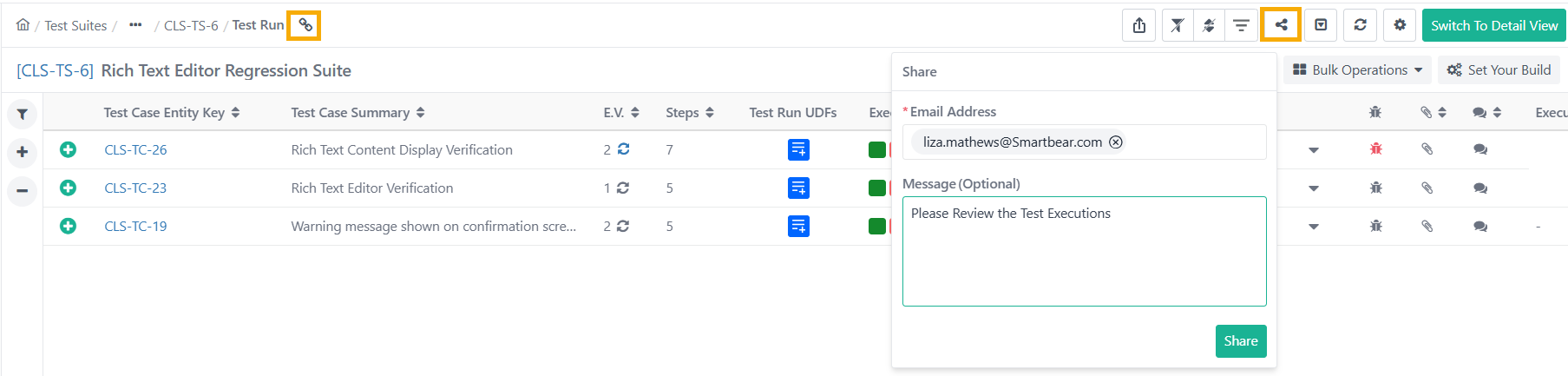 |
Go to Test Execution section under Test Suite Detail page.
Click Share icon.
Enter one or more email addresses.
Write a message (optional but recommended) describing the test case or required actions.
Click .
Copy Test Asset Link
Copy the test case link and share it with other users to provide direct access to a specific test case. Authorized members can access the test case directly via the shared link.
Steps to Copy Test Execution Runs
Open the test case details page.
Click the Copy Link icon on the breadcrumb navigation.
Share this link via any preferred communication channel.