Archiving Test Executions
Archive test executions to prevent further changes.
The system archives test executions in the following scenarios:
When you archive an entire Test Suite.
When you archive associated Release or Cycle.
When you archive an associated Platform.
When you archive the Test Execution itself.
When you archive the Project.
Note
Archived test executions do not appear on the tab of the test suite.
Archive Test Runs Manually
To archive test runs, perform these steps:
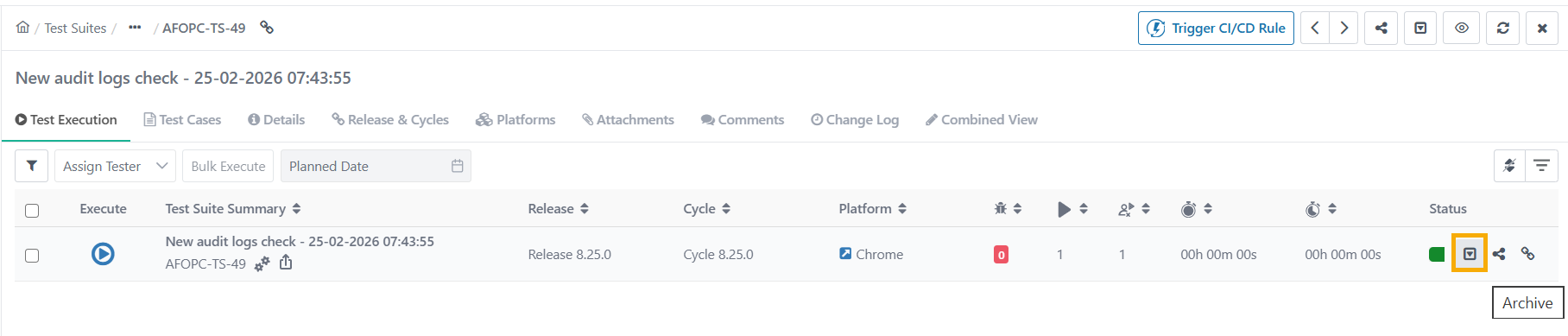 |
Open the test suite detail page.
Go to the Test Execution tab.
Click Archive for the test run to archive.
View Archived Test Runs
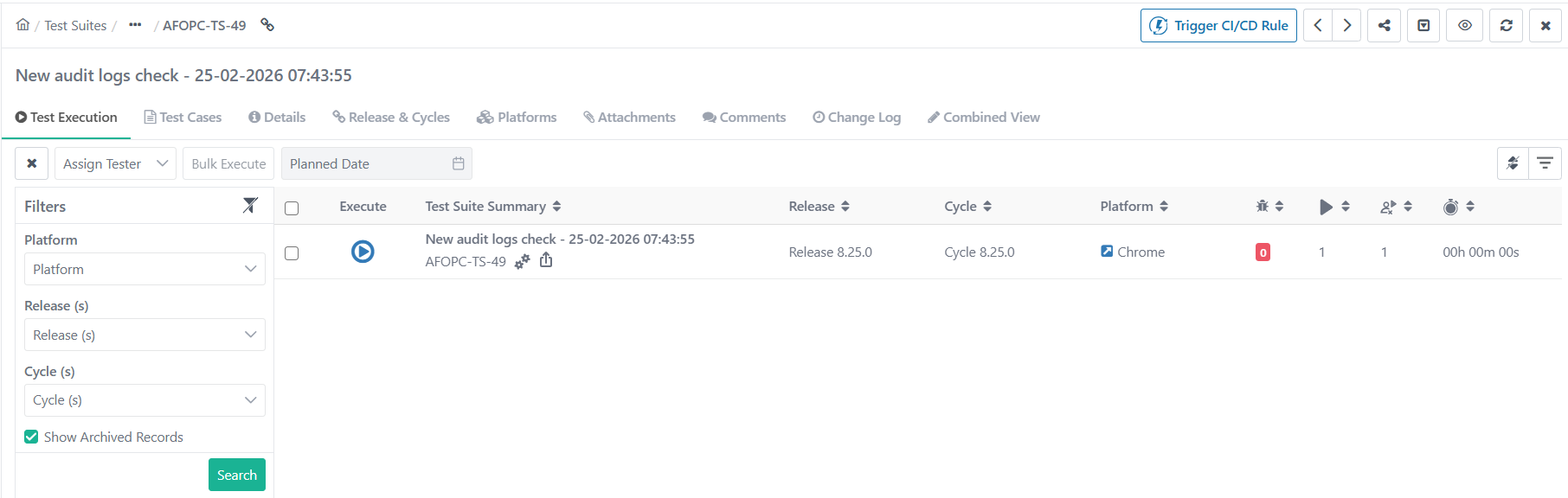
To view archived test runs, perform the following steps:
Go to Test Executions.
Expand the Filters and select Show Archived Records.
This displays test runs archived due to platforms, releases, cycles, or the test run itself.
For imported data, the system ignores any changes in the status of archived test case executions.
Impact of Archiving a Test Execution
The system does not add new test cases linked to the test suite to an archived execution.
The system does not allow unlinking test cases from an archived execution.
When a new version of a test case is created, the system does not allow force-syncing or manual syncing in an archived execution.
In case of test case steps update in the existing version, any change in test case step data in that test case version reflects in test cases under archived execution.
You cannot unlink bugs, and attachments that are part of archived executions.
The system prevents any updates to Test Case and Step Comments, Execution Status, and Actual or Expected outcomes once the execution is archived.
When "archived" execution is unarchived, any test cases linked to the test suite, are auto-linked with the execution after unarchive.
The system does not allow unarchiving an execution if its release, cycle, or platform is archived.
Deleting any executed test case or test case version removes the executions from the archived executions.
In a cloned project (with data), the archived test run also gets copied.
For eSignature enabled project, you can not change the State (In-Review, Approve, Closed) of the test Run.
The system allows you to archive a closed test execution, but unarchiving it does not change its state.
Test case data grid-related modification are not reflected in archived execution.
Unarchiving Test Executions
Missing test cases are linked on unarchive test execution with the associated test case version and latest data grid values.
The system does not unarchive manually archived test execution when any associated archived Platform, Release, or Cycle is unarchived.
If you modify the Test Case–Test Suite Data Grid mapping after the test execution is archived, the system removes the older mapping when you unarchive the execution.
In case of parameterized test case, edited value of test case does not affect test cases under the archived test run.
Once the test run is unarchived, the system updates the values in the respective test cases.
Note
When you copy a test suite inside the same project, any test runs in that suite that were manually archived also gets copied in the same archived state.