Edit Shareable Test Cases
You can update a shareable test case in one of the following ways:
With a Saved Version: The system updates the test steps in all test cases that use the shareable test case.
With a New Version: The system creates a new version and syncs the latest version across all linked test cases.
To edit a shareable test case, perform the following steps:
Go to the Test Case Module.
Expand the filters and select Show Only Shareable.
Click the Shareable Test Case Entity Key from the list.
Edit the test case as required.
To sync the latest version of a shareable test case, perform the following steps:
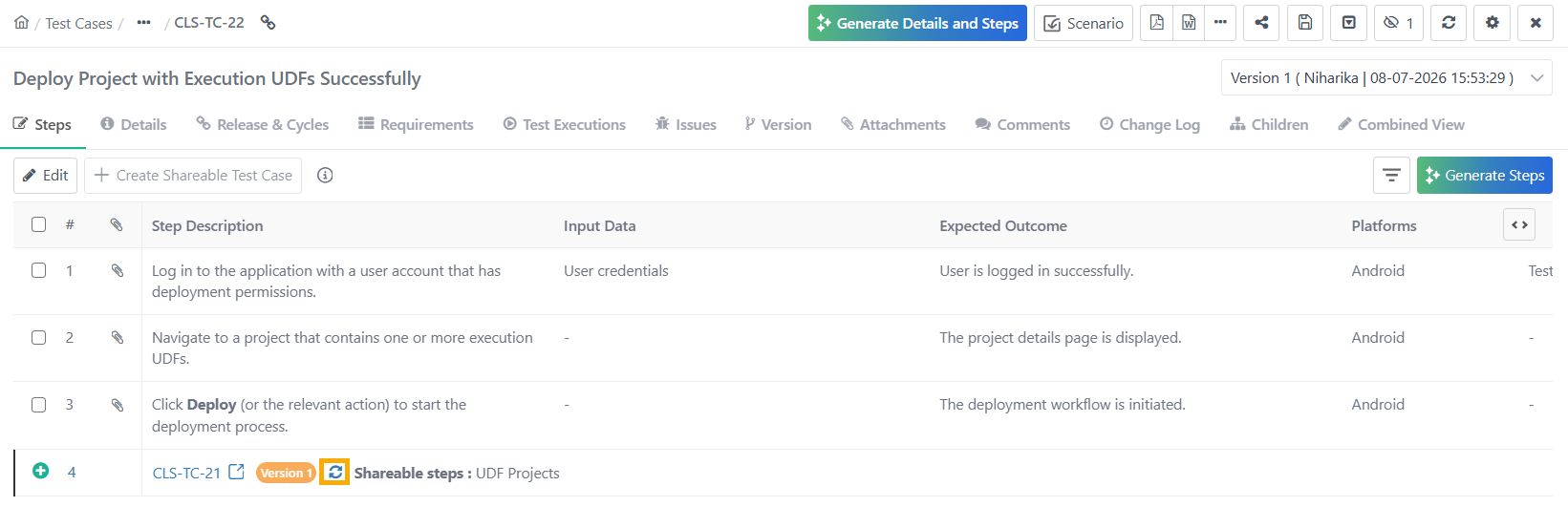
Go to the test case module.
Open the Steps tab on the test case details page.
Check Sync. If the shareable test case version is not synced, a refresh icon appears next to the shareable test case.
Click Refresh to sync the latest version of the shareable test case.
Click Update to save the changes.