Migrating from TestRail to Zephyr Scale using Migration Tool
In this guide, we will run you through the steps to migrate your data from TestRail to Zephyr Scale. This documentation enlists all the information on migration process like what can be migrated, and what are the assets/data that may not be migrated, features of the migration utility along with System Requirements and Pre-requisites to be taken care before proceeding with migration.
What TestRail assets are migrated?
TestRail Assets | Zephyr Scale Assets |
|---|---|
Test Cases | Test Cases |
Test Suites | Test Case folder |
Test Plan | Test Plan |
Test Runs | Test Cycles |
Tests & Results | Test Cycle Execution |
Milestone | Fixed Versions (JIRA) |
Capabilities of the Migration Tool
Migrates Tests, Test Steps and all their fields.
Migrates Test data in Test Steps, Test Cycles, Test Runs/Executions.
Migrates custom fields & their values for all the assets.
Migrates Milestones and child Milestone as Jira Releases(Fix version).
Migrates sections as folders.
Migrates comments for all the assets.
Migrates linkages between assets.
Migrates all the attachments & URL links.
Support for Mapping of TestRail Enumerated fields and their values with Zephyr Scale fields.
System Requirements
JDK25 needs to be installed. Reference: https://jdk.java.net/archive/
MySQL services and MYSQL workbench 5.7 or above. Reference: https://dev.mysql.com/downloads/installer/
Operating Systems: Windows 10, Linux - Cent OS 7, RHEL
CPU: 8 Cores, RAM: 16 GB
TestRail Professional cloud version 7.5.6, 8.x TestRail Professional server version 7.5.3.1000/6.0.1.4163 (Utility is tested on)
Get your Migration Tool (migrate2qtm.war) and its license (qmetry-license-version-1.0) from Professional Services team.
Jira and TestRail should be running on your system with valid license.
Set UTC Time Zone in Jira as all the dates from TestRail will be migrated in to Zephyr Scale as per UTC time zone.
Pre-requisites
Install Certificate in JDK on the machine running the migration utility.
Follow the steps specified here : How to install certificate in JDK ?
Remove/rename duplicate list values for system/custom fields in TestRail as Zephyr Scale does not support creation of duplicate values.
All the users using TestRail should be created in Jira before the migration process starts.
Migration Steps
Run the migration utility from its dedicated machine.
Open the command prompt and go to the migrate2qtm.war directory.
Put license file "qmetry-license-version-1.0" besides migrate2qtm.war file.
Run the following command by giving the path of the migrate2qtm.war file :
cd <PATH_TO_WAR_FILE>
java -jar migrate2qtm.war --spring.datasource.username=<dbusername> --spring.datasource.password=<dbpwd> --testrail.cookie=tr_session=<sessioncookie>
Set parameters of above command:
testrail.cookie: Get the session cookie from >Go to TestRail project >Open Inspect(F12 key) >Load any testcase by clicking on it >In inspect go to Network tab >Click on API starting with 'index....' >In the Headers tab go to Request headers and find tr_session >Copy the cookie and paste it in the above command
Note
The application should be accessible from the same machine using the URL : http://localhost:8080/migrate2qtm . Once you're on the source selection page of the Utility, select TestRail and proceed with steps below:
Destination Login
Select the destination as Zephyr Scale and move forward for login page. We recommend logging in using Admin credentials so that the projects available for migration are not restricted by a user's permissions.
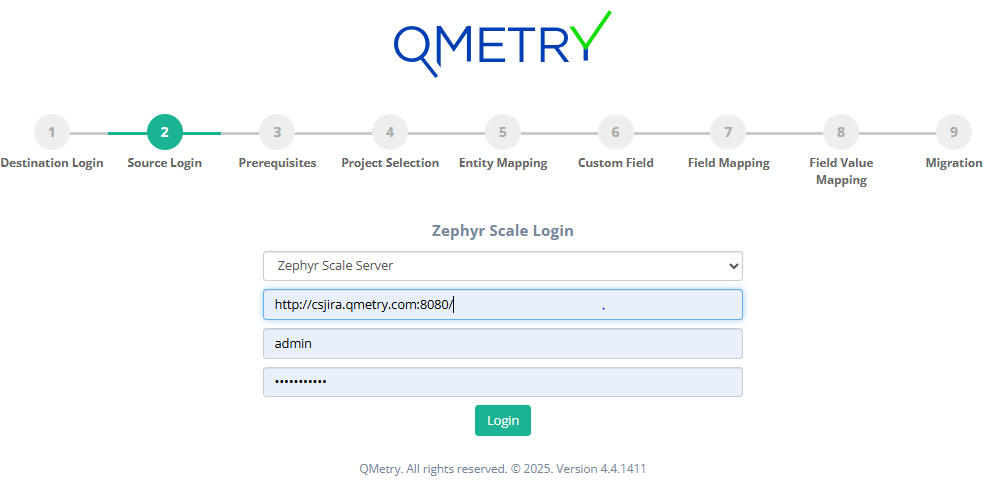
For Jira server/Data Center:
Base URL: Your Jira server URL.
Username: Jira username
Password: Jira password
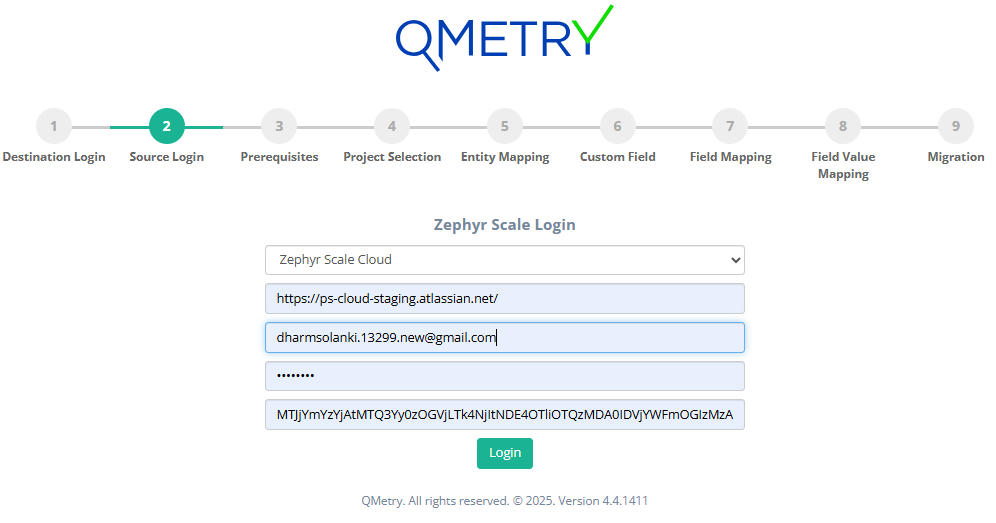
For Jira cloud:
Base URL: Your Jira server URL.
Email ID: Email id used for Jira login
API token: Get the API token from: Atlassian Account settings > Security > Create and manage API token > Create API token
Zephyr Scale Access Key: Get the API from: Zephyr Scale > Configuration
Source Login
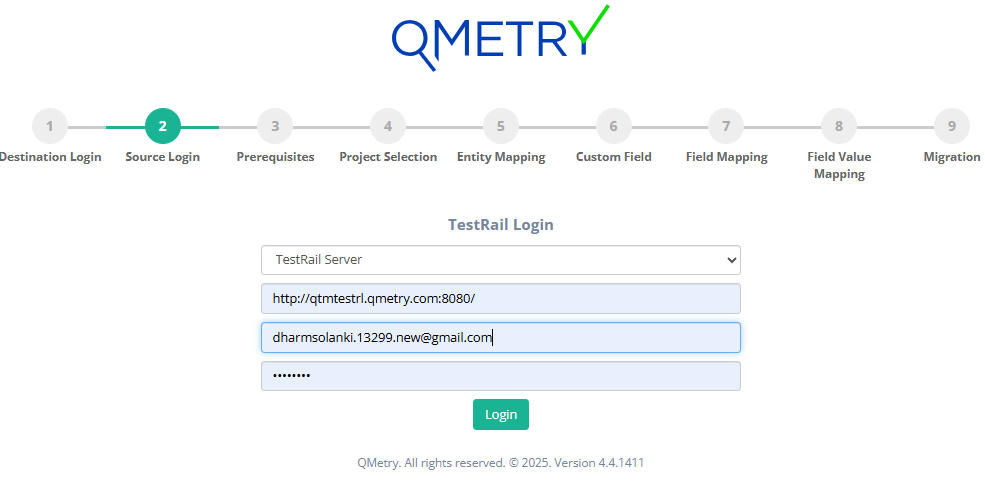
We recommend logging in using Admin Credentials so that the Projects available for migration are not restricted by a user's permissions.
Base URL: TestRail URL : http://<IP Address/URL>
Email : TestRail user's login email
Password: TestRail user's login password
Type: TestRail instance type : Server or Cloud
Pre-requisites
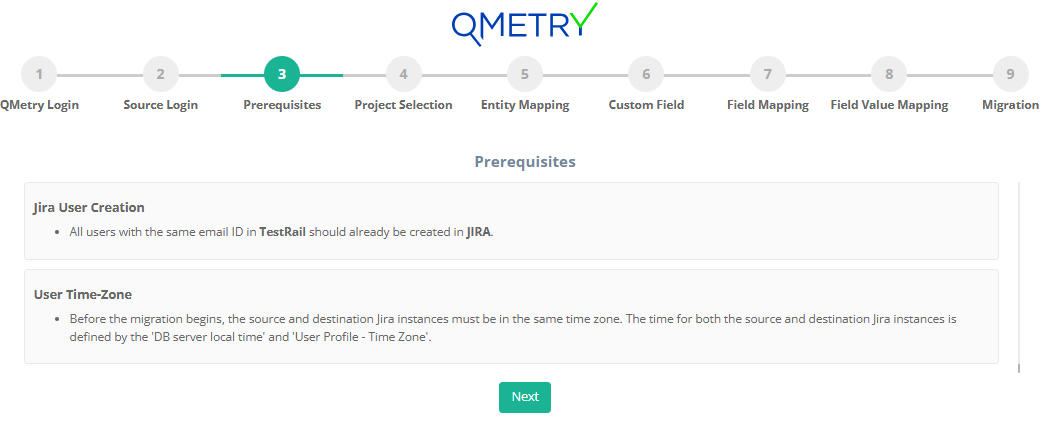
Make sure you comply with the pre-requisite mentioned on the screen.
Project Selection
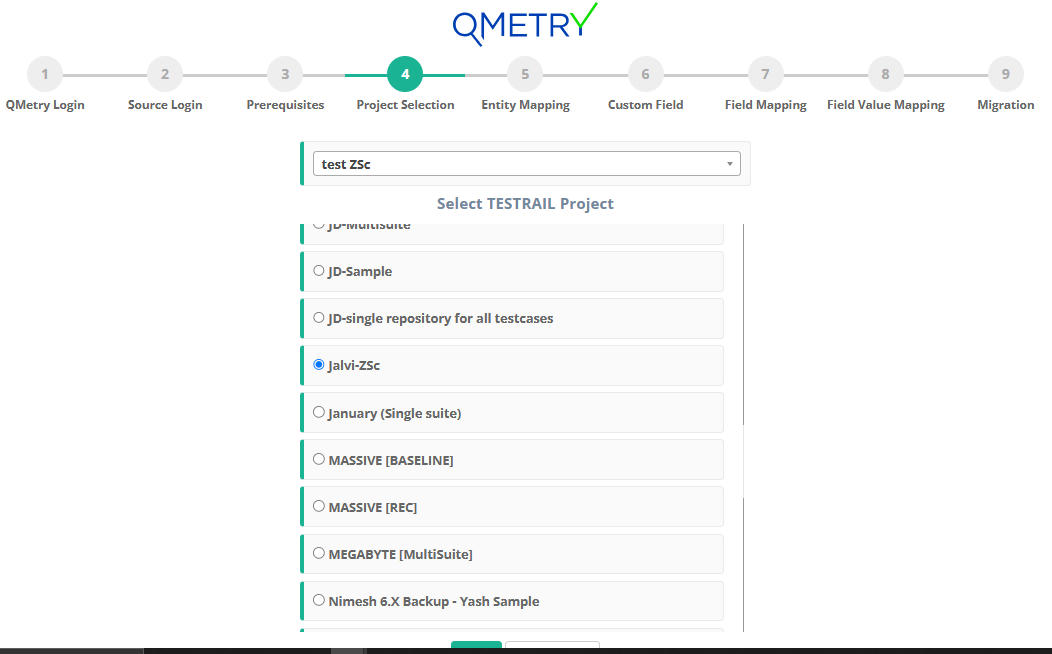
TestRail project and Jira template project:
Migrating to existing Jira project:
Select Destination Project: Select the existing Jira project in which you want to migrate the data.
Select TestRail project: Select TestRail Project you would like to migrate into Zephyr Scale.
Entity Mapping
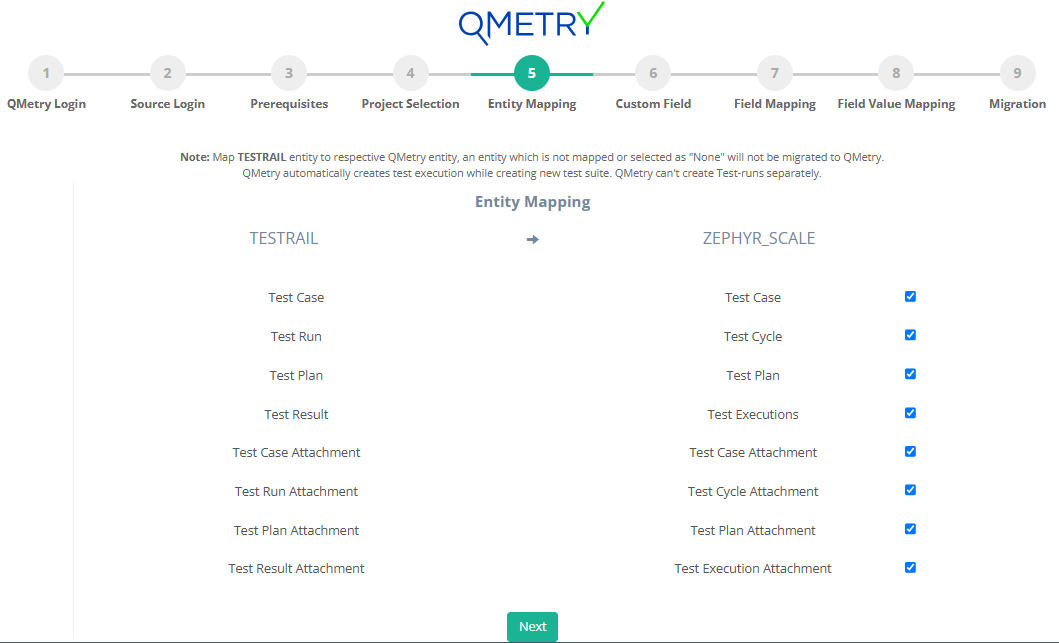
TestRail → Zephyr Scale Entity Mapping:
Under this section, map your TestRail assets which need to be migrated into relevant Zephyr Scale assets. By default all the entities will be checked. User can uncheck the entity that he does not wish to migrate.
Custom Fields
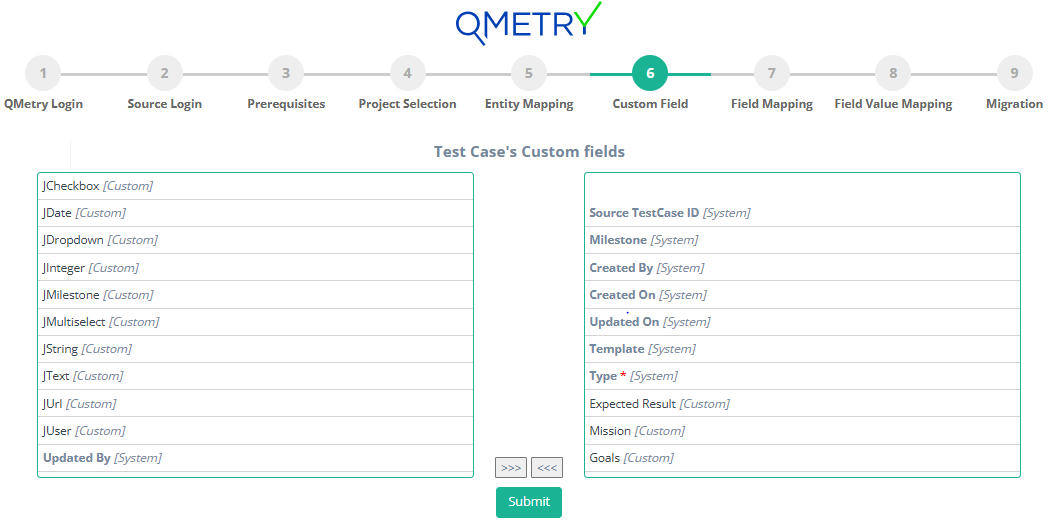
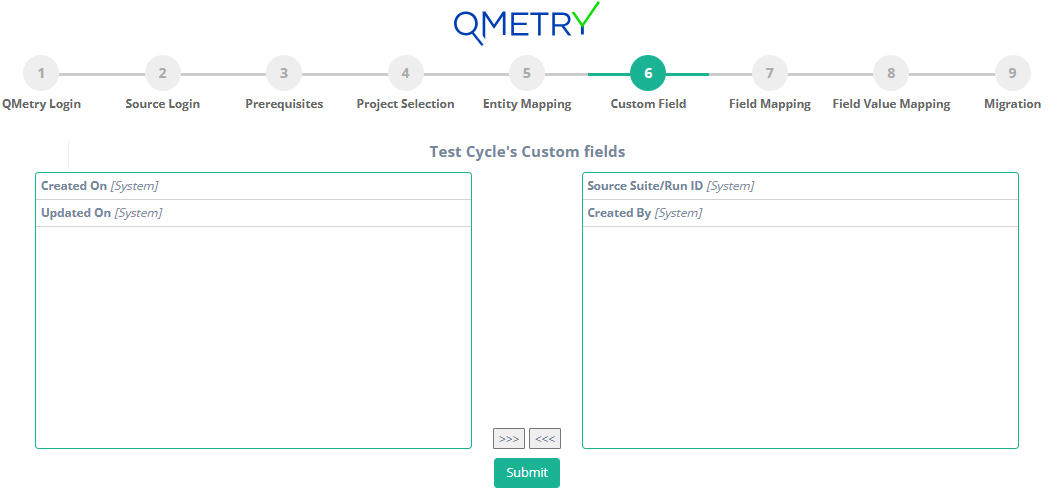
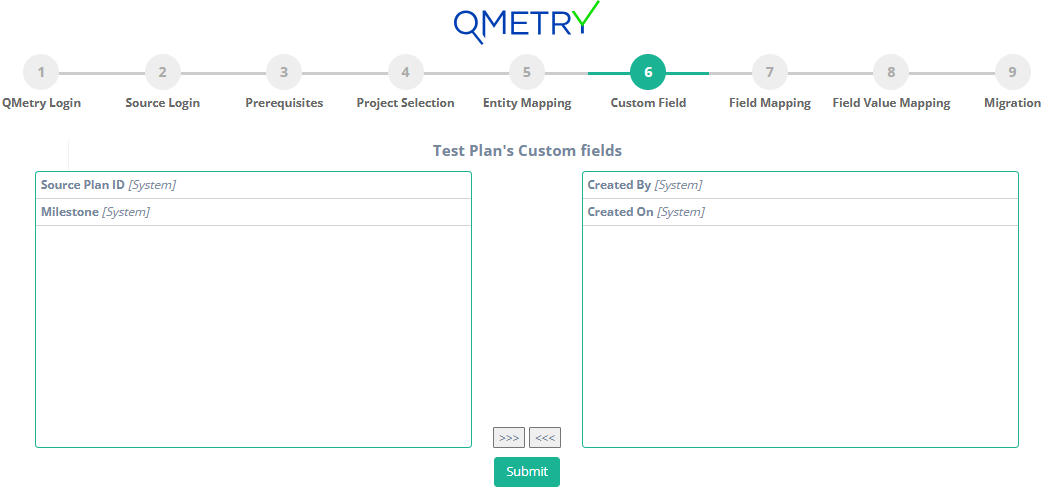
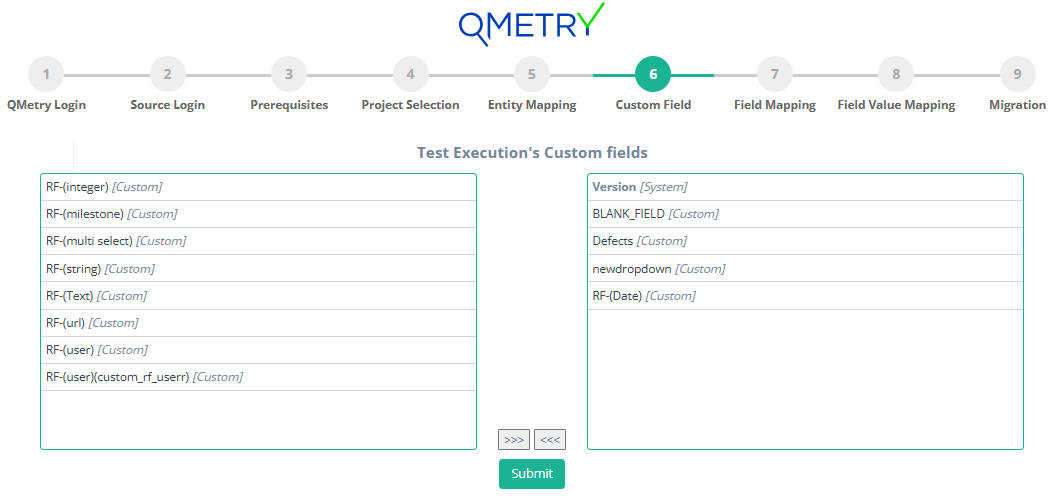
You can select system fields and user-defined fields that are part of your TestRail project that needs to be migrated to Zephyr Scale.
Note
This is an important step to ensure there is no data loss when the project is migrated to Zephyr Scale. Make sure all the required fields are selected correctly. Once migrated, the data cannot be reverted.
Selected fields will be converted as custom fields in Zephyr Scale and will be auto mapped with the appropriate fields in the field mapping page.
Custom Field for TestRail's Testcases
Custom Field for TestRail's Test Suites
Custom Field for TestRail's Test Plans
Custom Field for TestRail's Test Runs
Field Mapping
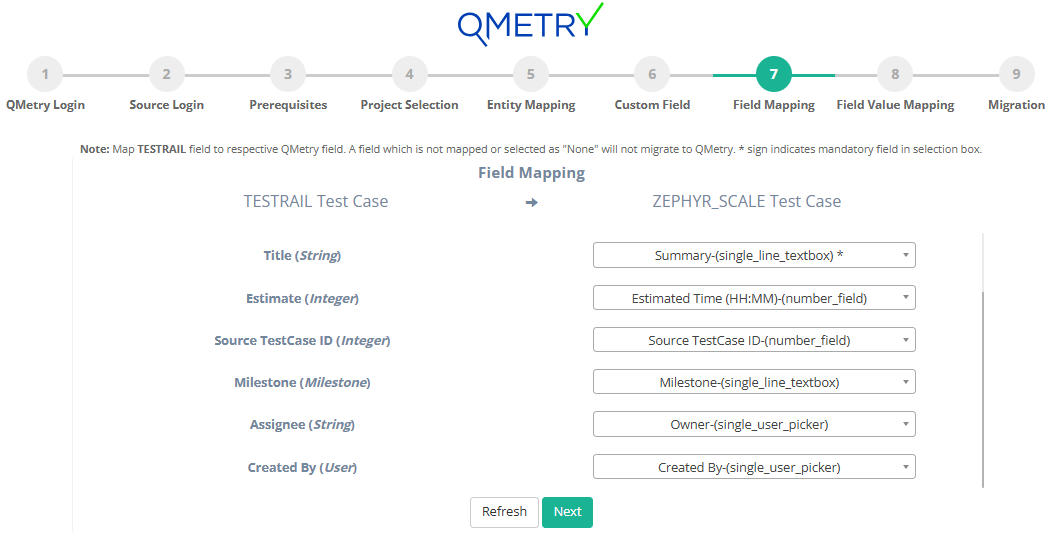
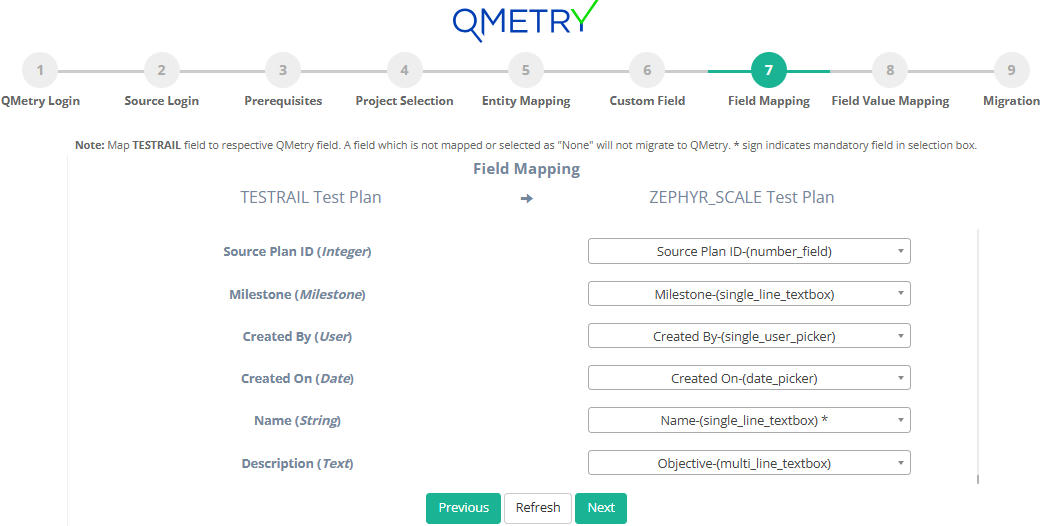
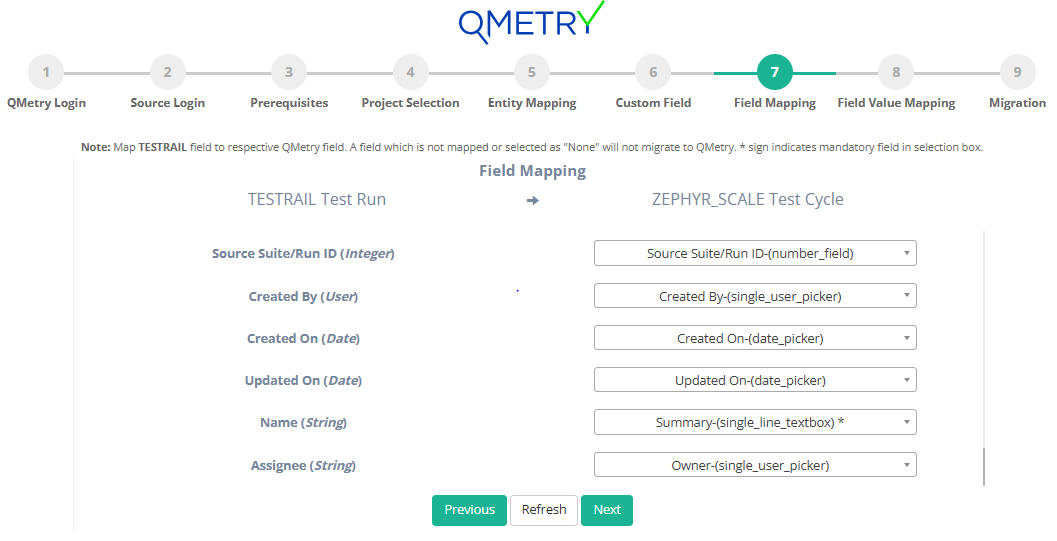
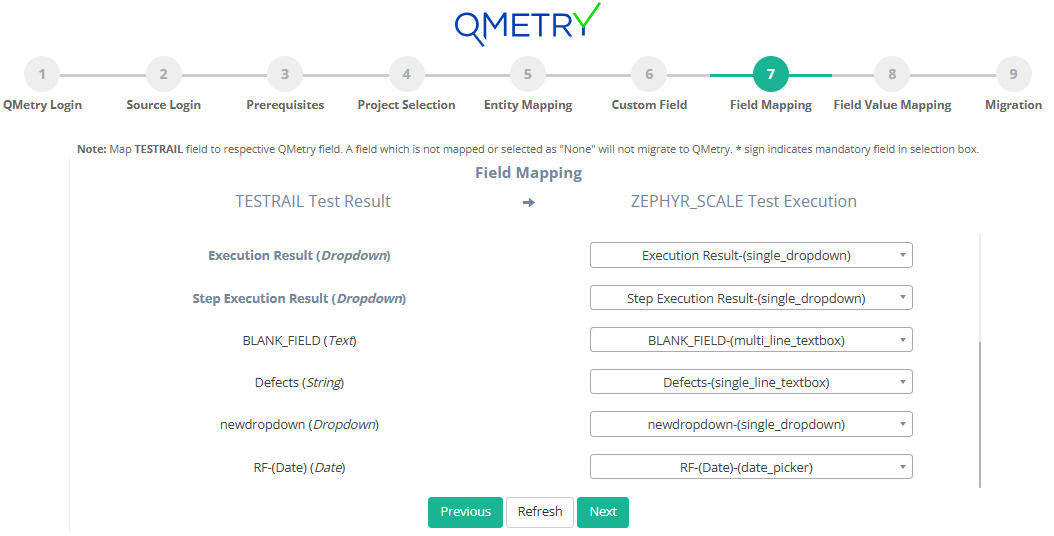
Field mapping helps you to map the fields of your TestRail assets to respective Zephyr Scale fields. Complete the field mapping for all the fields to get their data migrated to Zephyr Scale.
Note
Any mandatory field of TestRail should be mapped to mandatory field of Zephyr Scale. The field type of the mapped fields of TestRail and Zephyr Scale should be same.
Field Mapping for TestRail Test Case → Zephyr Scale Test Case
Field Mapping for TestRail Test Plan → Zephyr Scale Test Plan
Field Mapping for TestRail Test Run → Zephyr Scale Test Cycle
Field Mapping for TestRail Test Result → Zephyr Scale Test Execution
Field Value Mapping
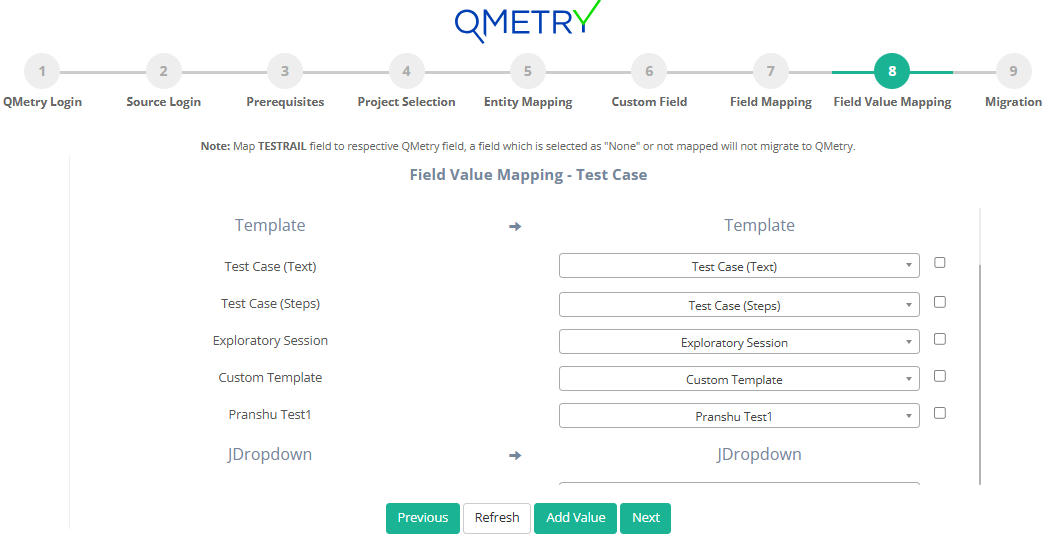
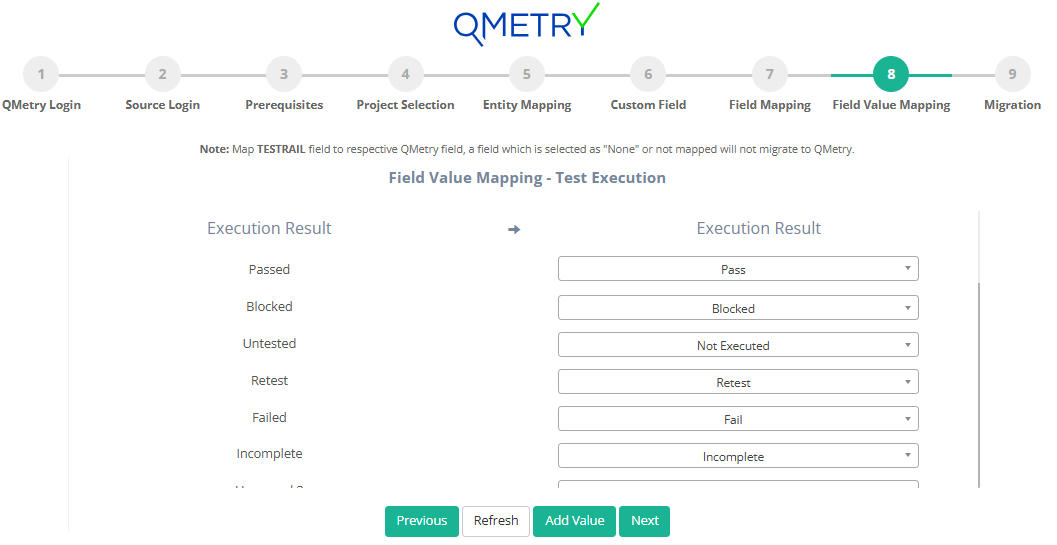
You can map the values of your different enumerated fields of TestRail to that of Zephyr Scale.
Migration Tool provides an option of "Add value" if user wants to create a new field value in Zephyr Scale same as that of TestRail. To create the new values: Click on the checkbox beside the field value > Click on "Add value" button below > Now map the TestRail field values to the newly created Zephyr Scale fields values.
Field Value Mapping for Test cases
Field Value Mapping for Test Execution
Migration
Click Migrate to start the migration process.
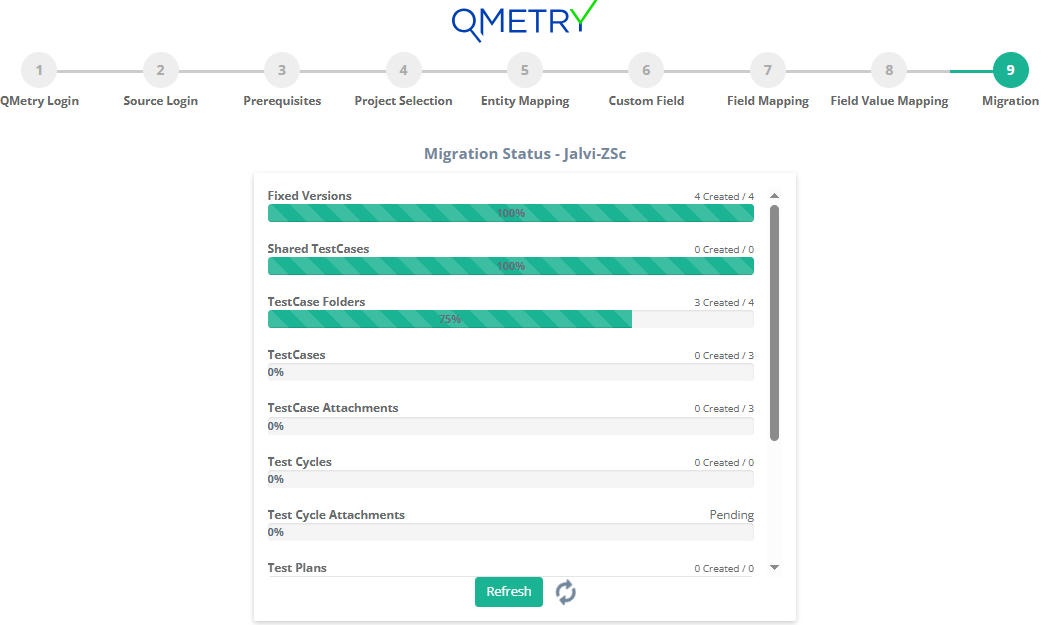
The migration progress can be monitored until it is completed.
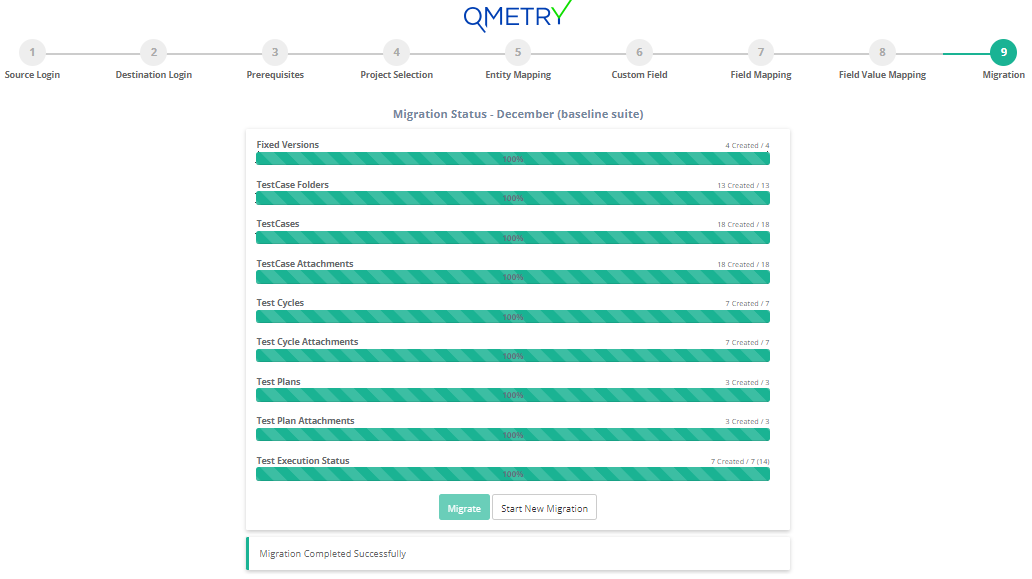
Once the migration is completed, you can log in to Zephyr Scale and verify all the migrated data in your migrated project(s).
Post-requisite
The migration utility is designed to support resumption of the data migration from the same point in case an error is encountered due to data issues or other reasons. In such cases re-migrating the project is not necessary. At times when you run into errors, you can try to resume the migration after capturing the logs as follows.
Capture Migration Logs
The logs should be present in the logs folder of the migration utility directory containing the .war file. Zip the logs folder and send it to Professional Services team for investigation.
Resume the Migration
The migration can be resumed by refreshing the existing page or clicking "Resume" on the migration page.
Important Notes and Limitations
Dashboards, To Do, Reports of Projects, Overview, Activities, Graphs, History logs will not be migrated.
TestRail users are not migrated to Jira through migration utility. The users need to be created in Jira manually before starting the migration.
TestRail does not provide API to get attachments directly linked to Test suite. Hence, such attachments will not migrate.
Test Suites are migrated as folder of Testcases. Hence, all the sections and Testcases under Test suite will get migrated as Testcase folders and testcase respectively.
Attachments greater than 1 GB(for Zephyr Scale cloud) in size are not migrated. Such attachment details will be added to the 'skipped_attachments.log' file.
Attachments which are corrupted or exceeding the size limit of Zephyr Scale will be skipped. The details of skipped attachments will be added in the skipped_attachments log file.
For assigning users to the migrated assets:
If the user is found in Jira, then the entity assigned to him in TestRail gets assigned to that user in Zephyr Scale.
If the user is not found in Jira, then the assets of TestRail gets assigned to the Project Lead of that Jira project.
Reference and attachments of Milestones will not get migrated as Release of Jira does not support these fields.
The description of Section will be migrated as plain text to the Folder's text type custom field. The character limit of this custom field is 255, hence any text beyond that will be truncated. Any inline image in the description will not migrate as rich text is not supported.
In Zephyr Scale Rich Text Field supports only images. Hence, other types of files such as pdf, xlss, etc will be skipped.
CreatedBy and UpdatedBy will be migrated as UserType custom field and user which are active in TestRail but inactive/nonexistent in jira won’t be migrated.
CreatedOn and UpdatedOn will be migrated as ZScale DateType custom field and hence only date will be migrated and time will not be migrated.
Attached by and Attached on are non-editable in Zephyr Scale and hence will have migration user.
For TestRuns, we do not get UpdatedBy in the API response of TestRail; hence, it will be skipped.
For TestPlans, we do not get UpdatedBy and UpdatedOn in the API response of TestRail; hence, it will be skipped.
If result of execution has only Assignee and not the execution status update, then it will not migrate.
Temporarily deleted testcase will not get migrated until they are restored before starting the migration process.
Attachments for sections and sub-sections will not be migrated.
There is not API to fetch External attachments of Shared teststeps. Hence, such attachments will get skipped. Any inline images in the steps will get migrated.
Elapsed field of Test Result is mapped to Actual time of Test execution in Zephyr Scale. If the value in Elapsed field exceeds the limit of Actual time field, then the value will get skipped.
Need Assistance?
If you run into any questions or concerns during your migration, you can reach out to Professional Services by raising a ticket directly on our Support Portal. We would be happy to assist you!