CircleCI Configuration
Pre-requisites
CircleCi must be integrated with GitHub.
The config.yml file must exist in circleci > main branch in GitHub and must have Read and write permissions enabled under Settings in GitHub.
Set up circlci/config.yml in CircleCI
Log in to CircleCI with your GitHub account.

Select your organization. The list of organizations is populated from your GitHub account.
After selecting the organization, set up the CircleCI project.

Choose the existing
config.ymlfile from thecircleci > main branchrepository.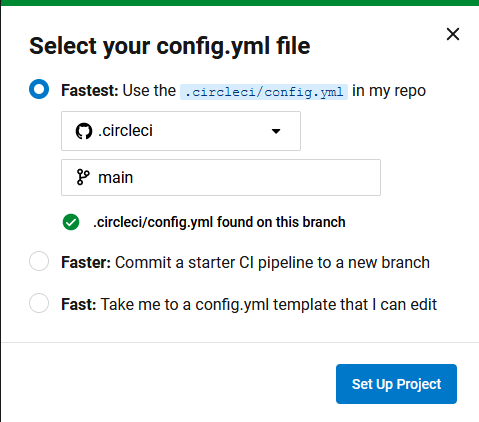
Click Set Up Project to complete the configuration.
Generate tokens for Pipeline triggers
To generate a token in CircleCI, follow these steps (see Managing API tokens for reference):
Log in to CircleCI.
Open User Settings, and then select Personal API Tokens.
Click Create New Token.
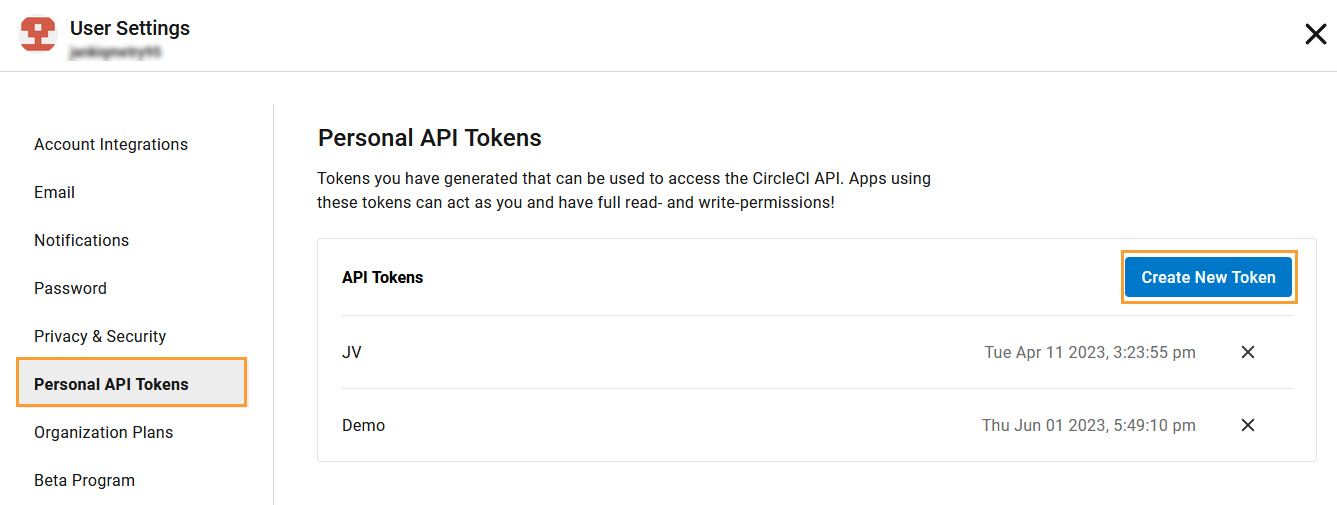
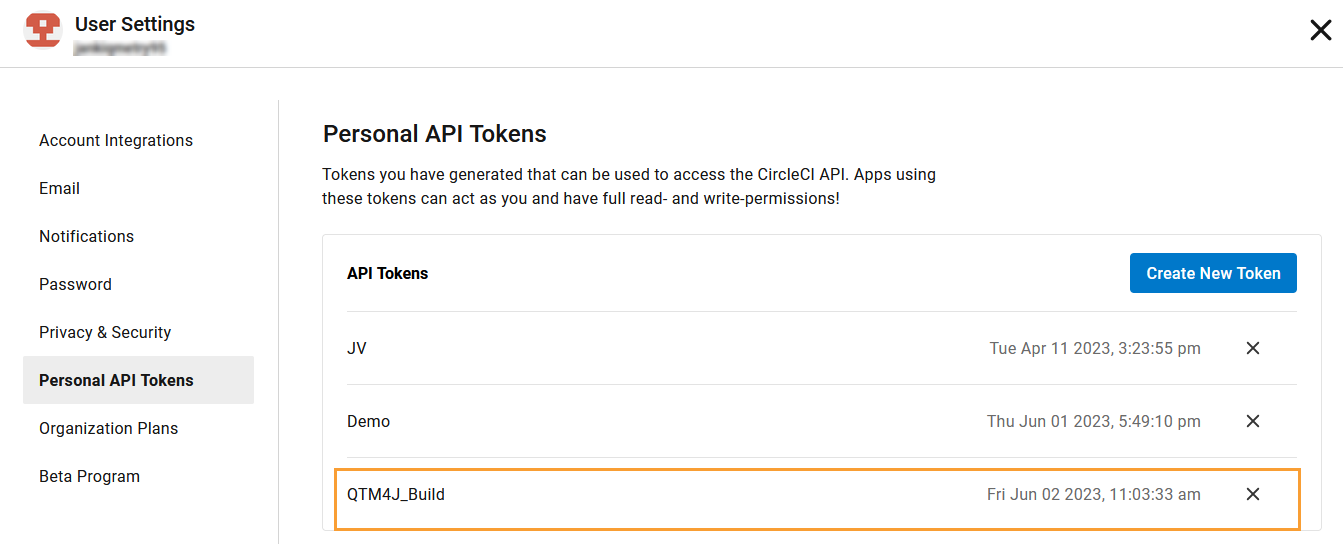
Enter a Token Name, and then click Add API Token.
Copy the generated API Token and store it securely.
Construct URL
Use the following format to construct the API URL for triggering a build in CircleCI (see CircleCI API introduction for details):
https://circleci.com/api/v2/project/{project_slug}/pipelineProject Slug format: <vcs_type>/<org_name>/<repo_name>
The example values of the placeholders above:
vcs_type:ghorg_name:qtm(the organization name created in GitHub and linked in CircleCI)repo_name:circleci(the project repository name)
If we replace the placeholders with relevant values for this example, the Project Slug is formed as gh/qtm/circleci.
Resulting URL:
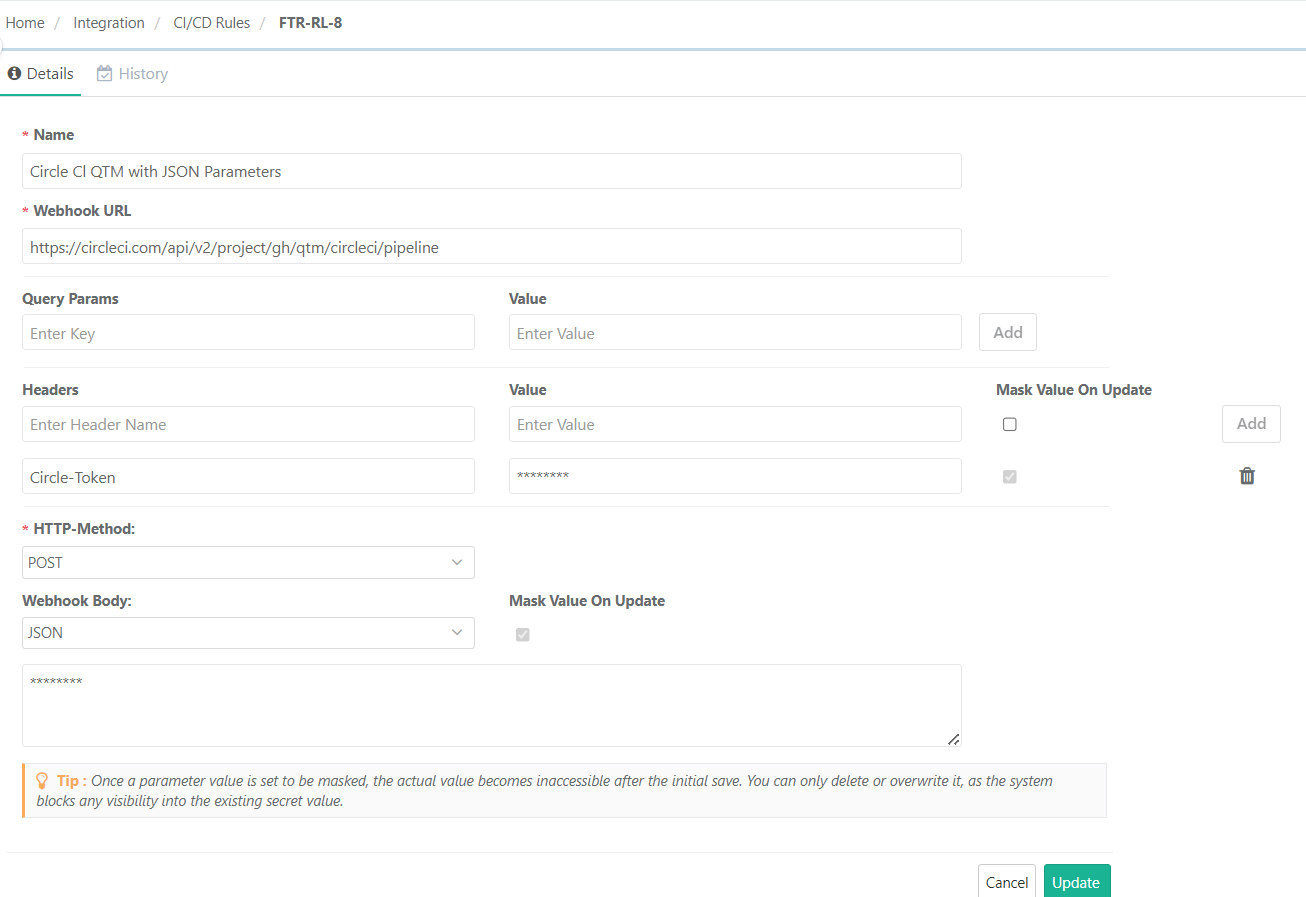
https://circleci.com/api/v2/project/gh/qtm/circleci/pipeline
CI/CD Rule Configuration in QTM
CI/CD Rule Without Parameters
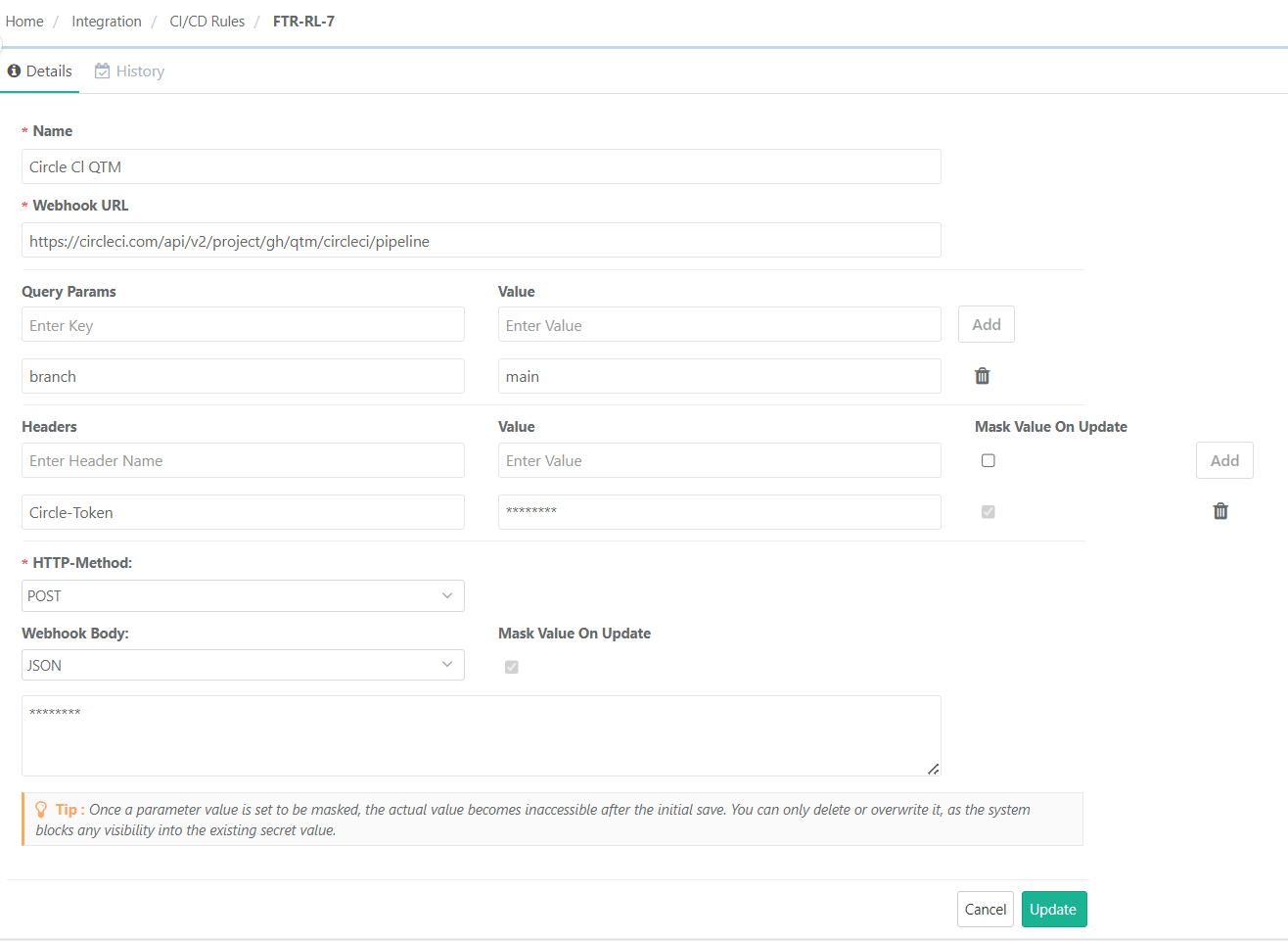 |
CI/CD Rule With JSON Parameters
After creating the CI/CD rule in QTM, you can trigger a pipeline job in CircleCI.
The pipeline gets triggered successfully.