Defining Test Case Dependency
You can set up test case dependencies from the Dependent Test Cases tab.
Pre-requisites
You must enable Test Case Dependency at the project level.
Link Successor Test Cases
Mark a test case as a predecessor and link multiple successor test cases to it.
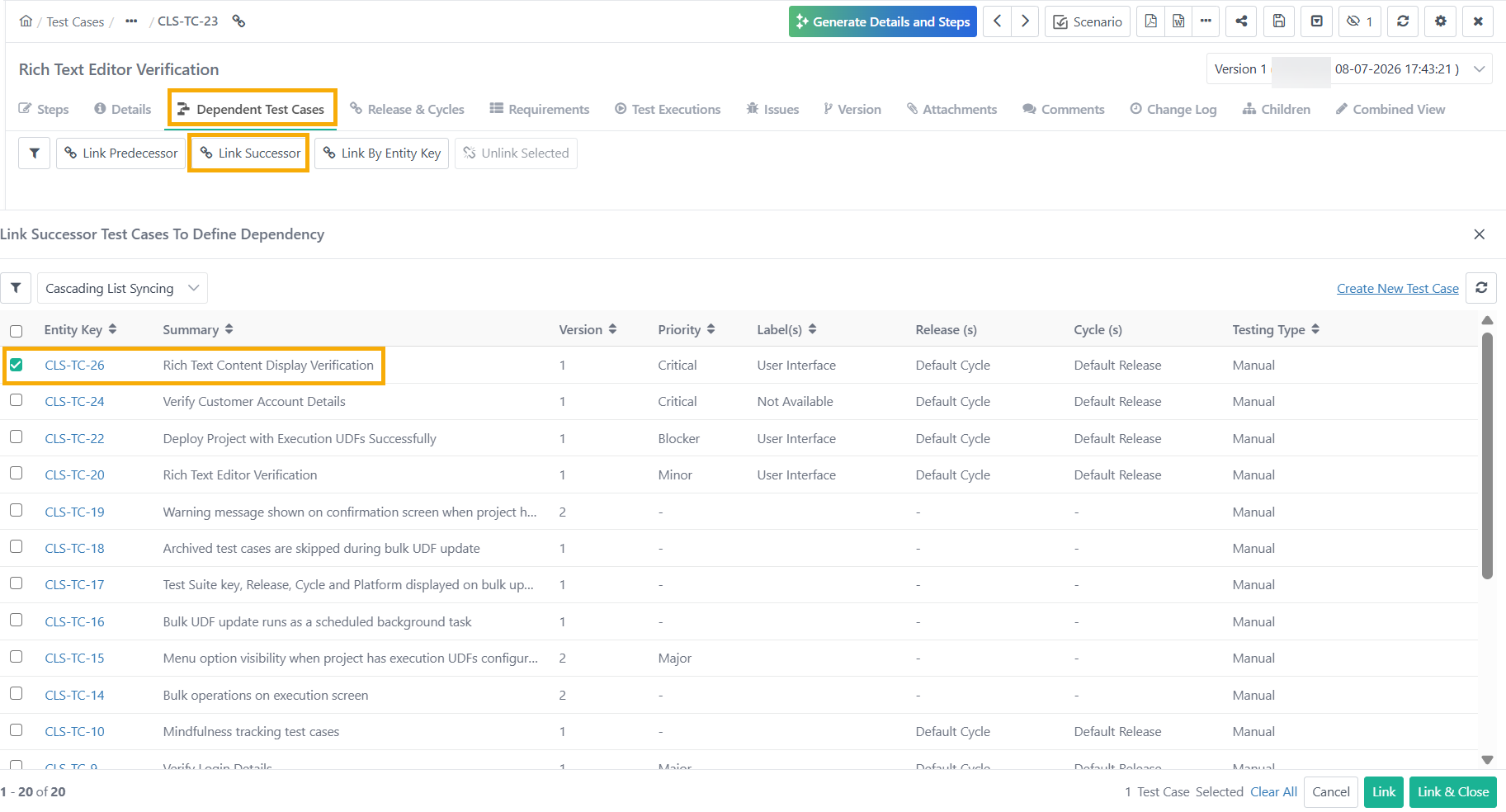 |
To link a Successor Test Case to a Test case, follow these steps:
Go to the Dependent Test Cases Page of the successor test case.
Click Link Successor.
Select the successor test case.
Select the test case and click Link and Close.
Link a Predecessor Test Case
The user can link only one predecessor to each test case. The predecessor's status will influence the successor's execution.
To establish a predecessor relationship for a test case:
Go to the Dependent Test Cases Page within a test case.
Click Link Predecessor.
Select the predecessor test case.
Select the test case and click Link and Close to complete the process.
Once a test case is linked as a Predecessor to the current test case, the current test case is designated as the "Successor," identifiable by a tag on the right side.
 |
Note
Link only one predecessor test case with a successor test case.
You cannot link Shareable test cases as dependent test cases.
Once you link a predecessor with a test case, the “Link Predecessor”, “Link Successor,” and “Link by Entity Key” buttons gets disabled.
Link By Entity Key
The user can also link a test case as a predecessor or successor by using test case entity keys.
To link Test Cases as successor or predecessor via entity key, perform the following steps:
Go to the Dependent Test Cases Page of the successor test case.
Click Link By Entity Key.
Select the dependency type: Successor or Predecessor.
Enter the Test case entity keys to link.
Click Link to complete the process.
Note
If the test case is already labelled as a Predecessor or Successor, then the option to select Dependency Type is disabled.
You can enter a maximum of 500 entity keys at a time. The system accepts only alphanumeric, space, and hyphen values.
The user can also mention the cross-project test case keys to link. The Define Dependency for Test Case option should be enabled in that cross-project.