Viewing Test Case Dependencies
View the number of successor and predecessor test cases for a test case in:
Test Case List View
Test Case Tab under Test Suite Detail
Test Execution Screen
Test Case List View
To view test case dependencies, perform the following steps:
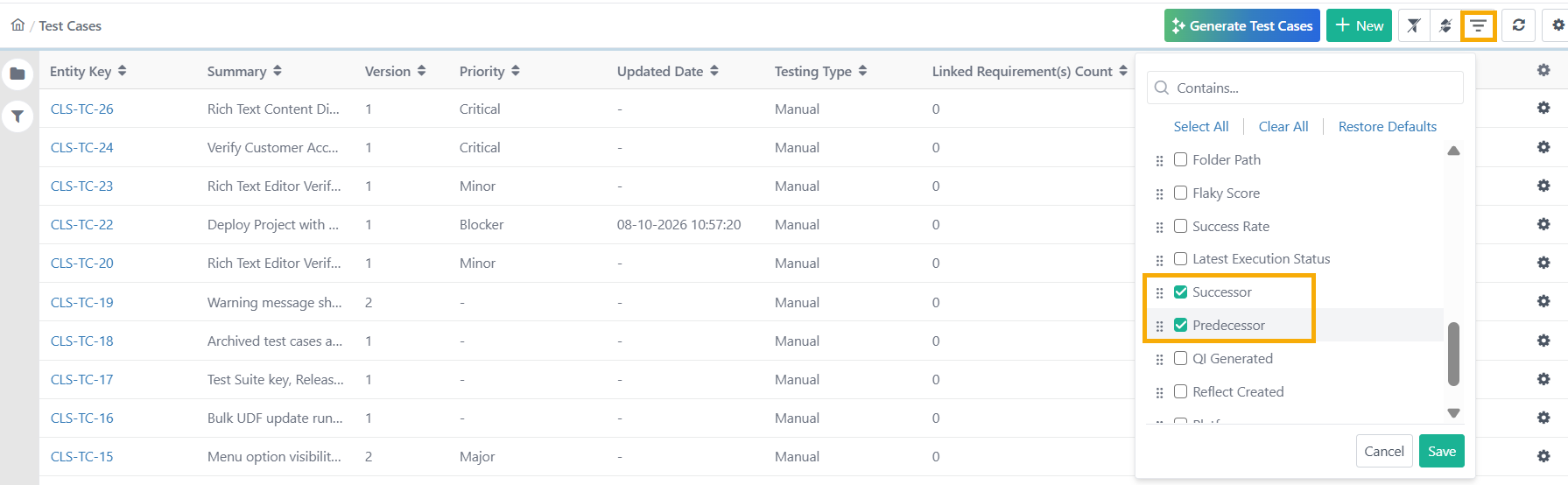
Go to the Test Case Module.
Click the Manage Column icon.
Select the Successor and Predecessor columns from the drop-down.
Click the number under Successor or Predecessor column to view the linked test cases.
View Successor and Predecessor Test Cases from the Test Suite
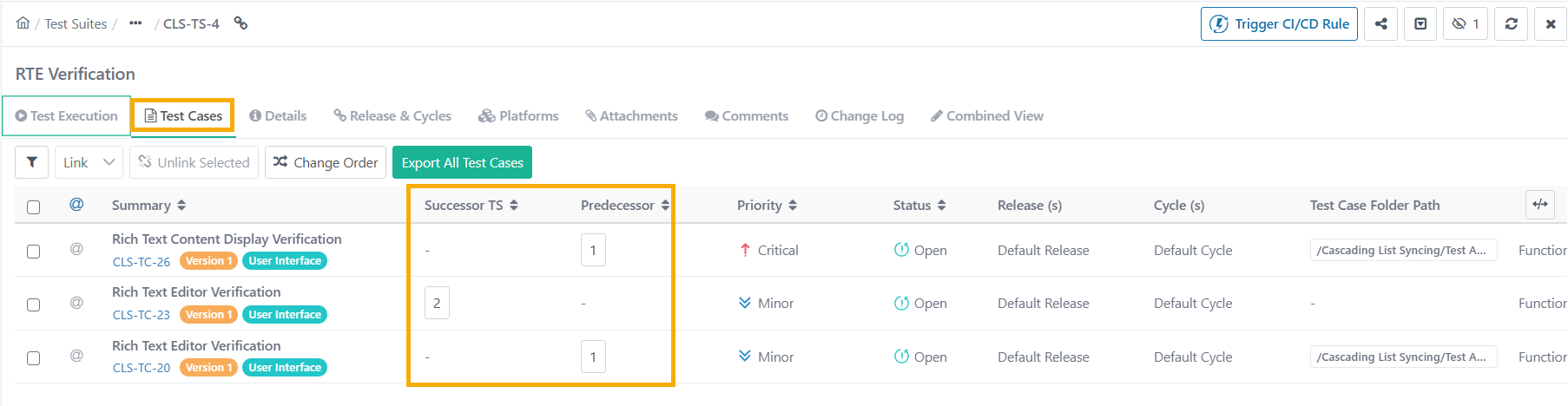
To view test case dependency from a test suite, perform these steps:
Go to the Test Case tab in the Test Suite Detail page.
The Successor and Predecessor columns show the number of dependent test cases.
Count in Green - All the successor test cases are linked to the test suite.
Count in Blue - All the successor test cases are not linked to the test suite.
Click on these numbers to view further details.
View Successor and Predecessor Test Case from the Test Execution Screen
To view test case dependencies on the Test Execution Detail View, perform these steps:
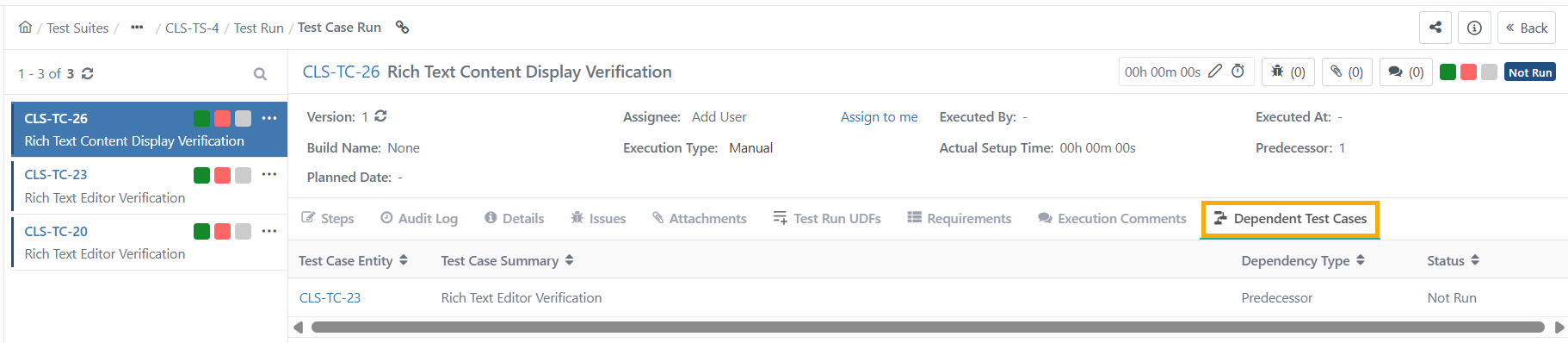
Go to the Test Suite Execution Screen.
Click Switch to Detail View, and click Test Case Entity Key.
Go to the Dependent Test Cases tab.
To view test case dependencies on the Test Execution default screen, perform these steps:
 |
In the Default View screen, click Manage Columns and select Successor and Predecessor.
The successor and predecessor columns in the test case run view display the counts of associated successors and predecessors.
Click the count to navigate to the test execution screen.