Bamboo Configuration
When configuring Build Triggers in your CI/CD tool, refer to the instructions below the Authentication Token field for the URL used to trigger the build remotely.
How to Construct a Webhook URL?
Normal Project + Project with Parameters |
|---|
Example of how to construct the Webhook URL for a normal project as well as a project with parameters in Bamboo. The URL suggested in Bamboo during the configuration of Build Triggers: The Webhook URL provided above follows this syntax:
If your Bamboo instance URL is http://qtmqabamboo.qmetry.com:8085 Then the URL to trigger the build is: http://qtmqabamboo.qmetry.com:8085/rest/api/latest/queue/NT-NP1 |
Authorization
To supply the Authorization header with the value Basic <auth>, perform the following steps:
Build a string in the format
username:passwordusing your Bamboo credentials.Encode the string in Base64 format.
Supply an Authorization header with content
Basicfollowed by the encoded string. For example, the stringadmin:adminencodes toYWRtaW46YWRtaW4Kin Base64. So theBasic <auth>value would be as follows:Basic YWRtaW46YWRtaW4K.
Configure CI/CD Rule for Bamboo
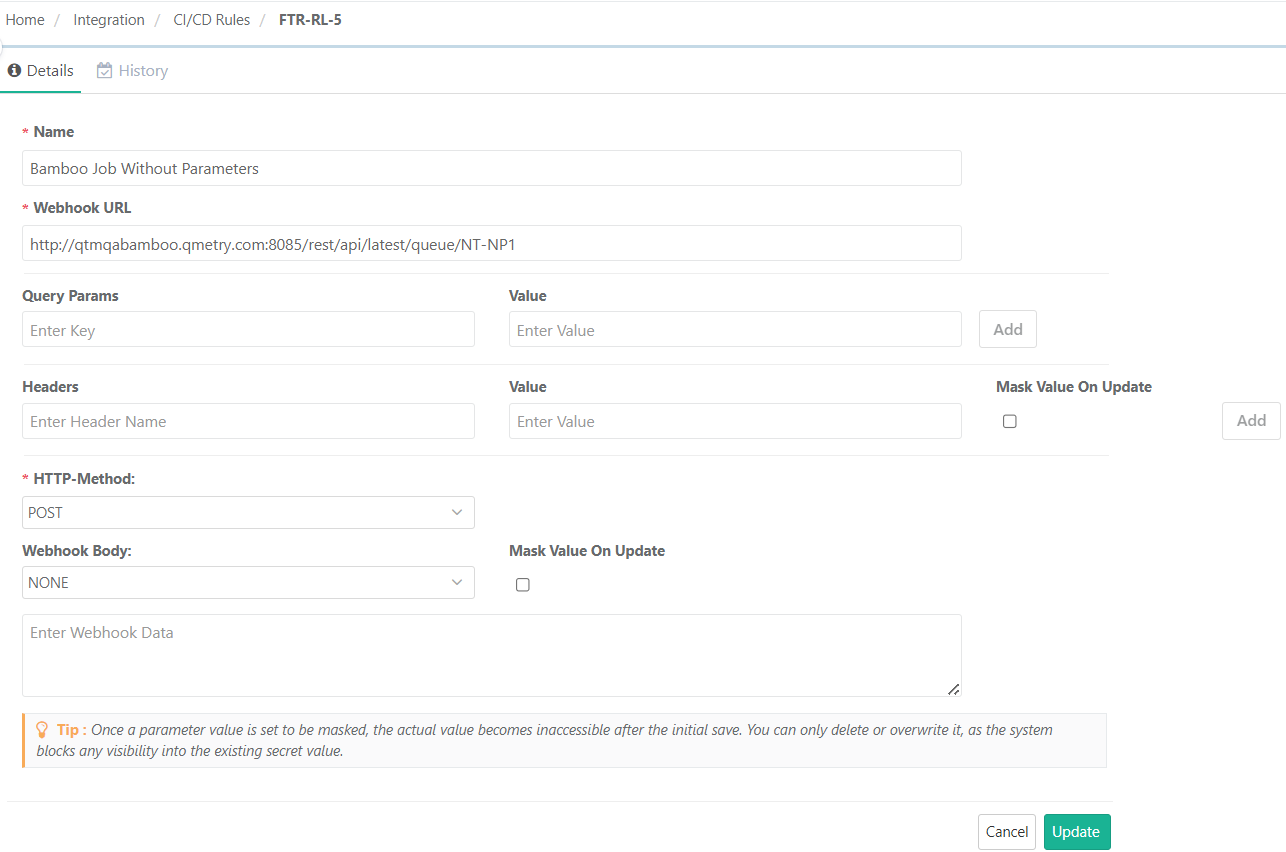
CI/CD Rule Without Parameters
Users can trigger the CI/CD Rule for Bamboo jobs without parameters and for parameterized Bamboo jobs. This section displays the CI/CD Rule trigger for Bamboo jobs without parameters.
 |
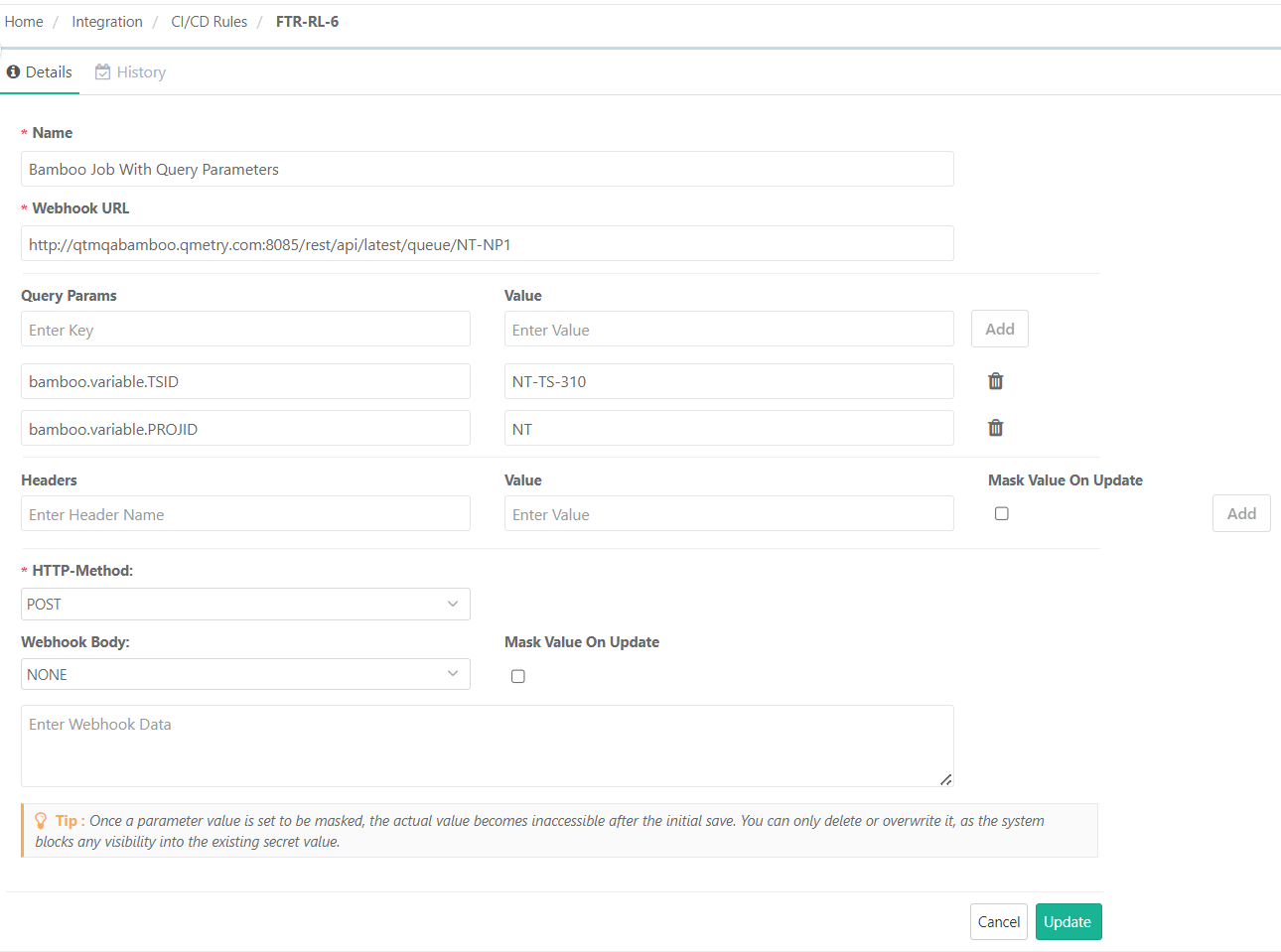
CI/CD Rule With Query Parameters
Users can trigger the CI/CD Rule for parameterized Bamboo jobs. The parameterized job contains global variables in the Bamboo configuration.
 |