National Language Support
National Language Support processes and retrieves data in native languages. It helps translate the application text strings from one language to another. It ensures all information, tool tip, and UI texts translates to the native language.
Note
National Language Support is available only when the Internationalization pack is enabled.
In organizations with QA teams across different regions, the QA Manager can enable translation of the application text into regional languages. Each user can set their own language preference, which overrides the default language setting.
Changing Language Preference
To change your language preference, perform the following steps:
Go to User Profile.

2. Click the Edit icon.
3. Change the language preference to Espanol on the Language Preference drop-down.
4. Click Update.
Impact of NLS
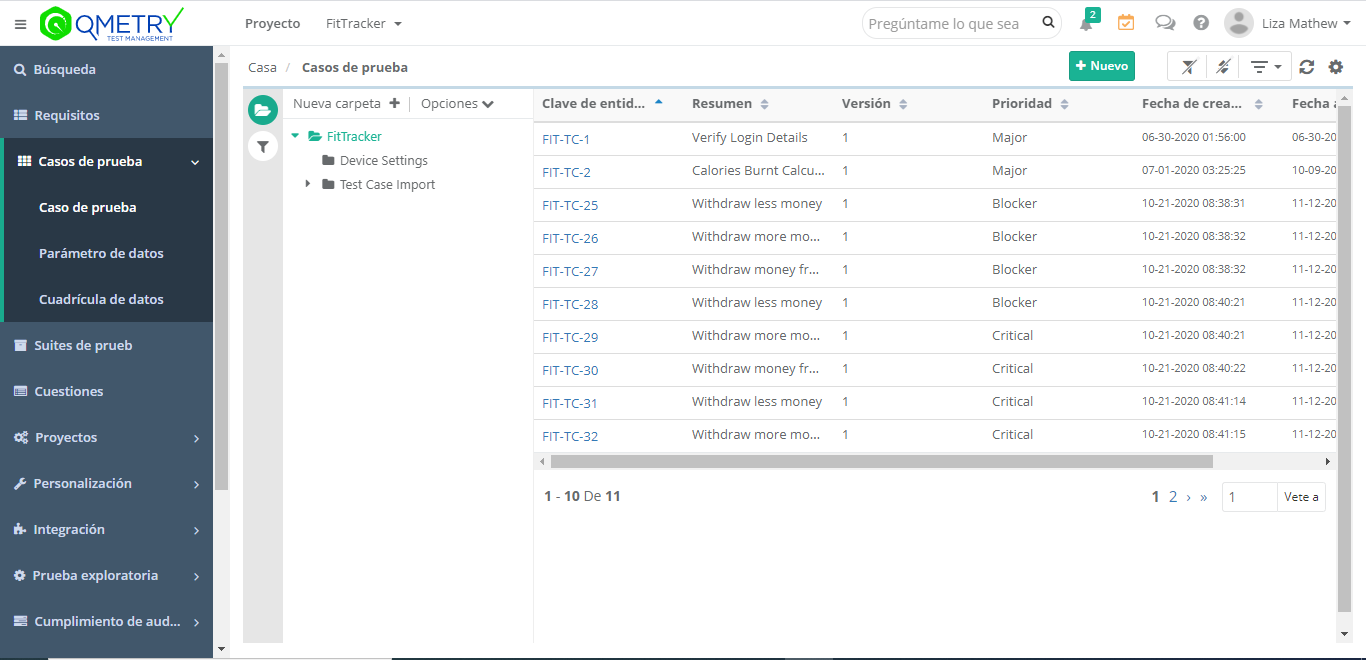
Changing the language preference to Español displays the following screens in Spanish:
Main Navigation menu.
All System-defined fields for all modules.
All placeholders and tool tips in QMetry.
All success, failure, and warning pop-up messages.
All add, edit, tabular view confirmation box messages.
All column headers and static labels in Exported XLS, CSV, or PDF.
All system-defined dashboards.
System Report labels.
Dashboards, Insights, and Custom Gadgets.
Search
QMetry and Jira Add-on Integration
Set Jira profile language preference to Spanish. This lets you view the following sections or pages in Spanish.
Note
You need Internationalization pack enabled.
Jira add-on configuration page.
Bug and Story panels.
Test Case Details and Test Execution.
Table headers, static text, and error messages are displayed in the preferred language.
Exempted Areas from Native Language Conversion
The following areas in the application are skipped from language conversion:
Login Screen
Audit and Change log
Automation Agent
Exploratory Testing
All System-defined list values like Component, Priority, etc. (users can create custom values in their native language).
Resetting Native Language Configuration
Reset language preference to English from the User Profile
Note
Changing the language back to English after entering data in Spanish, does not convert the existing Spanish data.
The application currently supports only Spanish as a native language.