Creating New Parameters
To create new parameters, perform the following steps:
 |
Go to Data Parameter under Test Cases.
Click New.
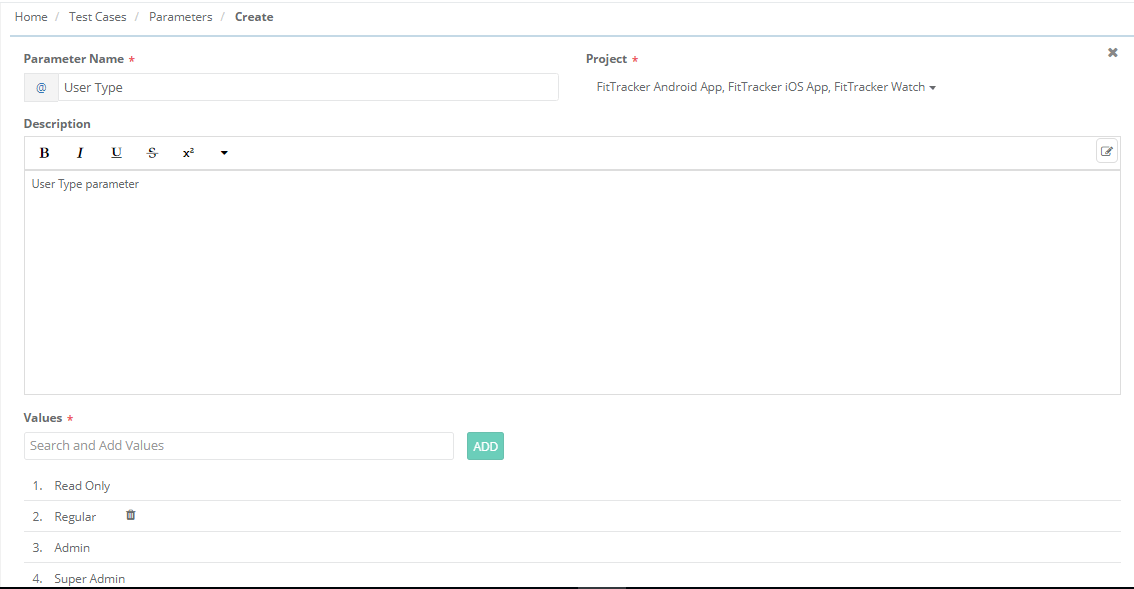
Enter the following details:
Parameter Name: Parameter names should be unique across projects. It allows characters, numbers, and some special characters like -_&.'
Project: The drop-down displays projects with "Modify" rights for the Test Data Parameterization module. You can select multiple projects (up to 10) to link.
Description: Enter a short description for the parameter. (This is optional)
Values: Enter parameter values. For example, for the "User Type" parameter, the values can be "Read Only", "Regular", "Super Admin", and "Admin".