Edit Reflect-created Test Cases in QMetry
Reflect-created test cases are read-only in QMetry. To modify test steps directly in QMetry, create a manual version of the test case.
To edit reflect-created test cases in QMetry:
Open the test case in QMetry.
Select Create New Version.
Edit the test steps.
Save the test case.
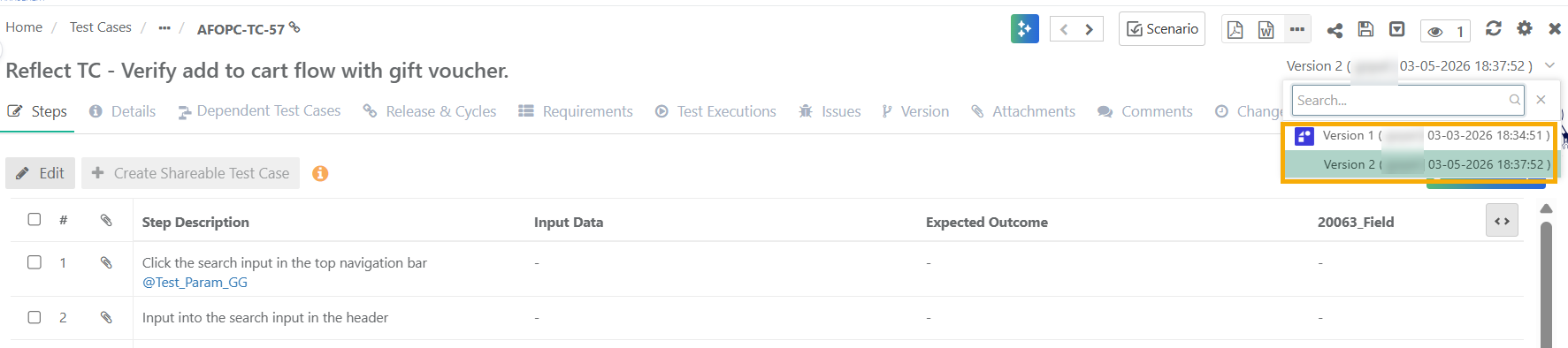 |
In the image:
Version 1 was created from Reflect and is indicated by an icon.
Version 2 is a manually created version.
Note
Changes made in QMetry do not sync back to Reflect.
Synchronization works only from Reflect to QMetry.