Change Log Report
The Change Log Report shows the history of changes made across the Requirement, Test Case, Test Suite, Issue, and Execution modules. Each row in the report represents a single change. It displays the action, the old value, the new value, and the user who made the change.
Test run user-defined field (UDF) changes are included in this report.
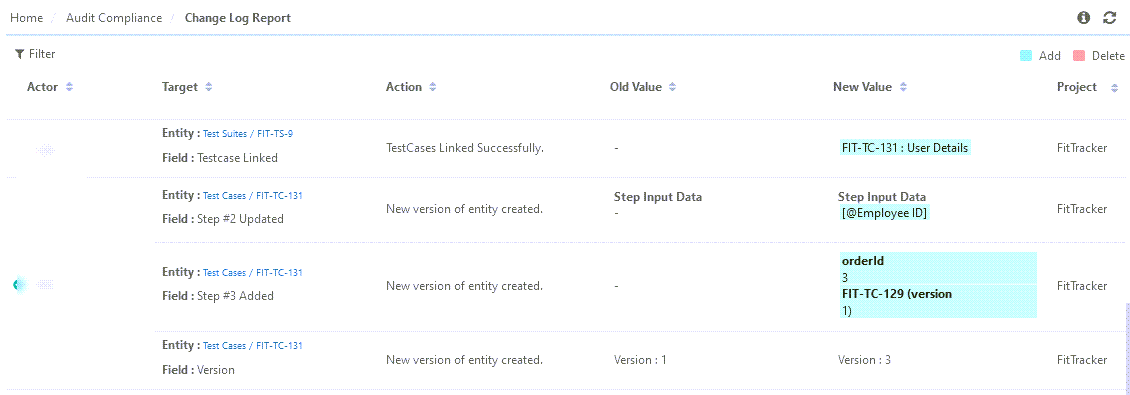
Each of the records shows the history with the following details:
Actor: The user performing the change.
Target: The entity and the affected field where the change was made.
Action: Describes the action.
Summary: The display name of the test case.
Key: The test case key and version.
Field: The name of the field whose value changed.
New Value: The updated value of the field.
Old Value: This is the original value of the field.
Project: The project in which the changes were made.
DateTime Stamp: The date on which the field value has been changed.
Filtering the Report
Filter the Change Log records by applying one or more of the following filters.
Entity ID
Actor
Target
Field
New Value
Old Value
Duration
Note
The Test Case Key (ID) filter field has an increased display width so that full key values are visible.