Azure DevOps
Pre-requisites
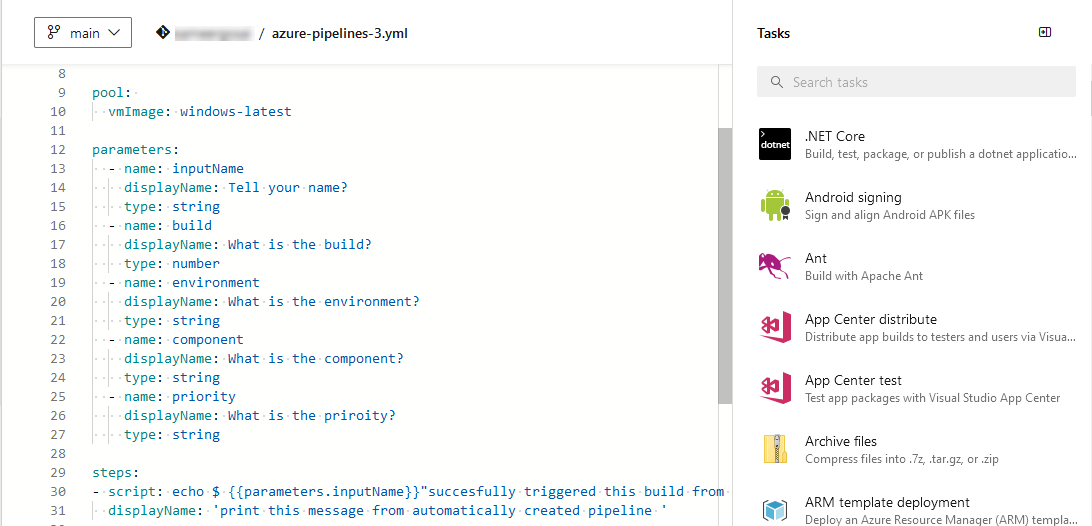
The azure-pipelines.yml file must exist in the repository that contains your project code and tests under Pipelines. The following is an example of .yml file.
 |
Authorization
To supply the Authorization header with the value Basic <auth>, perform the following steps:
Build a string of the form
username:PAT. Read below about how to generate Personal Access Token in Azure DevOps.Encode the string in Base64 format.
Supply an Authorization header with content
Basicfollowed by the encoded string.
Generate Personal Access Token in Azure DevOps
Follow these steps to generate a Personal Access Token (PAT) in Azure DevOps. For detailed guidance, see the Microsoft documentation on Personal Access Tokens.
Log in to Azure DevOps.
Go to User Settings, then select Personal access tokens.
Click New Token.

Provide the required details and create the token.
Copy and store the generated token securely.
Construct Webhook URL
The following is an example of a web request URL to trigger a build in Azure DevOps and follows this syntax.
https://dev.azure.com/{organization}/{project}/_apis/pipelines/{pipelineId}/runs?api-version=7.0
Placeholder values:
organization:qmetryproject:qtmpipelineId:4
Example URL:
https://dev.azure.com/qmetry/qtm/_apis/pipelines/4/runs?api-version=7.0
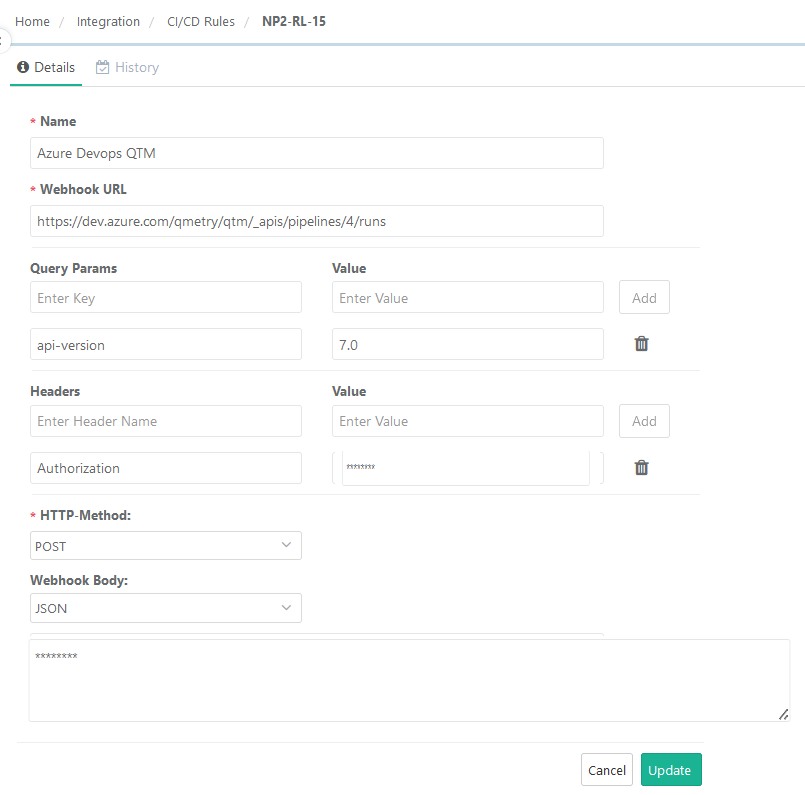
CI/CD Rule Configuration in QTM
The following are examples of triggering the build without parameters, with query parameters, and with RAW parameters.
CI/CD Rule without Parameters
 |
CI/CD Rule With JSON Parameters
 |
After creating the CI/CD rule in QMetry, you can trigger a pipeline job in Azure DevOps.
The pipeline gets triggered successfully.