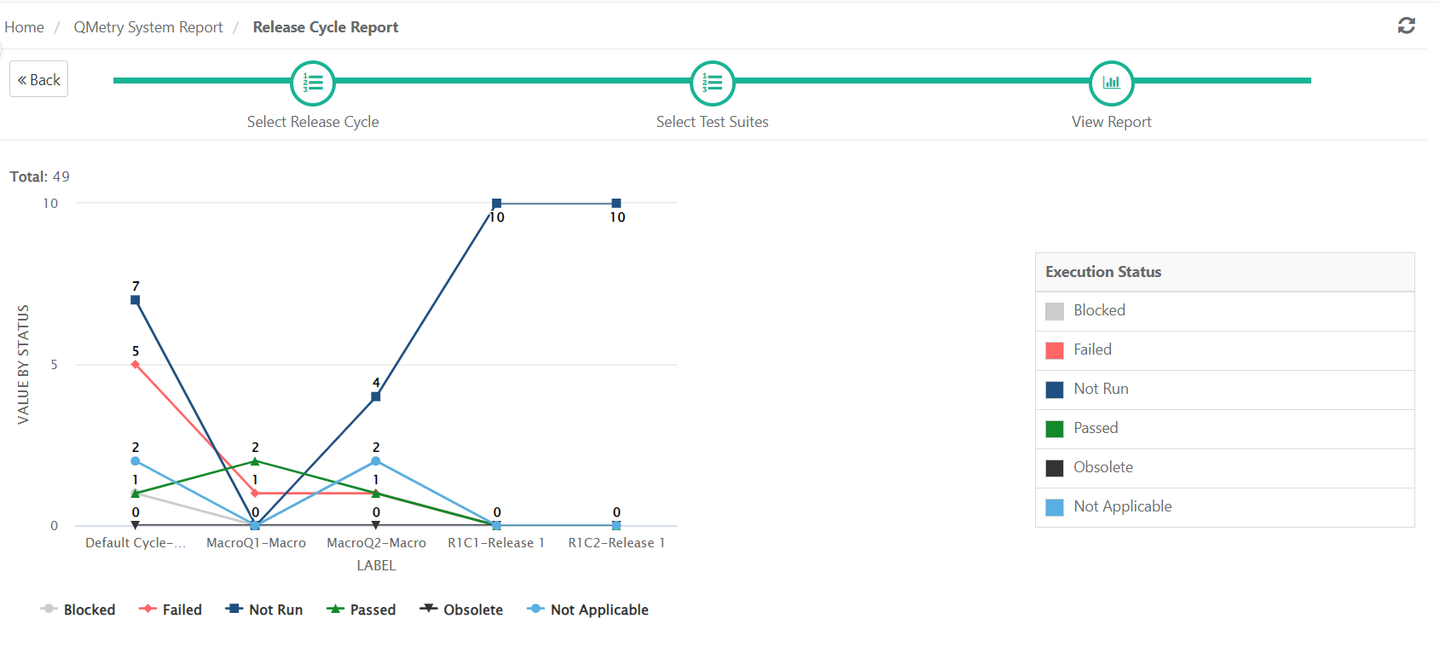
Release Cycle Report
The Release Cycle report allows QA Managers to compare test executions for multiple Releases and Cycles and track the testing progress along with the development projects.
To generate release cycle report, perform the following steps:
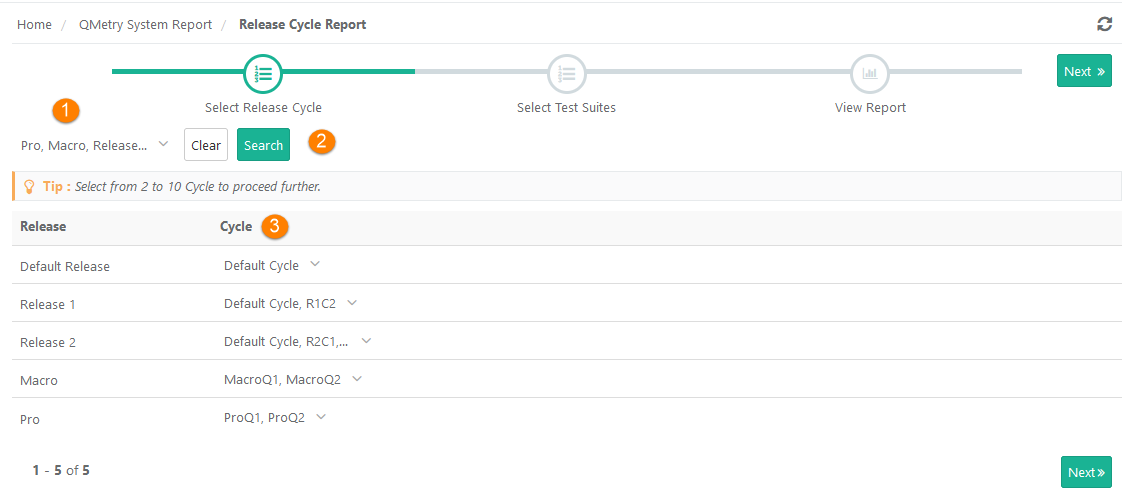
Select Release Cycle
Select Release: You can select multiple releases.
Click Search: It populates cycles for the selected releases.
Select Cycle: You can select minimum 2 and maximum 10 cycles.
Click Next.
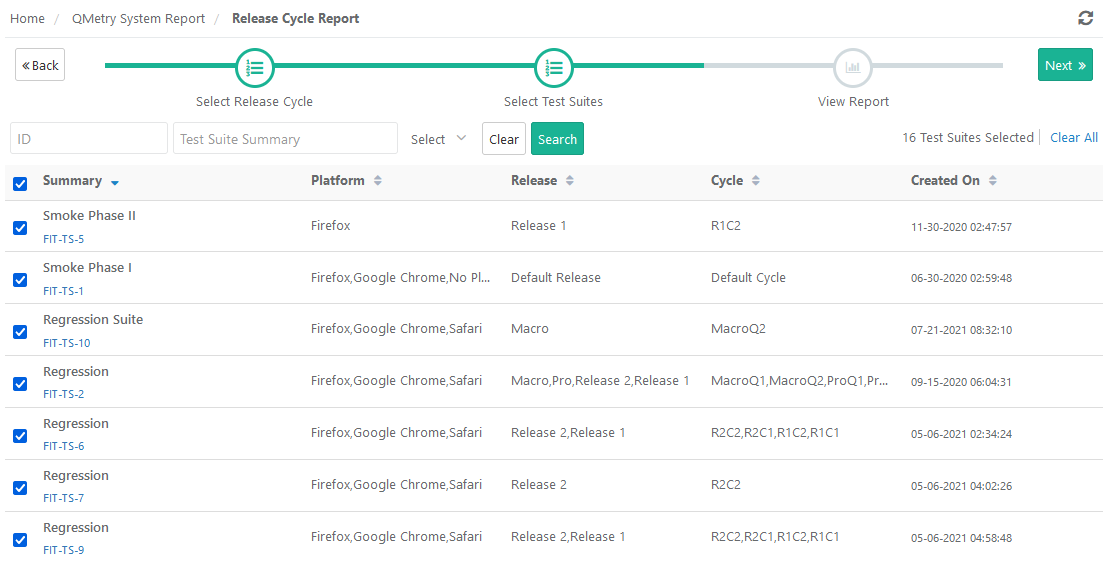
Select Test Suites:
Apply ID, Summary or Platform filters to search particular test suites. Else, leave the fields blank and click Search.
Select test suites you want to generate the report of.
Then click Next.
View Report: View the trending chart for the selected test suite.
Apply filters on ID, Summary, and Platform to generate the graph accordingly. By default, the data is displayed for the first platform on the drop-down list.