Creating Reports from Reflect Created Tests and Suites
You can track and analyze test cases and test suites created through the Reflect integration by using the reporting features in QMetry Test Management.
These reports help teams monitor automation activity, identify test assets created from Reflect, and analyze execution results.
Identify Tests and Test Suites Created from Reflect
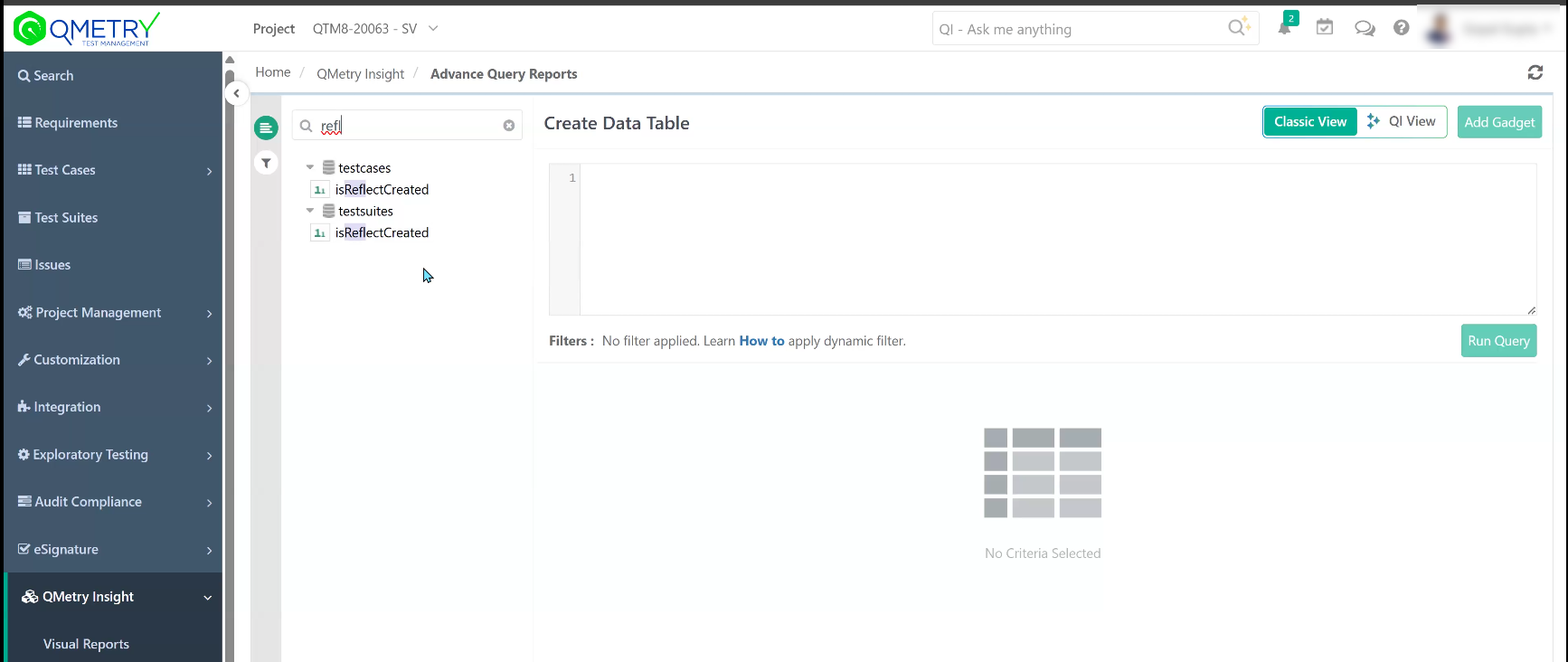
Use the IsReflectCreated column in reports to identify test cases and test suites created through the Reflect integration.
This column helps you analyze automation activity and distinguish Reflect-generated assets from manually created test assets.
Use the IsReflectCreated Column in Reports
You can filter the IsReflectCreated column in reports to:
View test cases created from Reflect
View test suites generated from Reflect executions
Analyze automation activity across projects
Filtering this column allows you to generate reports that focus only on assets created through the Reflect integration.
 |
Create Reports for Reflect-Created Test Assets
You can generate reports in QMetry Test Management to analyze test cases and test suites created through the Reflect integration. Use these reports to monitor automation activity, track Reflect-generated assets, and analyze execution trends across projects.
You can generate:
Visual Reports for graphical analysis.
Advanced Query Reports for detailed filtering and data analysis.
Create Visual Reports
When building Visual Reports, include the following columns:
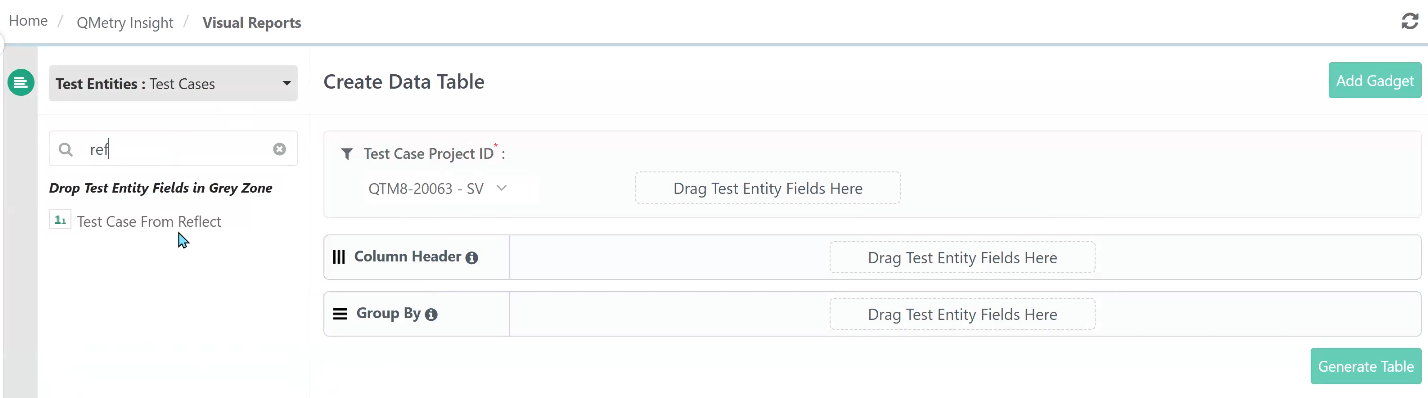 |
Test Case from Reflect
Test Suite from Reflect
These columns allow you to visualize:
Test cases created from Reflect
Test suites generated from Reflect executions
Automation trends across releases or projects
Create Advanced Query Reports
Use Advanced Query Reports when you need more detailed filtering and analysis.
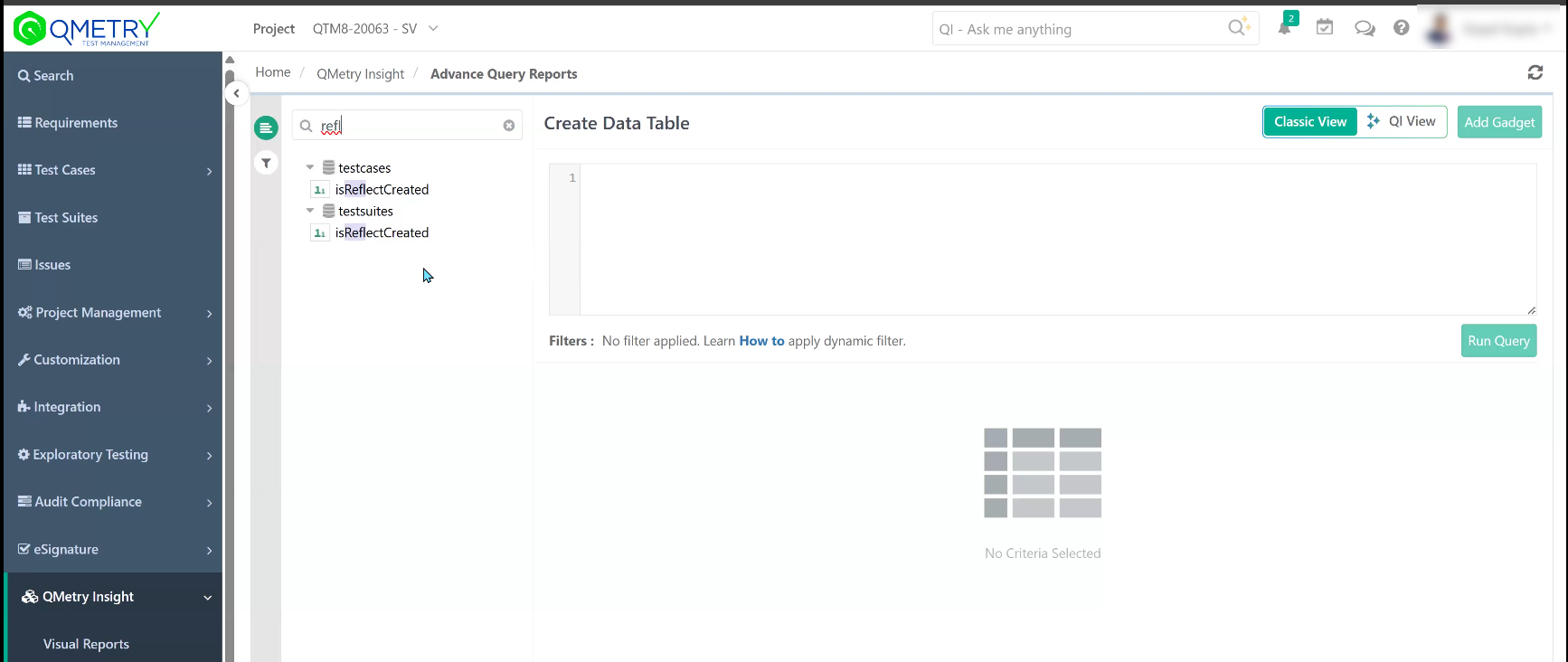
Filter the report using the IsReflectCreated column to retrieve records created through the Reflect integration.
 |
You can generate reports such as:
All test cases created from Reflect
All test suites generated from Reflect executions
Reflect-based test activity across projects
Create Dashboard Gadgets from Reflect Reports
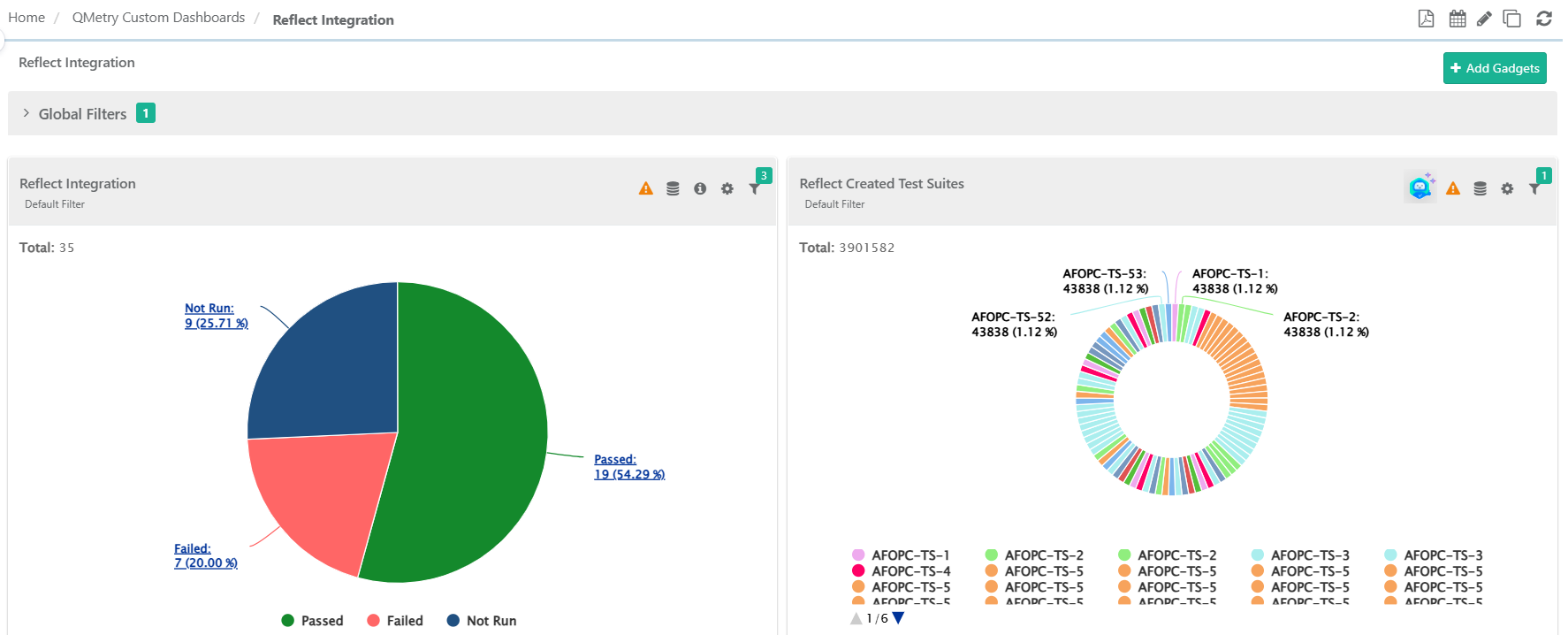
You can use Reflect-related reports to create custom dashboard gadgets in QMetry.
 |