Identify Steps from Shared Test Cases
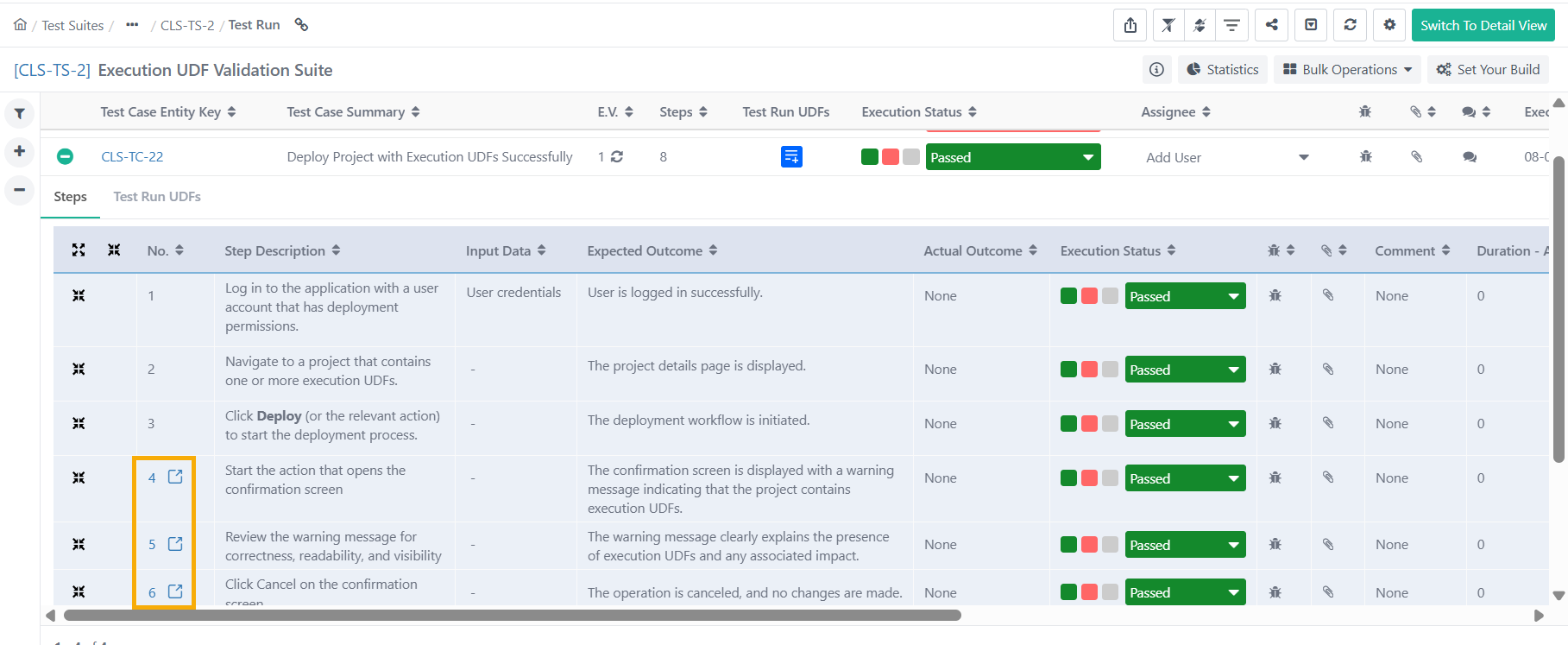
This procedure explains how to identify shared test steps within an executed test suite. Shared test steps are displayed with a link icon next to the step number, indicating that the step is referenced from a shared test case.
Pre-requisites
Access to the required Test Suite.
Permission to execute and view test results.
Identifying Shared Test Cases Steps
To identify shared test case steps, perform the following steps:
Go to Test Suites module.
Execute a test suite containing test case with shared test steps.
Expand the Steps by clicking the + sign.
Identify the shared test steps by locating the link icon displayed next to the step number.