Risk Traceability for Requirements
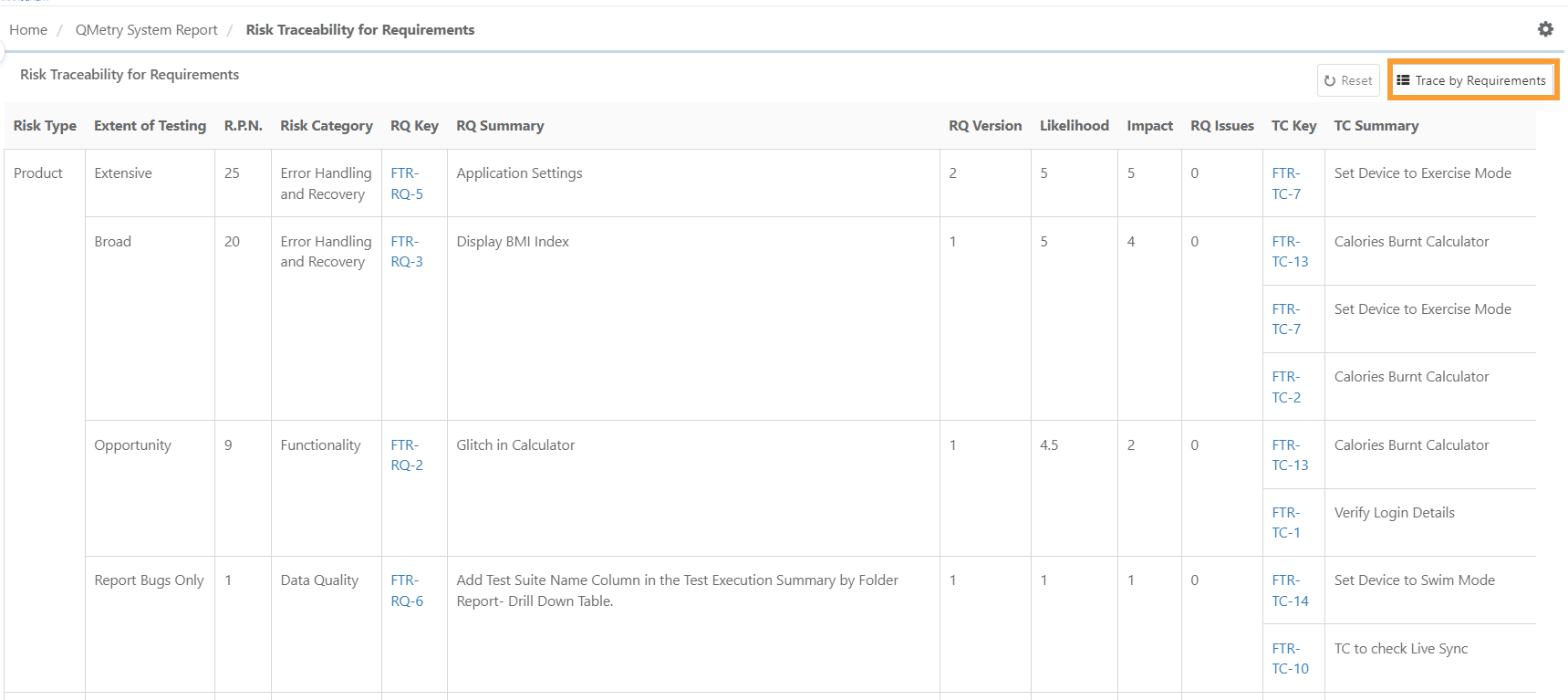
The Risk Traceability Report is generated for requirements and test cases for which the Risk Analysis is done and includes relevant details for calculating the Extent of Testing.
Access this report from Risk Traceability for Requirements under QMetry System Reports.
Risk Traceability Report: Trace by Requirements
The Risk Traceability Report can be further filtered based on requirements. Users can apply filters to select specific requirements and generate reports based on those criteria.
 |
To generate risk traceability report by requirements, follow these steps:
Click Trace by Requirements.
Select individual requirements using checkboxes or select all with the "Select All" checkbox. Click "Apply" to finalize selections.
Open the Advanced Filters section to filter Risk Analysis fields and select the desired criteria.
Specify the required filter values.
From the filtered list, select the requirements for which the Risk Traceability Report will be generated, and click Apply.
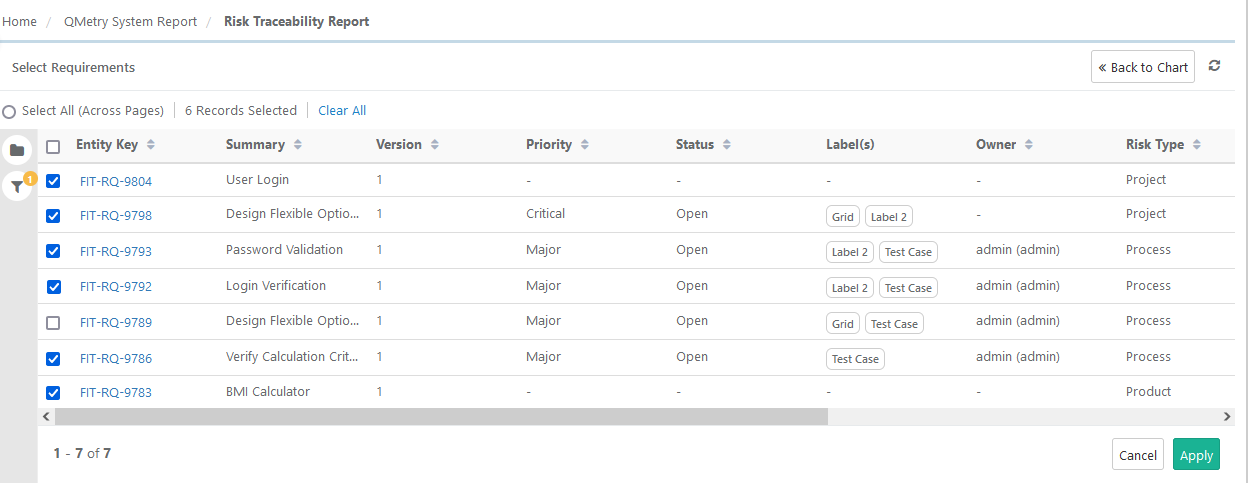
The Risk Traceability Report is generated for the selected requirements.
Users can reset the filter by clicking the Reset button to clear the current filter and generate the report afresh.
Export Risk Traceability for Requirements
To export Risk Traceability for Requirement report follow these steps:
Click the cog(⚙️) icon located at the top right of the screen.
Select your preferred export format:
Export as XLSX format
Export as CSV format
To download the file, click Scheduled Tasks icon, and click Download.