Copying Test Suites in Bulk
The Copy Test Suite in Bulk feature lets you duplicate multiple existing Test Suites for a different release, cycle, or platform configuration. You can select which settings to copy (such as platforms, test case versions, assignees, and execution data) and which to reset.
To copy test suites in bulk, perform the following steps:
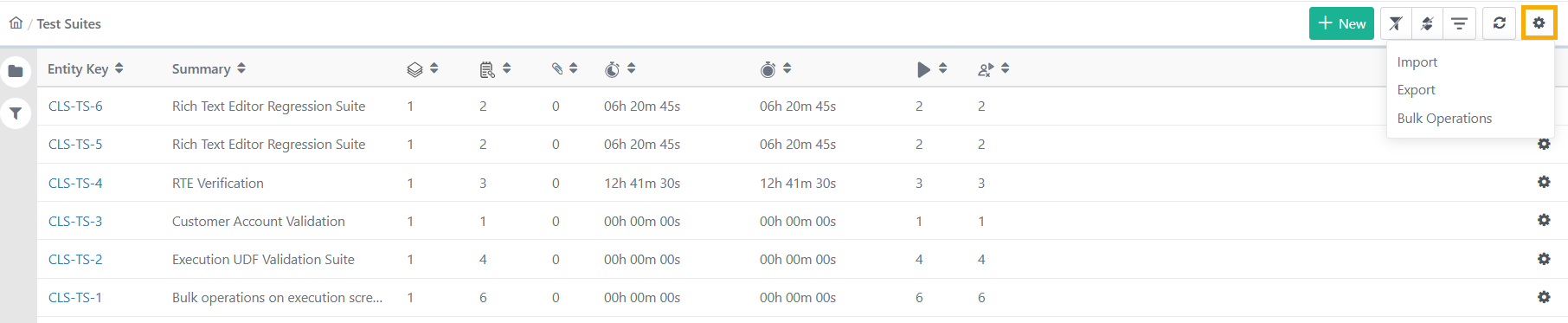
Go to the Test Suites module.
Click the Cog (⚙️) icon and select Bulk Operations.
Select Copy.
Select Test Suites (or select all) and click Next.
Select the destination folder and choose one of the copy options:
Copy with Existing Release and Cycle
Copy by Linking New Release and Cycle
Copy by Linking New Release and Cycle
Note
If e-Signature is enabled:
Only the latest approved and unarchived versions of Test Cases are copied.
The following are always reset automatically:
Assignee
Planned Date
Execution Status set to Not Run.
Copy Existing Release and Cycle
This option creates a duplicate of the Test Suite under its current Release and Cycle. Use it when you need a second version of the suite in the same testing context.
The system excludes different fields from copying depending on whetherReset Execution Status to Not Run is selected or cleared. Please read the Notes on your screen to know more.
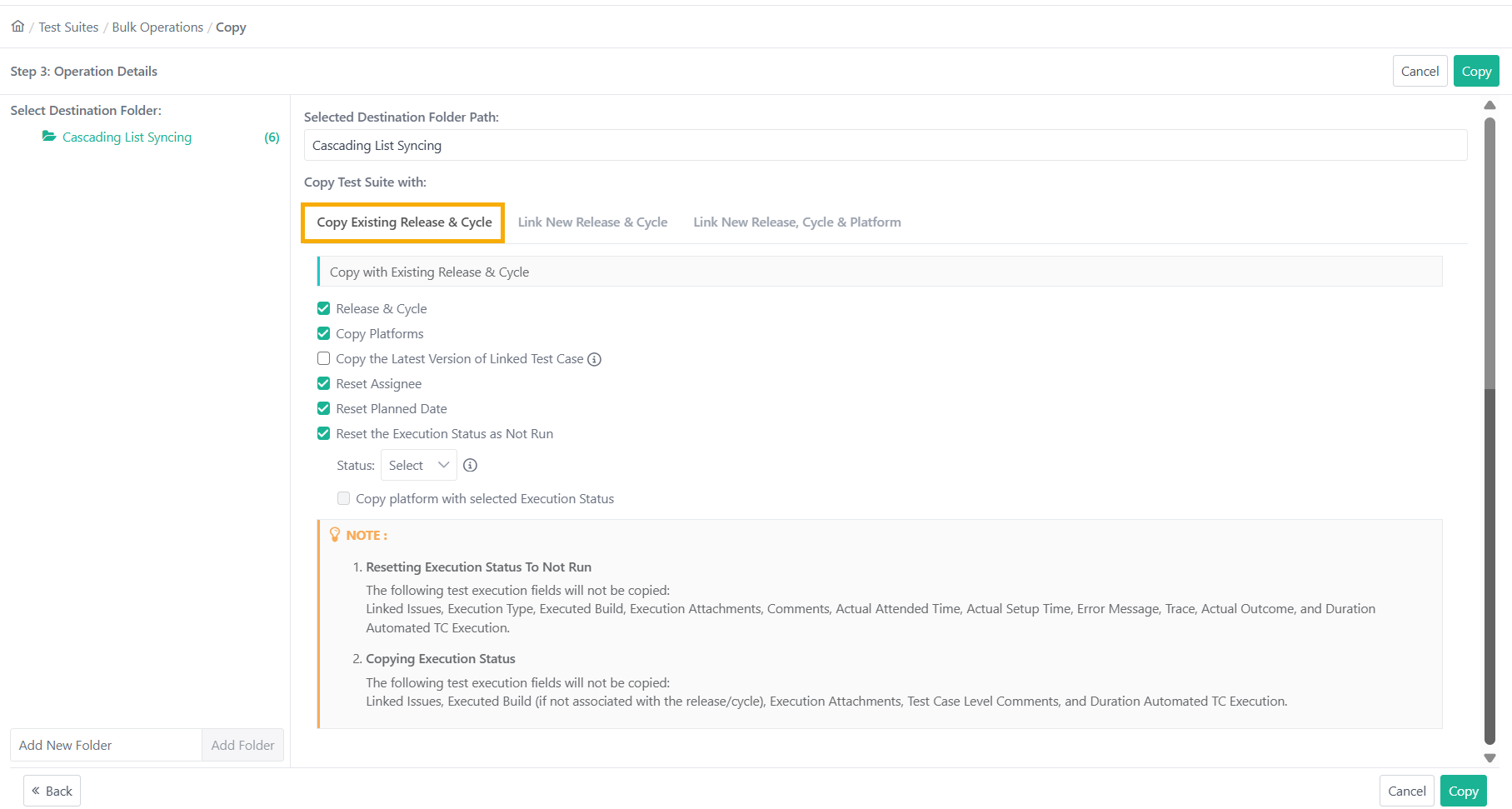 |
The following table describes the settings available for this copy method.
Setting | Description |
|---|---|
Release and Cycle (Mandatory Fields) | Shows only active and unarchived combinations linked to the Test Suite. |
Copy Platforms (optional) | Yes (default): Copies all linked platforms to the new Test Suite. No: Creates the new Test Suite without any platform information. |
Copy the Latest Version of Linked Test Cases (optional) | Yes: Uses the latest available unarchived version of each Test Case. No (default): Retains the versions linked in the source suite. |
Reset Execution Status as Not Run | When selected:
When not selected:
For eSignature-enabled projects, the system automatically selects Reset Execution Status to Not Run.
|
Copy Test Run UDFs Values |
|
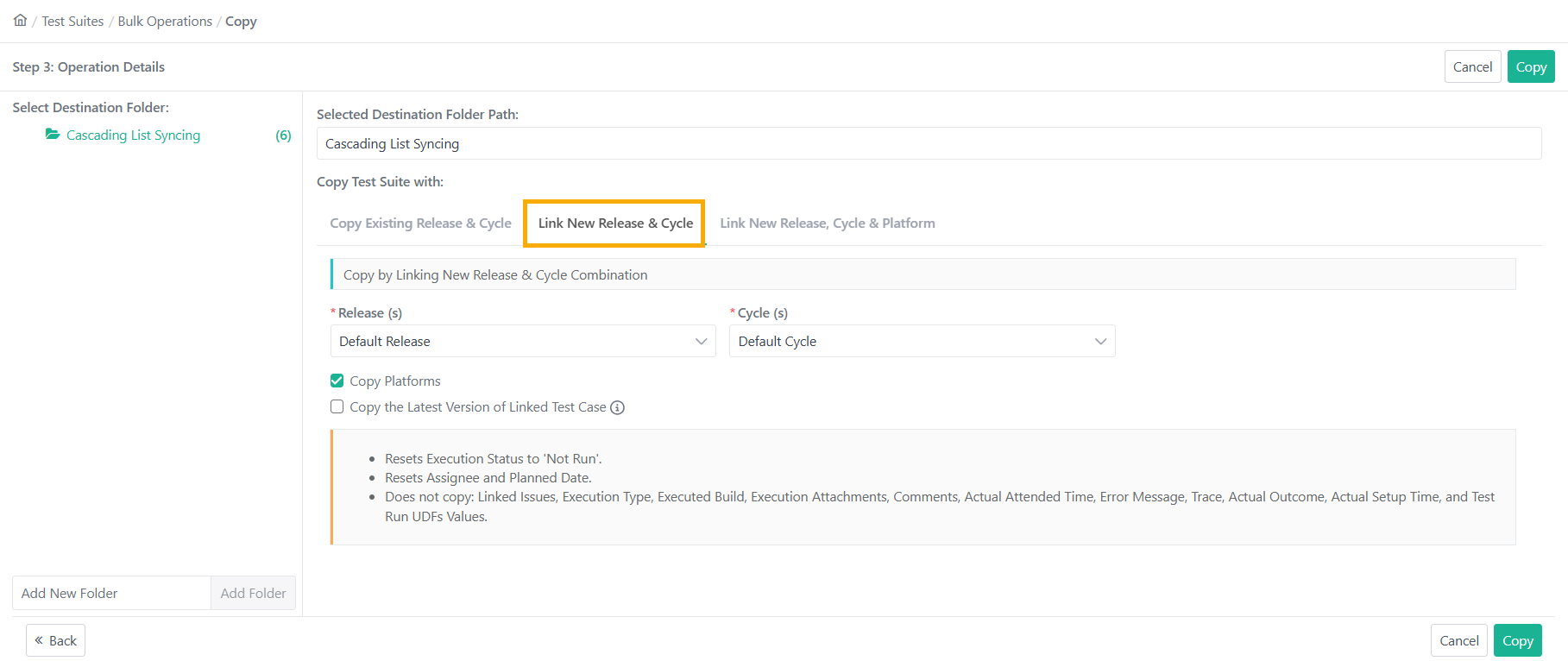
Link New Release and Cycle
This option copies the Test Suite and attaches it to a different Release and Cycle. Use it when you want to reuse an existing suite's structure and test cases in a new release.
The system excludes certain fields from copying including Test Run UDFs. Please refer to the Notes on your screen.
Aspect | Description |
|---|---|
Mandatory Fields | Release and Cycle |
Copy Platforms (optional) | Yes (default): Copies all linked platforms to the new Test Suite. No: Creates the new Test Suite without any platform information. |
Copy the Latest Version of Linked Test Cases |
|
Automatic Resets |
|
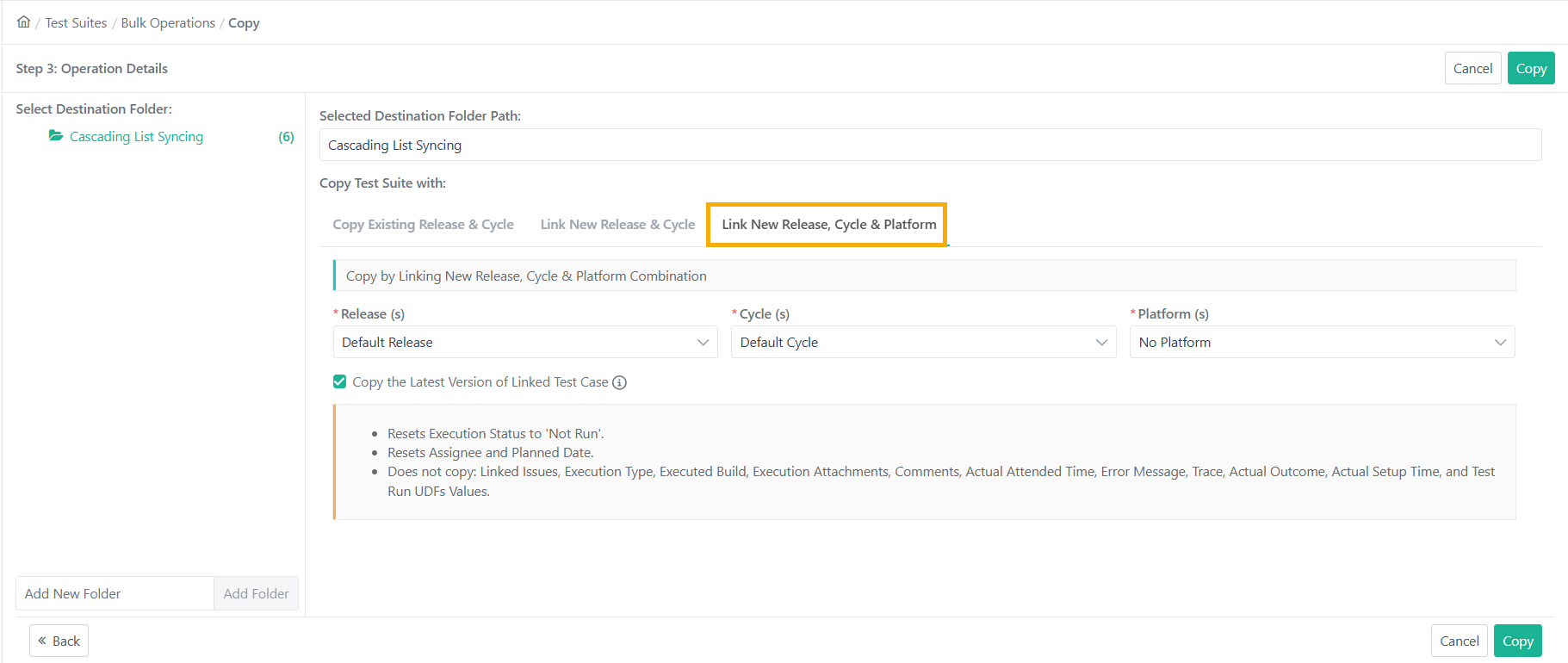
Link New Release, Cycle and Platform
This option copies the Test Suite and attaches it to a new Release, Cycle, and Platform combination. Use it when the target environment has changed and you need to run the same tests against a different platform.
The system excludes certain fields from copying including Test Run UDFs. Please refer to the Notes on your screen.
 |
Aspect | Description |
|---|---|
Mandatory Fields | Release, Cycle and Platforms You can add up to three platforms. |
Copy the Latest Version of Linked Test Cases |
|
Automatic Resets |
|
Copying Test Suite Folders
Use this option to copy all Test Suites in a folder at once.
Configure the same options for Release, Cycle, Platforms, Test Case versioning, and resets as described above.