Import Data Grid
To import Data Grids from an Excel file, perform these steps:
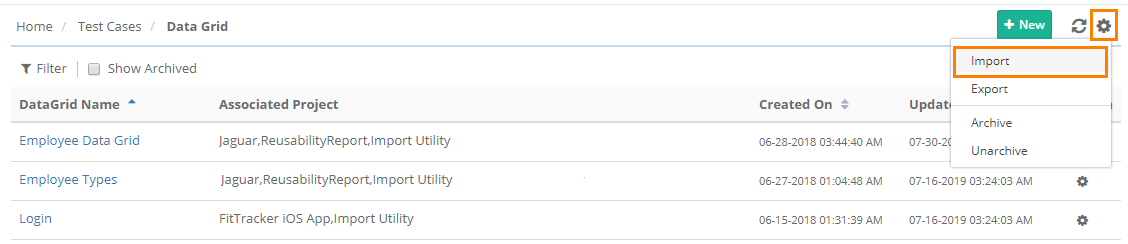 |
Go to Test Cases and select on the menu.
Click the Cog (⚙️) icon and select Import.
Perform the import operations:
Choose File: Browse and select the Excel file.
Project: Select the projects. Data Parameters are visible across projects irrespective of project linkage. To use the Data Parameter within a project, associate the parameter with that project.
Click Import.
Note
Audit logs for Create, Update, Delete, Archive, and Unarchive are added for Data Grid and Parameter in the Audit Log Report.
Track import progress of the DataGrid from Scheduled Tasks.