Editing Data Parameters
To edit parameters, perform these steps:
 |
Go to Data Parameters under Test Cases.
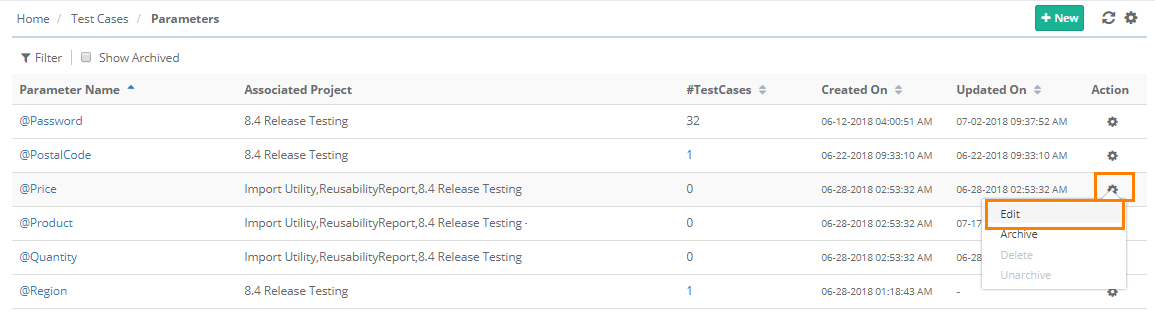
There are two ways to open the edit screen:
Click the parameter to edit.
Click the Cog (⚙️) icon for the parameter and click Edit.
The Parameter details page opens in editable mode.
Note
An associated project cannot be removed if the parameter is used in the test case of that project.
Updating parameter values does not affect test executions.