Sharing Test Cases with Other Users
Share test case summary and details with other users through different channels.
Share Test Case
To share a test case, perform these steps:
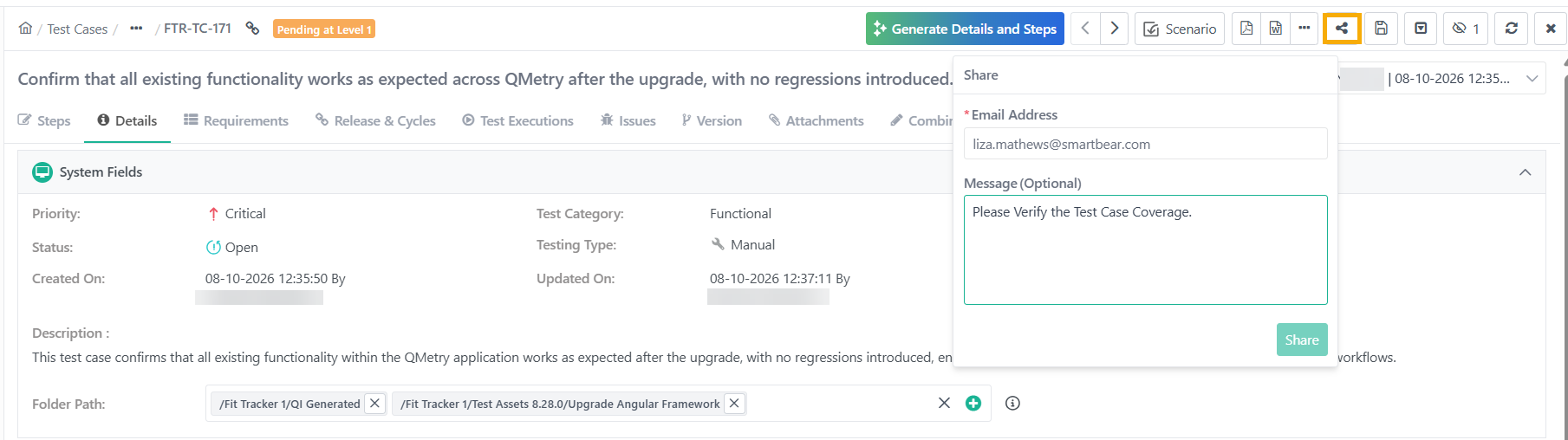
Open the Test Case details page.
Click the Share icon.
Enter one or more email addresses.
Write a message (optional but recommended).
Click .
Get Test Case Link
To get a test case link, perform these steps:
Open the test case details page.
Locate and click the Copy Link icon on the breadcrumb navigation.
Share this link via any preferred communication channel.
Example 11. URL Syntax
https://<URL>>/#/<AssetType>/<AssetKey>
For example,
Authorized members can access the asset directly via the shared link.