Reuse Shareable Test Cases
Shareable test cases let you reuse common steps across test cases, reducing duplication and ensuring consistency.
To reuse shareable test cases, perform these steps:
On the Test Case detail page, go to the Test Steps section.
Click Edit.
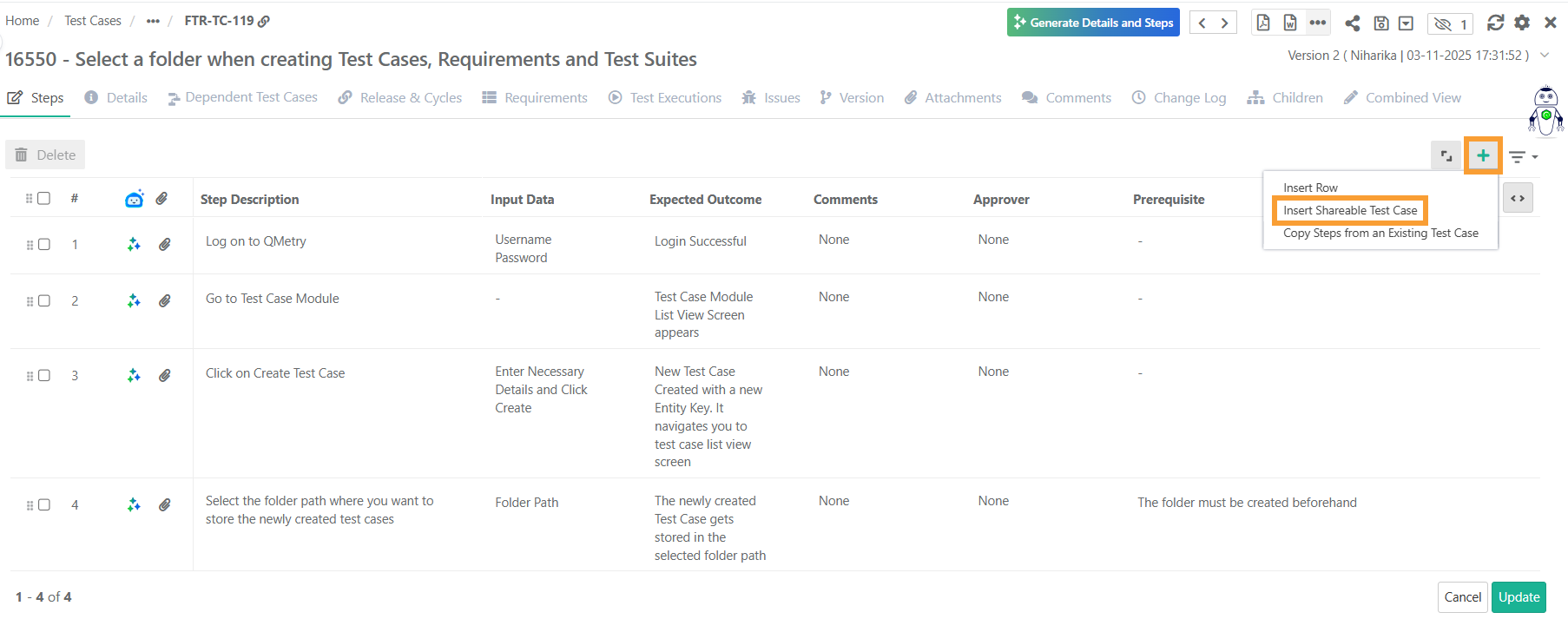
Open the Insert Shareable Test Case screen using the + icon or the Cog (⚙) icon on any step row.
In the Link Shareable Test Case screen, apply filter to locate the relevant test cases.
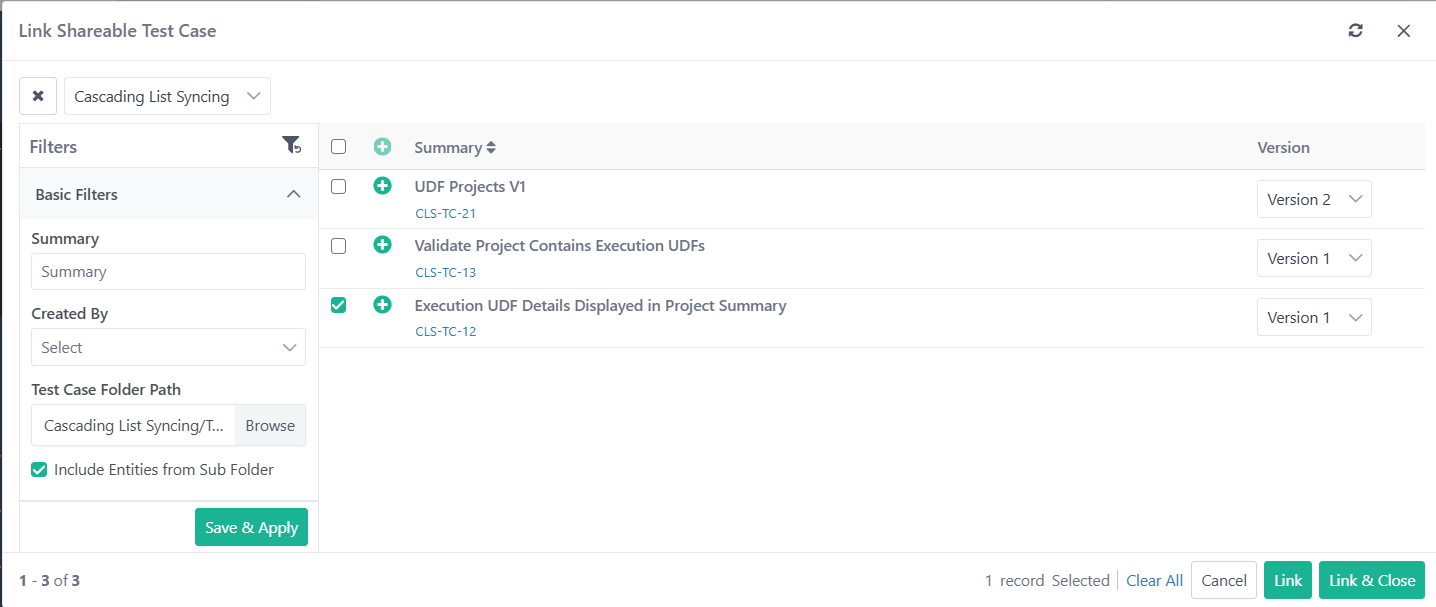
Click Save & Apply to save the applied filters. The system preserves the filters you applied.
Select Include Entities from Sub Folder to display STCs from the selected folder and all its sub-folders.
Select a specific version of the test case to link.
Click Link or Link and Close after linking the test cases.
Clicking Link lets you link more test cases while Link and Close links the test cases and exits the screen.
On the Steps tab, view the test case Key and version of the shareable test cases linked to the test case.
You can:
Drag and drop test steps to rearrange them.
Open the shareable test case in a separate tab.