Deleting Test Cases
Deleting a test case is a two-step process:
Archiving the Test Case: You can delete only archived test cases.
Deleting the Test Case: This will permanently delete the test case, including all versions.
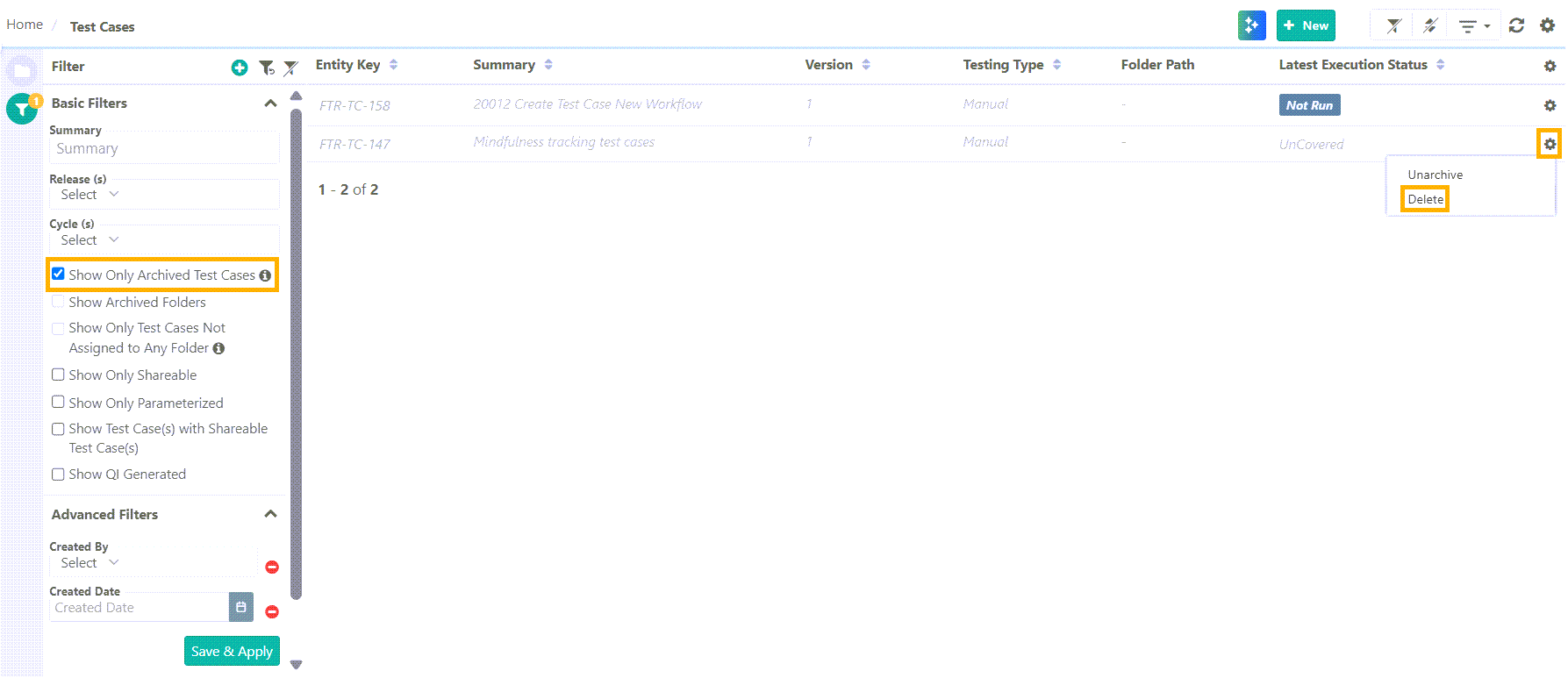
To delete a test case from the Test Case List View, perform the following steps:
 |
Go to the Test Case Module.
Expand the filters and select Show Only Archived Test Cases .
Search the archived test case.
Click the Cog(⚙️) icon next to the archived test case and select Delete.
To delete a specific test case version, refer to Requirement and Test Case Versioning.
Deleting Test Steps
To delete test steps in bulk, perform the following steps:
Go to the Test Case Details Page.
Open to the Steps tab.
Click Edit and select the test steps.
Click Delete.