Managing Labels
The Labels field is a system-defined field in modules like Requirement and Test Case. It is most often used for a major classification of a product or service. Some organizations use “Module,” "Component," and "Product" in place of Label.
Creating Labels
To create a label, perform the following steps:
Go to Project Management and open Labels.
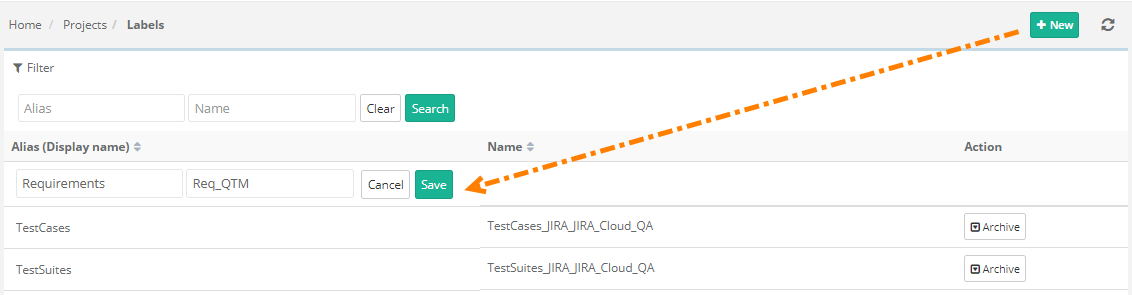
Click +.
Enter Alias (the name displayed) and Name of Label, and click Save.
Sharing Labels
Share labels to use the same Label values for other projects.
Use Case: The project admin wants to reuse the existing label values of one project in multiple projects so that they do not have to manually add label values to each project and maintain them separately.
Users can copy and import Labels.
Required Permissions: For creating or modifying the Label values you need the following permissions:
Source/Destination | Permissions |
|---|---|
Source Project The Project from which the labels will be copied. | Users should have the Project “View” permission. |
Destination Project The Project where the labels will be created. | Users should have the Project “View” permission. |
Import Label Values
Perform the following steps to import label values from other projects:
Go to Projects and select Labels.
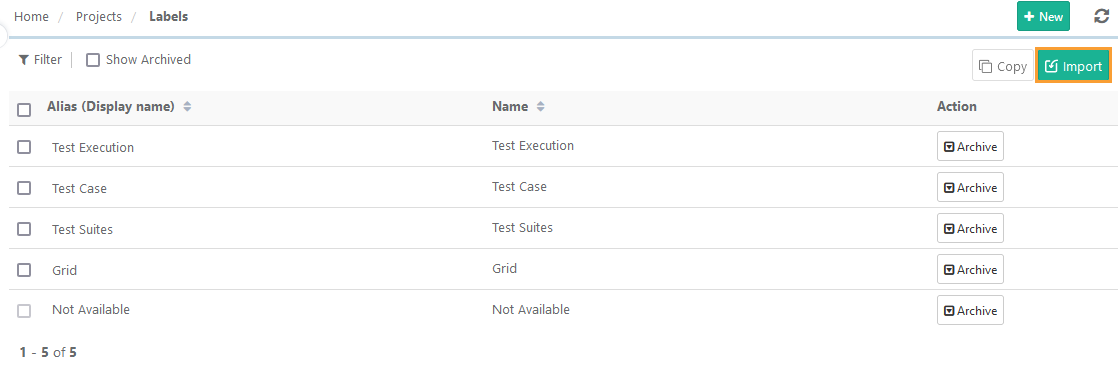
Click Import.
Open the drop-down to select a Project to import the Label values.
Select the labels to import from the existing project.
Note
A maximum of 100 Labels can be selected at a time.
Click .
View the progress in the Scheduled Task section. The selected Labels are imported into the project.
Copy Label Values to Other Projects
To copy label values, perform the following steps:
Go to Projects and open Label.
Select the Label values to copy to other projects.
Note
A maximum of 100 Labels can be selected at a time.
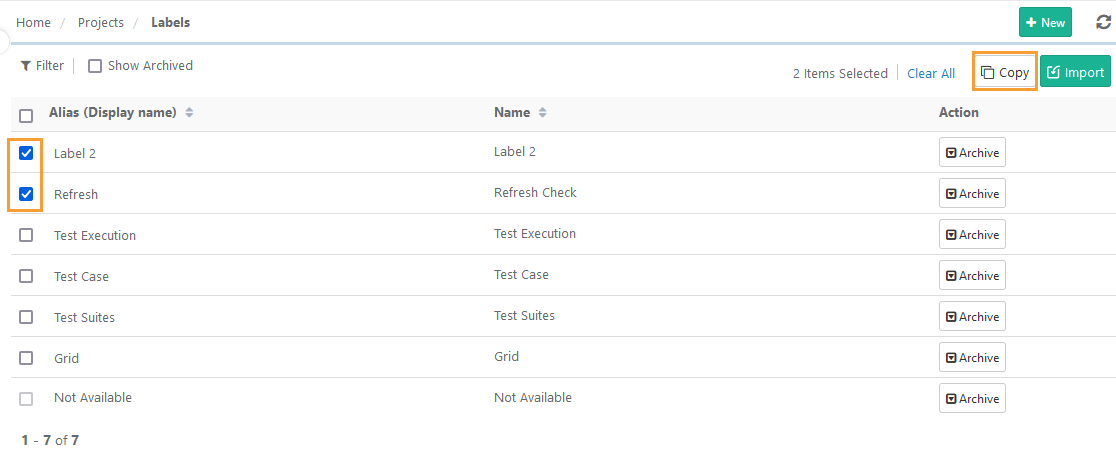
Select the target projects from the drop-down list.
Note
A maximum of five projects can be selected at a time.
Click .
View the progress in the Scheduled Task section. The labels are copied to the selected projects.