Login using API Token
Log into your Jira Cloud account using an API token instead of a password. This improves security and is the recommended method for authentication. Follow the steps below to create an API token for your Atlassian account.
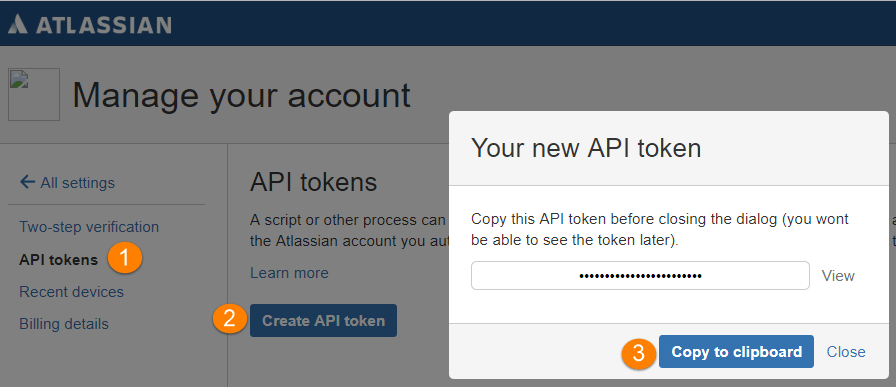
Click Create API token.
Copy the API token.
Note
For security reasons it is not possible to view the token after closing the creation dialog.
Store the token securely, just like a password.