Mapping QMetry Test Cases with Reflect Tests
You can map tests in Reflect with test cases in QMetry Test Management. Mapping links a Reflect test to a QMetry test case so that execution results can sync between the two systems.
Map tests from Reflect Assign Tests screen
Use the Assign Tests screen to map multiple Reflect tests at once.
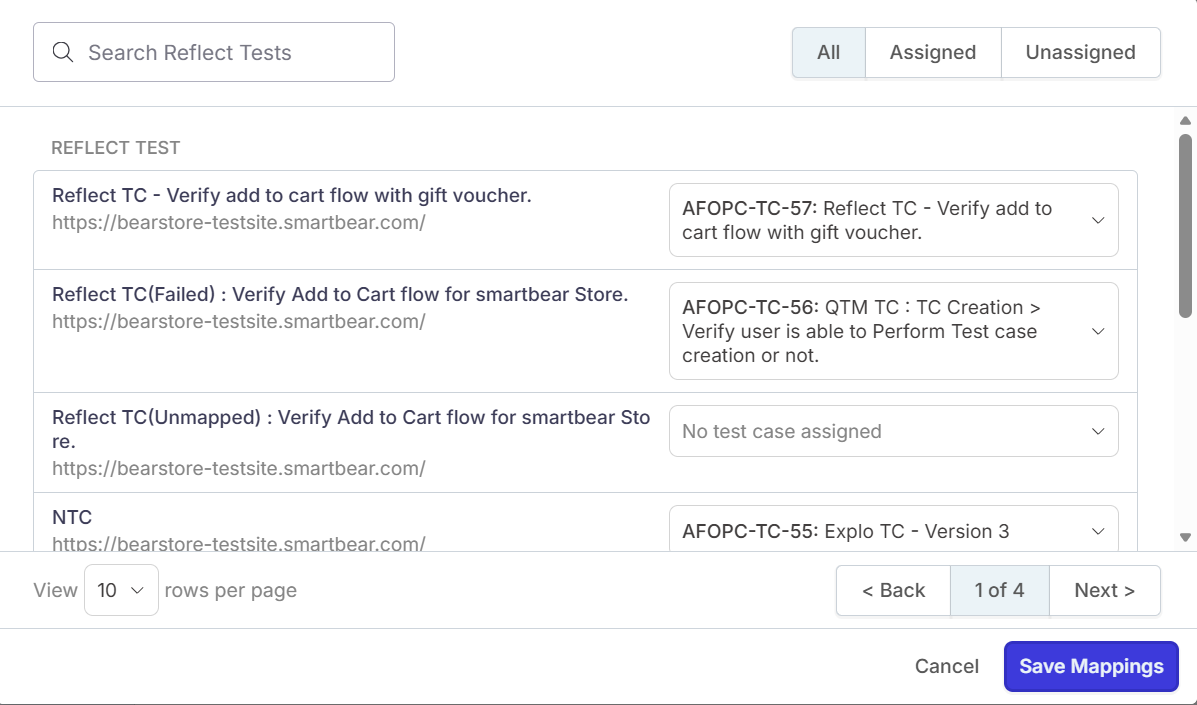
To map multiple Reflect tests with QMetry test cases, perform these steps:
Sign in to Reflect.
Go to Integrations.
Locate Test Case Management.
Select QMetry, and then select Assign Tests.
Map Reflect tests with QMetry test cases.
The page displays all test cases available in the selected QMetry project.
Use the filters to map only Assigned or only Unassigned test cases.
Once the mappings are done click Save Mappings.
After you save the mappings, they appear in the Test Case Details section.