QMetry Integration for Jira – Change Announcements with 8.25.1
The QMetry Integration for Jira app has been upgraded to align with Atlassian’s latest platform standards. As part of this update, the app has been migrated from Connect to Connect-on-Forge.
This migration enhances:
Security and compliance
Performance and reliability
Long-term compatibility with Atlassian Cloud
Action Required
For Existing Customers
QMetry SaaS US Customers (https://testmanagement.qmetry.com/)
Jira admin must manually update the app:
Log into Jira and go to Manage Apps.
Navigate to Connected Apps and select Installed Apps.
Locate QMetry Integration for Jira.
Click Upgrade.
QMetry SaaS EU Customers (https://testmanagementeu.qmetry.com/)
Jira admins must migrate manually.
The existing QMetry EU Integration for Jira app is replaced with the QMetry Integration for Jira app.
To migrate manually, perform these steps:
Log into Jira and go to Manage Apps.
Go to Connected Apps and check Installed Apps.
Uninstall the existing QMetry EU Integration for Jira app.
Install QMetry Integration for Jira app.
Verify that the connection status is Active under QMetry Configurations.
For New Customers
To directly install the latest Connect-on-Forge version of the app, perform the following steps:
Install QMetry Integration for Jira from Atlassian Marketplace.
Configure the integration in QMetry Configuration settings.
Verify that the connection status is Active and start syncing projects.
Important
Existing versions of the Jira integration app will be supported for the next 2 months.
Customers are recommended to upgrade early to avoid sync disruptions and compatibility issues.
This update does not change existing data access permissions on the Atlassian end".
What has changed?
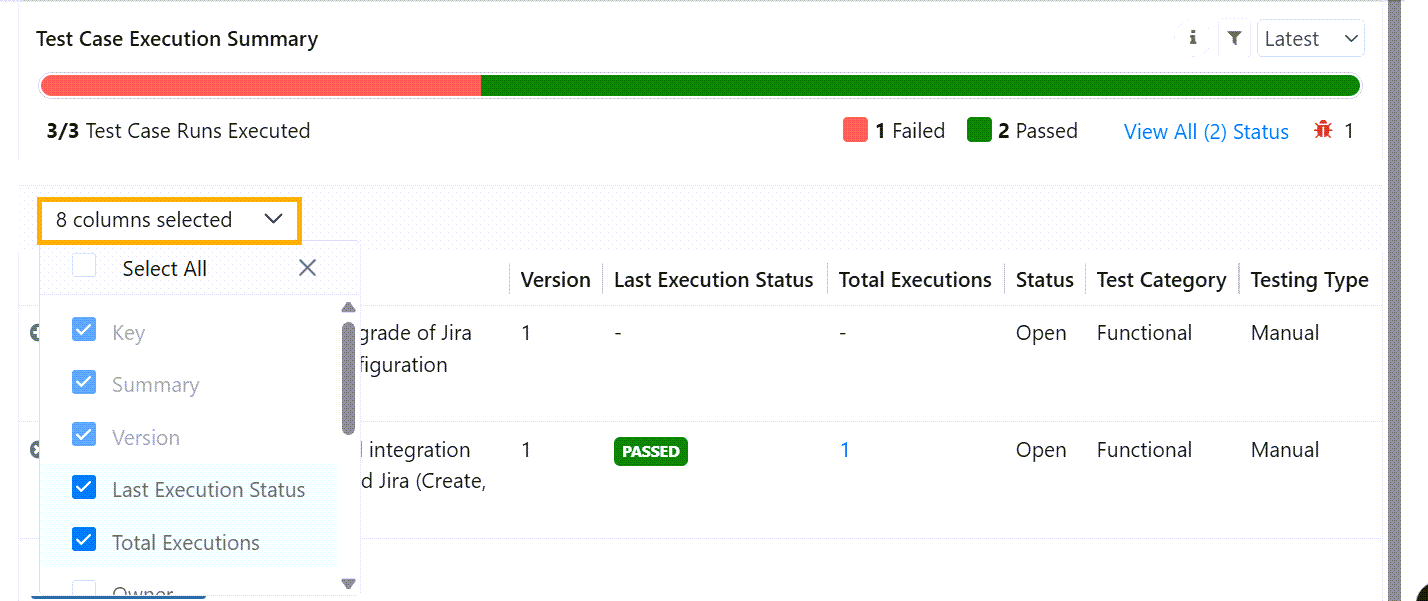
Customisable Columns (Session-based)
Users can now select and customise visible columns for:
Test Cases
Test Steps
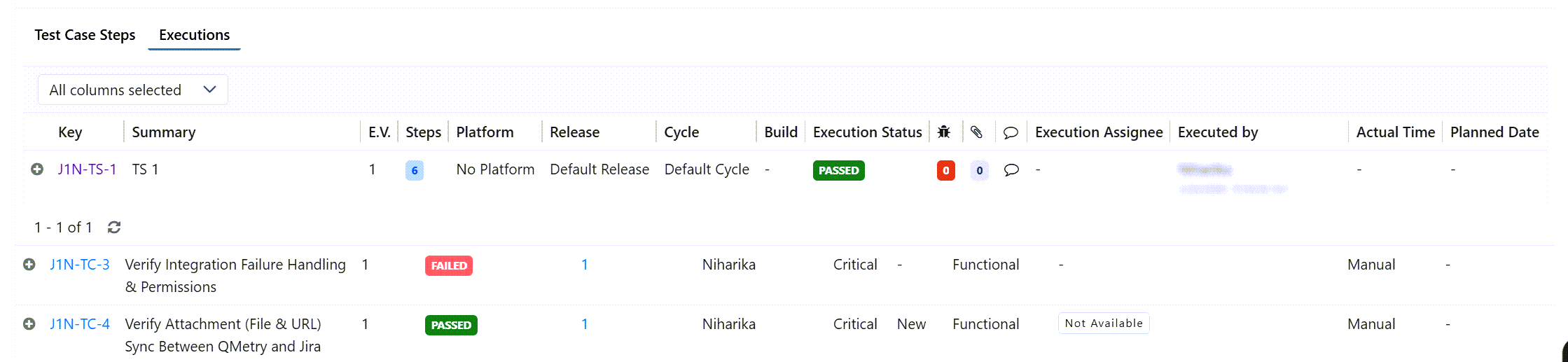
Enhanced Test Suite Execution View
Summary
Scenario | Action Required |
|---|---|
Existing US Customers | Auto-upgrade or manual upgrade if needed |
Existing EU Customers | Mandatory uninstall + reinstall (migration) |
New Customers | Direct installation (no migration required) |