Generating Open API Key
Overview
Open API enables secure integration between QMetry and external systems by providing controlled access to your data. To integrate QMetry with Azure DevOps, you must have the Open API key.
Prerequisites
Active QMetry Test Management user account with API access permissions.
Admin or role-based access to generate API keys.
Generating an Open API Key in QMetry
To generate an Open API key for integrating QMetry with external systems, perform the following steps:
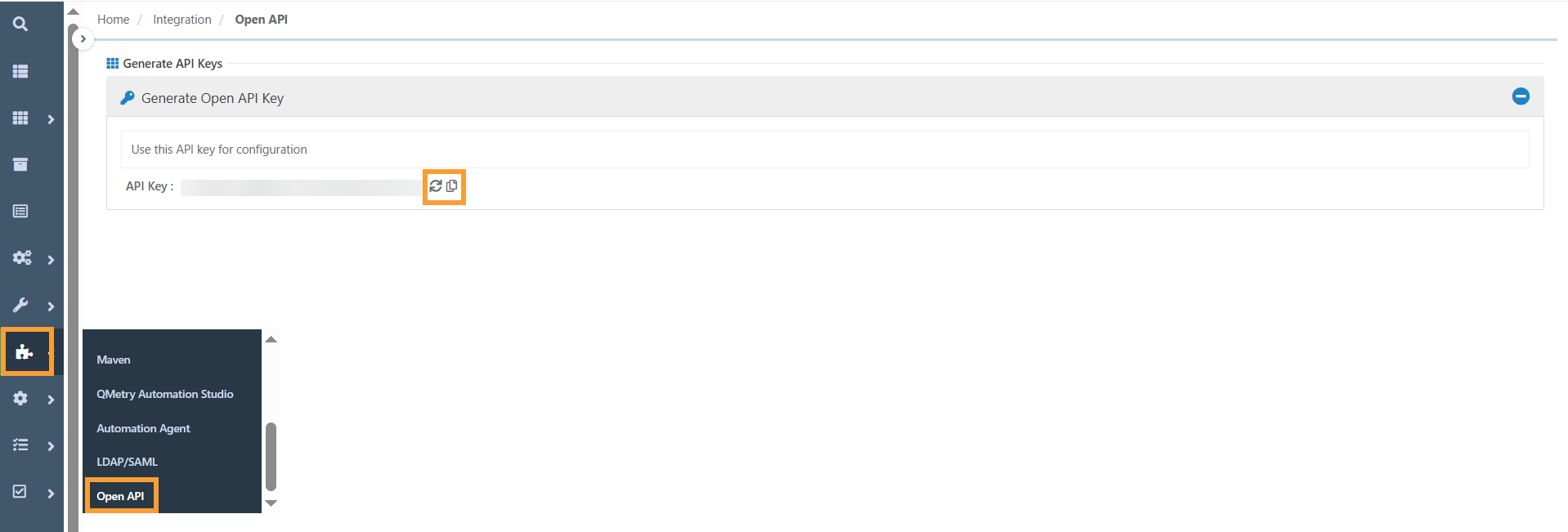
Log in to QMetry Test Management.
Go to the Integrations section.
Select Open API from the submenu.
Click the Generate Key button.
Click the copy icon to copy the API key.
To regenerate the key, click the refresh icon.