Enabling Project-Level Setting in Azure DevOps
Overview
To enable project-level settings in Azure, you must ensure the following:
Install QMetry Test Management Extension from Azure DevOps Marketplace in your Azure DevOps organization.
Configure Azure integration and verify the connection in the QMetry Integration Settings using the QMetry Administrator login.
Map QMetry and Azure Projects, Fields and Entities.
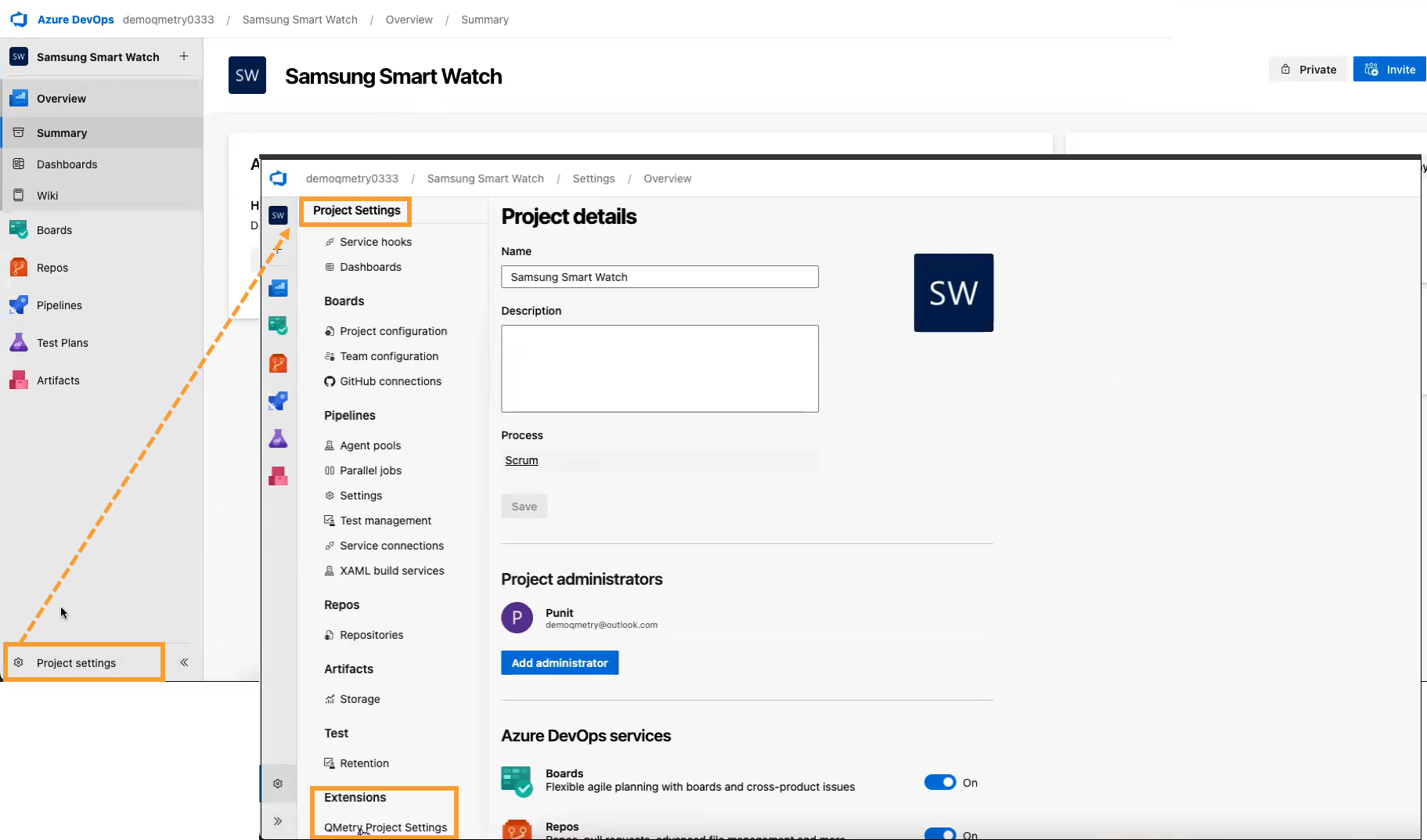
Enabling QMetry Test Coverage Panel in Azure
To enable QMetry Test Coverage Panel in Azure DevOps, perform the following steps:
Sign in to Azure DevOps and select your project.
Click Project Settings.
Select the QMetry Project Settings under Extensions.
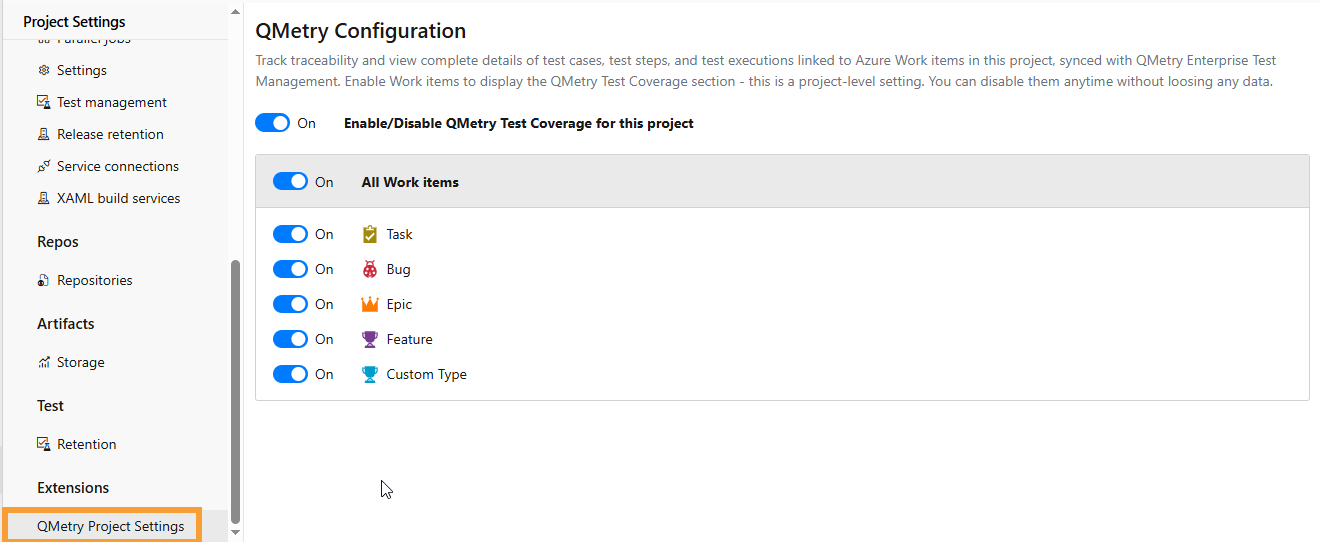
QMetry Configuration screen appears.
Enable the QMetry Test Coverage toggle to display the Test Case panel.
Enable Individual Work Items or enable All Work Items in bulk.
Note
The QMetry Test Coverage panel is enabled only for the current project (and not all other projects having the same project type).