Generate API Key
You can import automation results into QMetry Test Management through multiple ways. You need the API Key for importing the automation results into QMetry through below options.
A. REST API
B. Bamboo Plugin
C. Jenkins Plugin
D. QMetry Agent
To generate an API Key, perform the following steps:
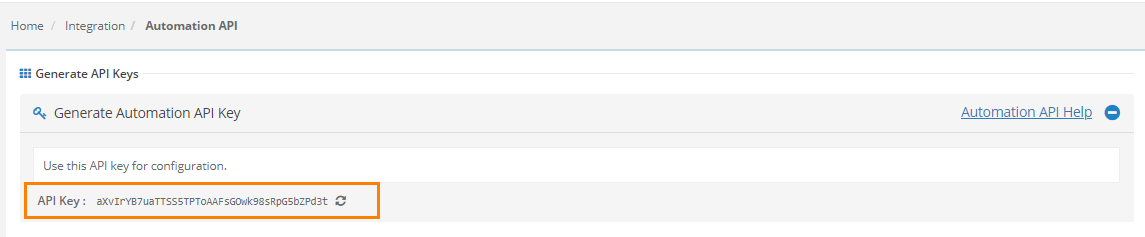
1. To generate Automation API key for A, B and C above, go to Integration and select Automation API.
2. Generate the API Key and use it for configuration.
For QMetry Agent, the API Key is generated from Automation > Automation Agent.
The API Key is unique to a user.
If you want to regenerate the API key for any reason, click the refresh icon as shown in the screen shot.