Auto Approve Test Execution
Auto-approve test executions in an eSignature-enabled project. Once enabled, test executions are approved automatically.
By default, the Auto-approve remains disabled when a new eSignature project is created.
This is useful when testers expect that approving test cases should automatically approve their test executions.
Note
Changes due to the update of Auto Approve Test Execution settings cannot be reverted by anyone, including the QMetry team.
Auto Approve Test Execution: When ON, the system skips the test execution approval workflow, and all test executions are automatically marked as Approved by System.
Important
If the Auto Approve Workflow is currently OFF, and you are turning it “ON”:
All existing test suite executions In Review, Approval Pending (approval initiated), Approved, and Closure Pending (closure initiated) states are auto-updated to “Approved by System”.
The closure workflow reinitiates all test suite executions except those in the final Closed state. The Closed or Archived test execution status remains unchanged.
Auto Approve Test Execution: When ON, the test case executions require user approvals.
Important
If the auto-approve workflow is currently ON, and you are turning it “OFF”
All the existing test suite executions in the Approved and Closure Pending (closure initiated) states will update to the “In Review” state. The Approval and Closure Pending logs on the existing test executions will be lost. The Closed or Archived test execution status remains unchanged.
To enable Auto Approve Test Executions, perform the following steps:
Go to eSignature and select Approval Access.
Set Auto Approve Test Execution “ON”.
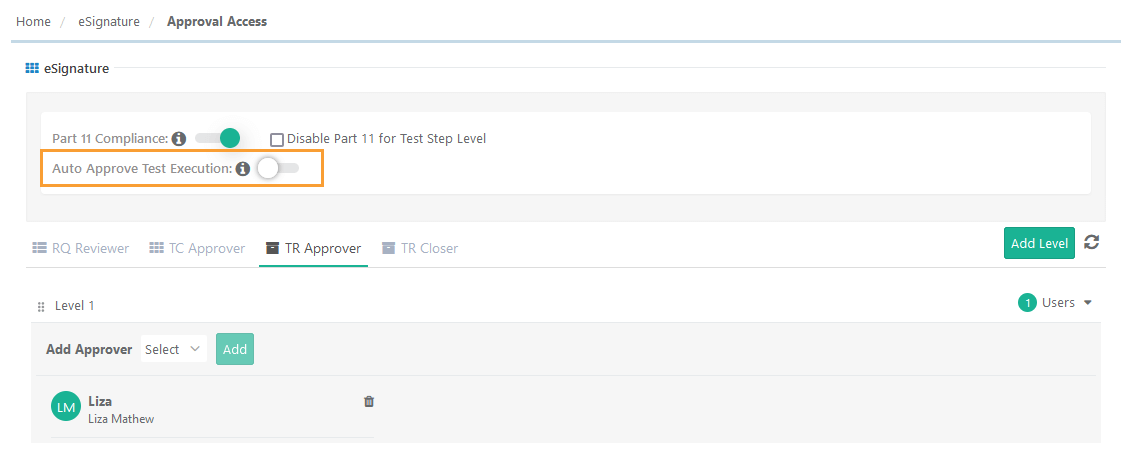
Read the implications of updating the setting and select the checkbox.
Click Submit to proceed.
Enabling Auto-Approve Test Execution
Hides Levels and Approvers on the TR Approver tab.
All the existing test suite executions in In Review, Approval Pending (approval initiated), Approved, and Closure Pending (closure initiated) states are auto-updated to Approved by System.
The closure workflow reinitiates all test suite executions except those in the final Closed state.
Closed or Archived test execution status remains unchanged.
Disabling Auto-Approve Test Execution displays Levels and Approvers on the TR Approver tab.
Track approvals under Change Log.
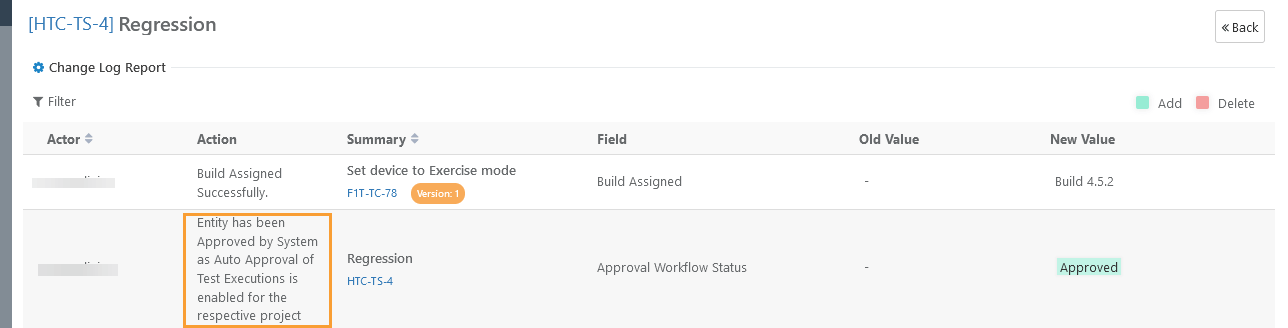 |
Bulk Approve Test Suites or Test Executions
Note
If Auto Test Execution is enabled, test execution approval options do not appear on the bulk operation list.
Request Change-Closure operation reverts the status from “Pending Closure” to “Approved” instead of “In Review”.
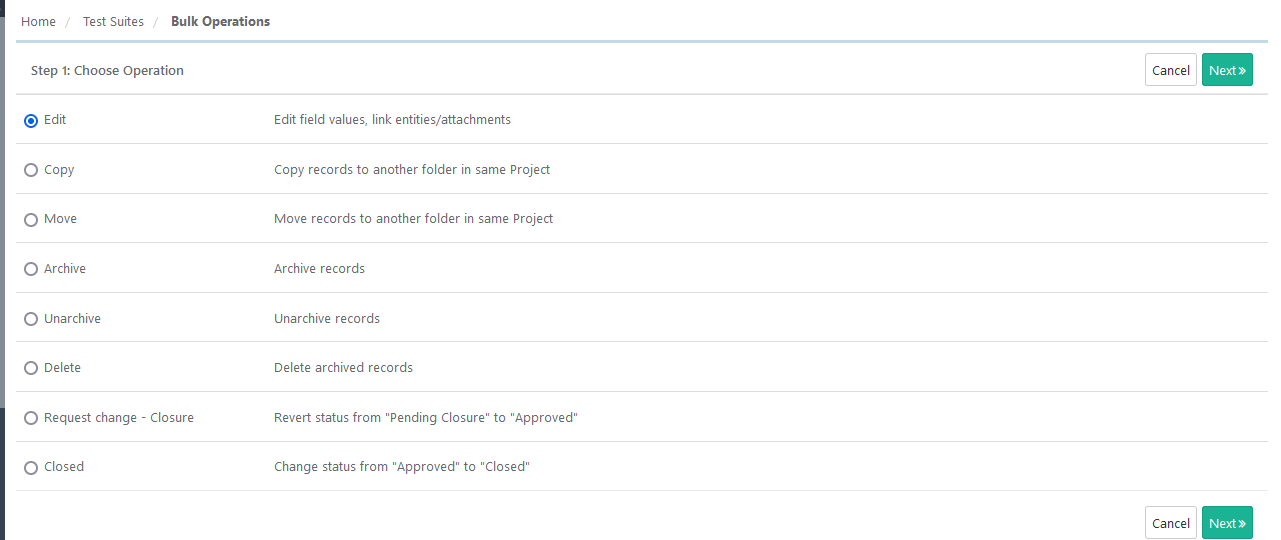 |
Request Change on an approved test execution from the execution screen, reverts the test execution to Closure Pending at its previous level. If only one level is there, then it will remain at Closure Pending at Level 1.