View Flaky Score
According to the Flaky Score settings configured in the Configuration, the system calculates Flaky Score and displays it on the test case list view. It allows QA managers and Testers to view the risk probability and test execution history.
Go to the Test Cases module and make the Flaky Score column visible for the list view.
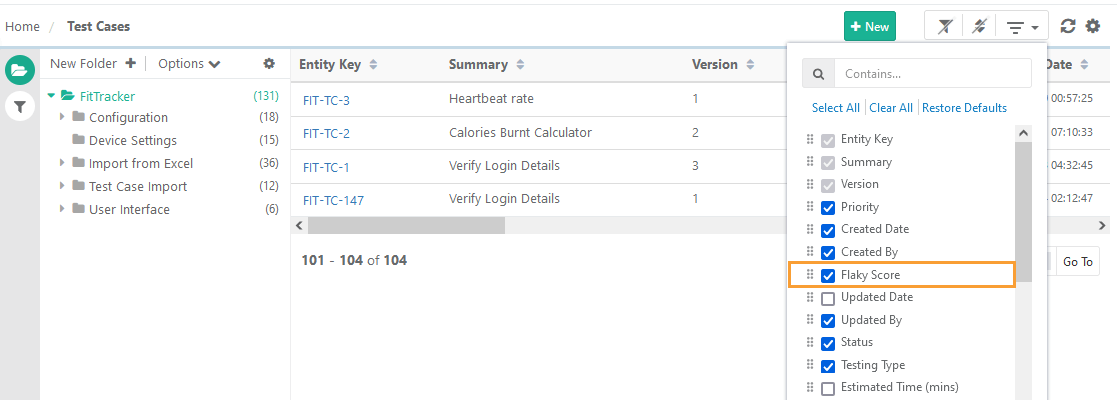 |
You can view the Flaky Score column, along with its corresponding statistics. You can sort on the column to view test cases with higher flaky scores. You can filter the test cases based on the Flaky Score from Advanced Filters.
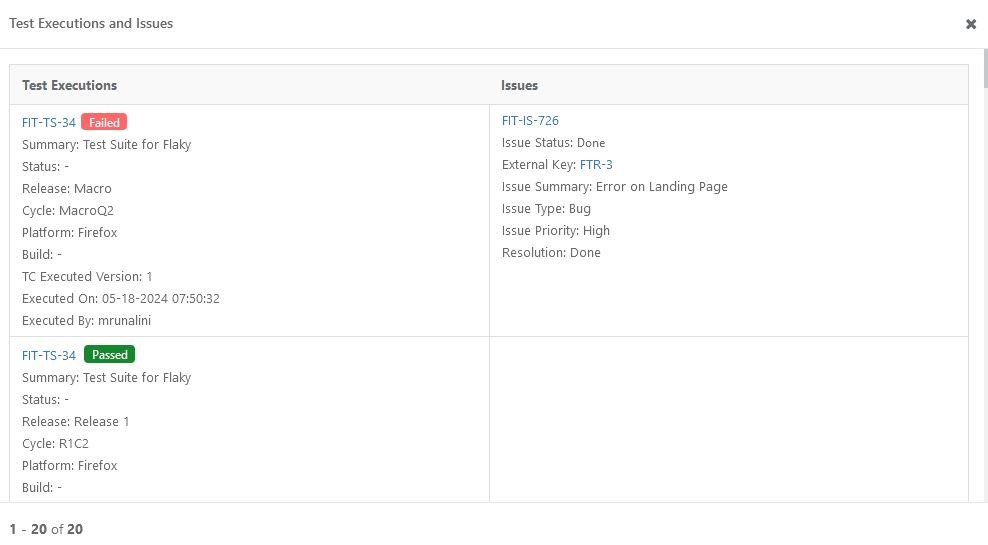
Click Flaky Score to view the traceability report for the test case, which shows the test case is associated with which test executions, issues, and execution results. The report helps you further analyze the Flaky Score.
 |
If the Flaky Score Settings are changed, the existing Flaky Score will get reset.
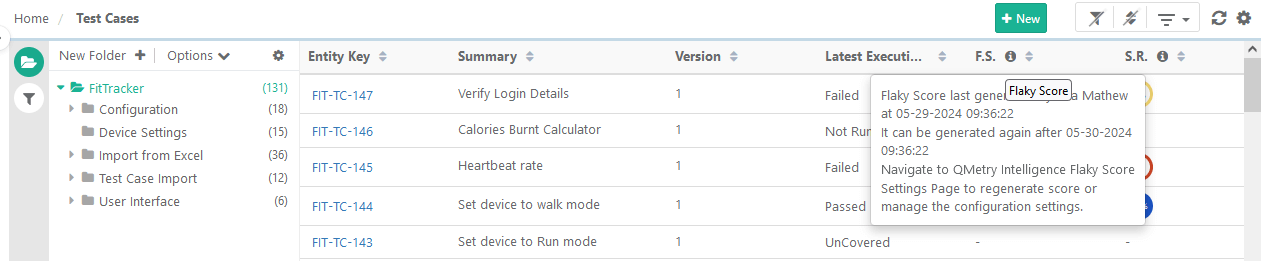
The info icon beside the Flaky Score column displays the details of when the score was last generated and by whom.
 |
View Flaky Score on Test Case Detail Page
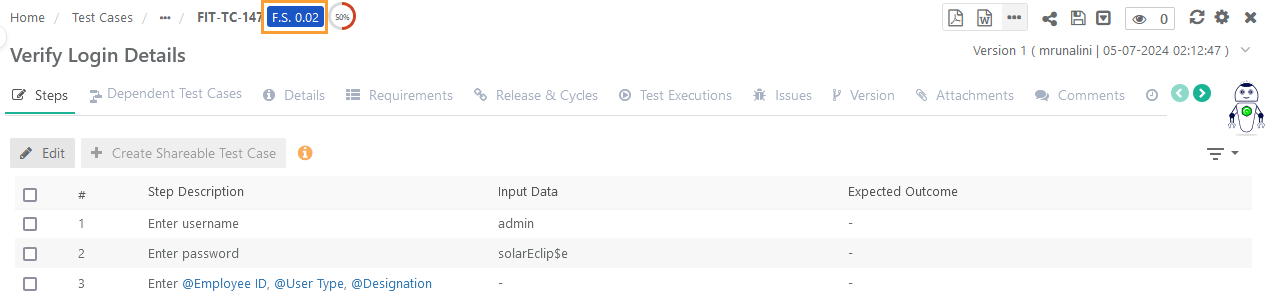
The generated Flaky Score is displayed beside the Test Case Key at the top of the screen.
 |
View Flaky Score on Test Case Link Screens
You can show or hide the Flaky Score column on the Link Test Cases screen.
View Flaky Score on Test Execution Screen
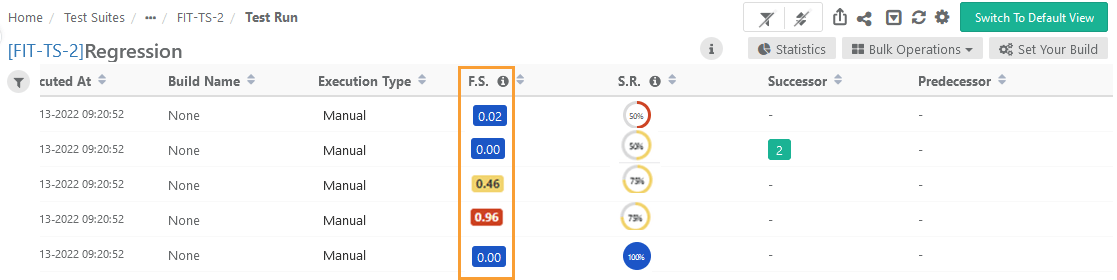
According to the Flaky Score settings configured in the Configuration, the system calculates the Flaky Score. The flaky score indicates the tester's probability of risk while executing the test case and provides a means for comparing pre- and post-test execution results.
Go to the Test Execution screen.
Test Execution Detail View
 |
If you go further into the Detail View, you can view the Flaky Score count at the top of the page.
Test Execution Default View
You can show or hide the Flaky Score column on the execution screen.
Click the Flaky Score to drill down to view the test executions and defects associated with the test case.