Archive Folders
Archiving a folder archives and hide all sub-folders and assets under it.
Use Case: Testers need a way to archive the folders so that they can hide the respective folders for the release and the cycle they have archived.
Archive a Single Folder
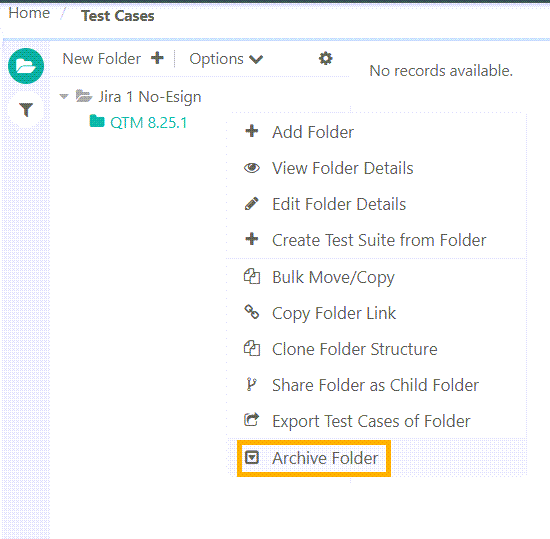 |
To archive a folder, perform the following steps:
Go to the specific module.
Select the folder to archive.
Right click on the folder and select Archive Folder.
Unarchive a Single Folder
To unarcive a single folder, perform these steps:
Go to the Test Asset module.
Expand the filters and select Show Archived Items in basic filters.
Select the archived folder and click Unarchive.
Archive and Unarchive Multiple Folders
Refer to Archive Bulk Folder
Viewing Archived Folders on Tree
Expand the Basic Filters and select Show Archived Items.
Operation on entities | Consequence on Folder |
|---|---|
Archive entities from folder | Folder is not archived automatically |
Unarchive entities from an archived folder | Folder is unarchived automatically |