Archive and Unarchive Bulk Folders
Archive Bulk Folders
Note
Archiving a folder archives all the underlying assets.
To archive folders in bulk, perform the following steps:
Go to the folder panel.
Click the cog (⚙️) icon.
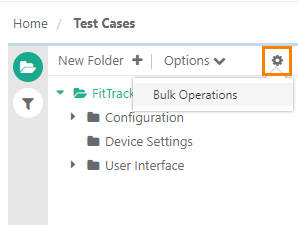
Select Bulk Operations.
Select Archive Folders and click Next.
Select the folders to archive and click Archive.
Click Yes to confirm.
View Archived Folders
To view archived folders, go to Filters and select Show Archived Items.
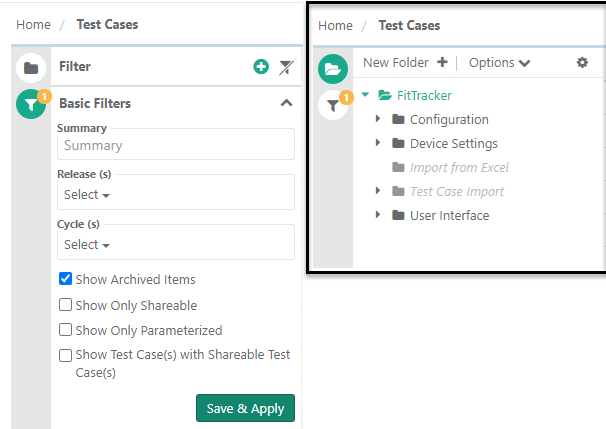
You can perform the following operations on archived folders:
Unarchive: Unarchive selected folders.
Delete: Delete archived folders.
Bulk Unarchive Folders
Note
Unarchiving a folder unarchives all assets within.
On the folder panel, click the Cog (⚙️) icon.
Click Bulk Operations.
Select Unarchive Folders and click Next.
Select the folders to unarchive and click Unarchive.
Click Yes to confirm.