Copying Test Steps
This feature allows you to copy and paste test steps within the same test case.
Copying and Pasting test steps within the same test case
Go to the Test Steps section and click Edit.
Select the test steps.
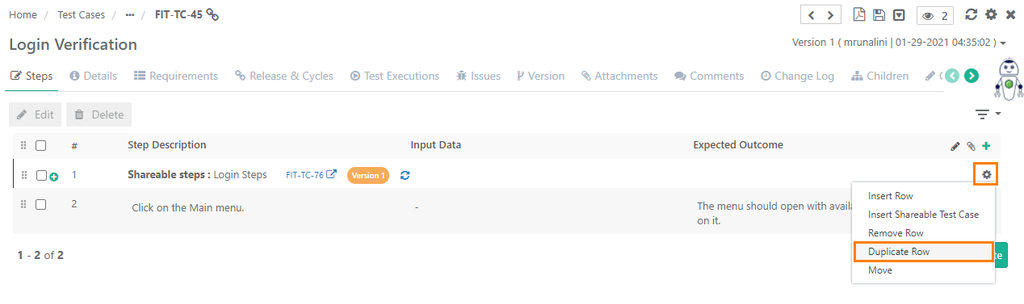
Click the Cog (⚙️) icon for the step and select Duplicate Row.
It creates a copy of the existing step and add it to the test steps.