Enabling Test Case Dependency
Test Case Dependency ensures that test cases are run in a specified order, when the execution of one test case depends on the outcome of another. This helps maintain integrity and reliability of test results.
 |
To enable Test Case Dependency in a project, perform the following steps:
Go to Project Management.
Select Project.
Open the General Settings tab.
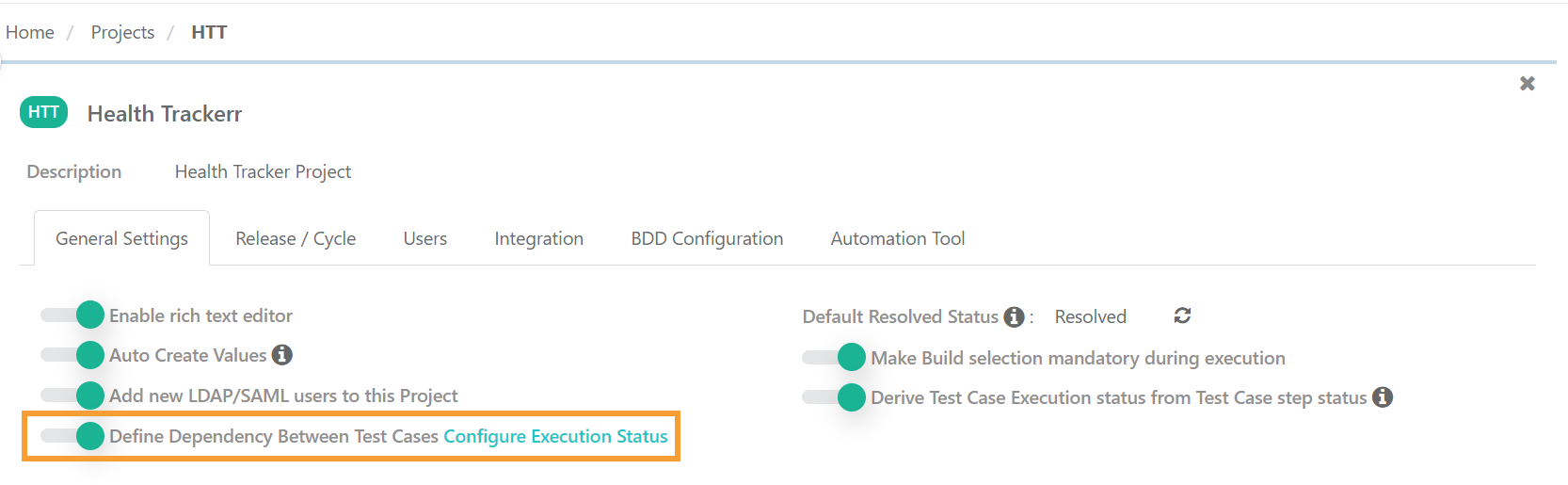
Enable Define Dependency Between Test Cases.
Note
Execution details are not visible if the same test case is linked multiple times to a test suite through an Automation API request.
Test case import does not support importing test case dependencies.
Impact of Dependency on Execution Status
Configure the impact of predecessor execution status on the execution and status of successor test cases.
 |
To configure execution statuses, perform the following steps:
Go to Customization.
Select Execution Status.
Set the following parameters:
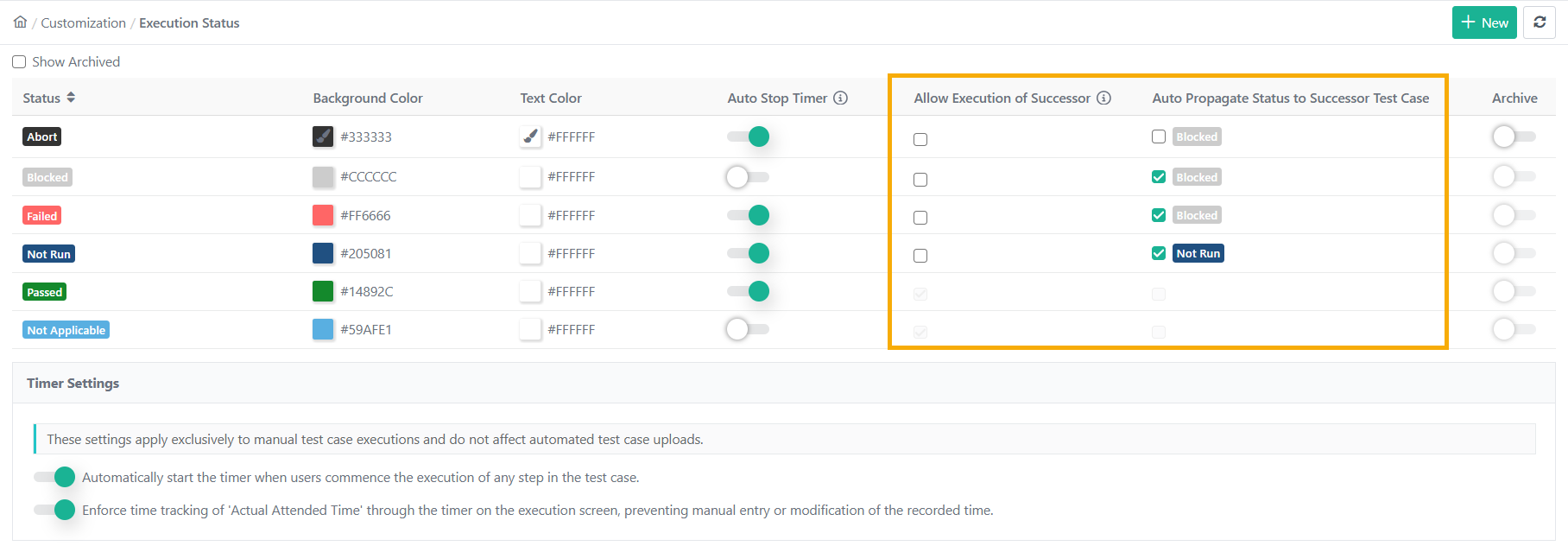
Allow Execution of Successor: Successor test cases can only be executed if their predecessor possesses the execution statuses as per the selected checkboxes. “Passed” or “Not Applicable” statuses are selected by default and cannot be altered.
Auto Propagate Status to Successor Test Case: Auto Propagation manages how status changes in predecessor test cases affect linked successor test cases. The behavior varies based on the initial status of the test case.
When Auto Propagate Status is ON:
For "Blocked", "Failed," or any status above Not Run, the successor test case status is set to "Blocked."
For Status "Not Run", the successor test case status is set to "Not Run".
For statuses below "Not Run", Auto Propagation does not apply.
When Auto Propagate Status is OFF:
The successor test case status remains unchanged.
This feature ensures that linked test cases reflect the most accurate status updates automatically, based on the chosen configuration for Auto Propagation.