Jira Integration Schedule Syncing Status
View Jira Integration and Syncing status in the scheduled tasks window. This allows scheduled Jira tasks to run in the background and allows users to continue with their other work.
Expand Integration on the side bar menu and select Jira Integrations. There are two tabs on the screen: Integration and Jira Scheduler Status.
Open the Jira Scheduler Status tab.
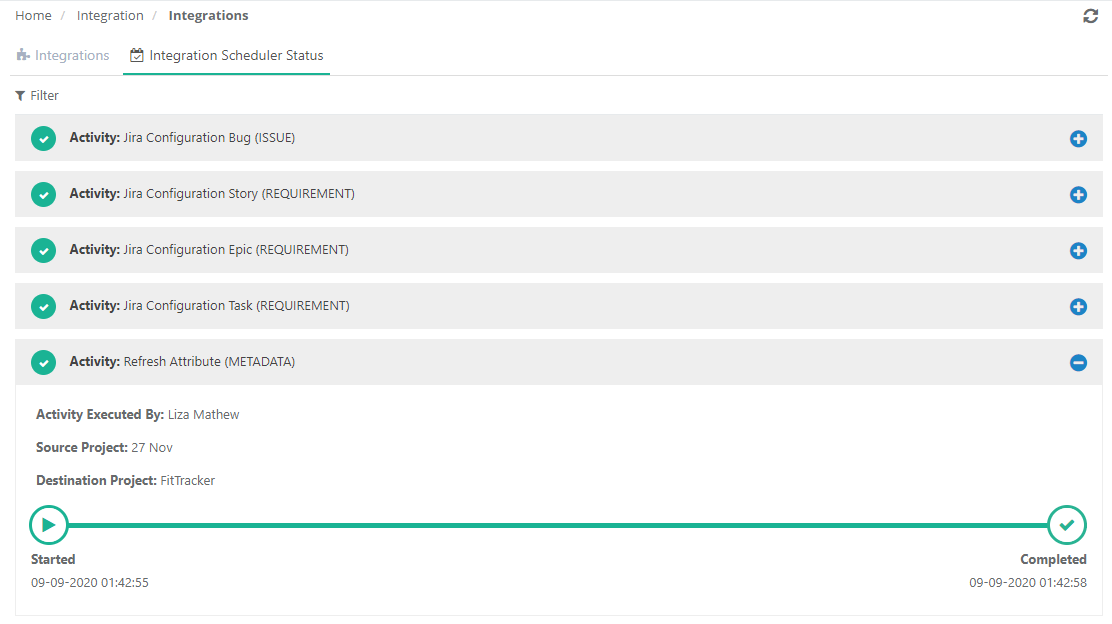
The screen shows all the Jira sync activities that are in-progress, completed or in-queue. Separate sync status is displayed for each separate issue type that has been mapped in the QMetry project.
The progress bar shows the following statuses for each of the tasks:
Started: It indicates that the task is initialized.
In-Progress: It indicates that the process is in-progress.
Completed: It indicates that the scheduled task is completed now.
The "Syncing Failed" status is displayed when the syncing with Jira fails.