Import Test Results using Gradle Plugin
QMetry Test Management plugin for Gradle has been designed to seamlessly integrate your Gradle project with QMetry.
QTMGradlePlugin uploads result file(s), generated in a Gradle project, to QMetry. The plugin, if used in a Gradle project, provides an additional Gradle task qtmUploadResults.
Using the Plugin
You can use the plugin from anywhere in your Gradle project by including the following code in the build.gradle file.
Code Snippet
plugins
{
        id 'com.qmetry.QTMGradlePlugin' version '1.0'
}

qtmConfig
{
        qtmUrl='https://testmanagement.qmetdry.com/'
        qtmAutomationApiKey='zEzs7iy77D8ARWX8xMFzJRZTzb66W0LCyaK6xdec'
        automationFramework='JUNIT'
        testResultFilePath='/test-results/test/TEST-ispl.sample.AppSecondTest.xml'
        testSuiteId='STR-TS-01'
        project='Demo Project'
        platform='Chrome'
        release='Default Release'
        cycle='Default Cycle'
        build='Demo Build'
}
Use the following command from your project.
gradle test qtmUploadResults
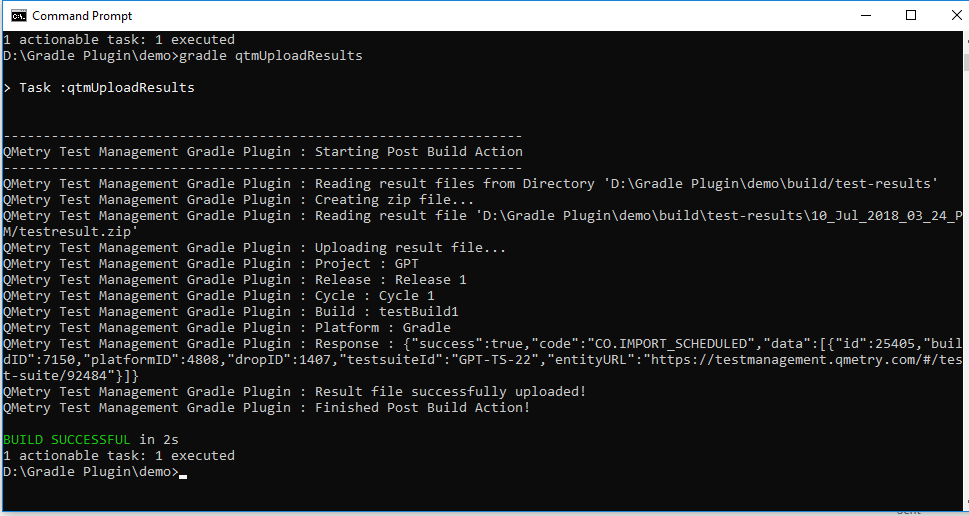 |
The task qtmUploadResults always refers qtmConfig in build.gradle file of your project.
Provide the following details.
Parameter | Type | Required | Description |
| string | Yes | URL to QMetry Test Management instance |
| string | Yes | Automation Key |
| string | Yes | Supported frameworks are:
|
| string | Yes | Path to result file (or directory for multiple files) relative to build directory |
| string | No | ID or Entity key of the target test suite. |
| string | Yes | Project ID or Project Key or Project name |
| string | No | Platform ID or Platform Name |
| string | No | Release ID or Release name |
| string | No | Cycle ID or Cycle Name |
| string | No | Build ID or Build name |
Working Sample
For a complete example, refer to the Sample projects section.