GitLab Configuration
Pre-requisites
GitLab runner should have been installed on the machine before triggering the build to GitLab. Refer to https://docs.gitlab.com/runner/ for more details on GitLab Runner.
The
gitlab-ci.ymlfile should have been created in Repository > Files in GitLab. The following is an example of yml file.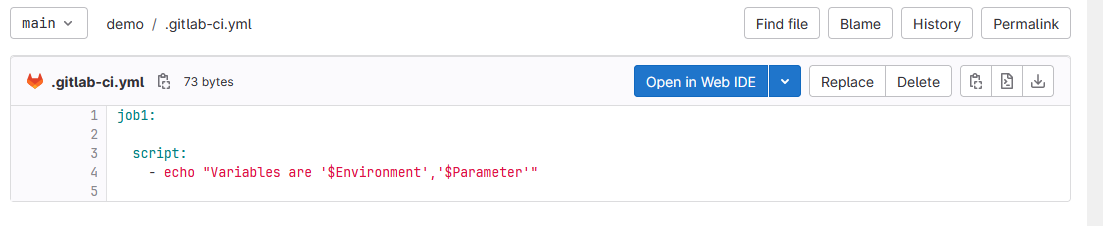
Generate tokens for Pipeline triggers
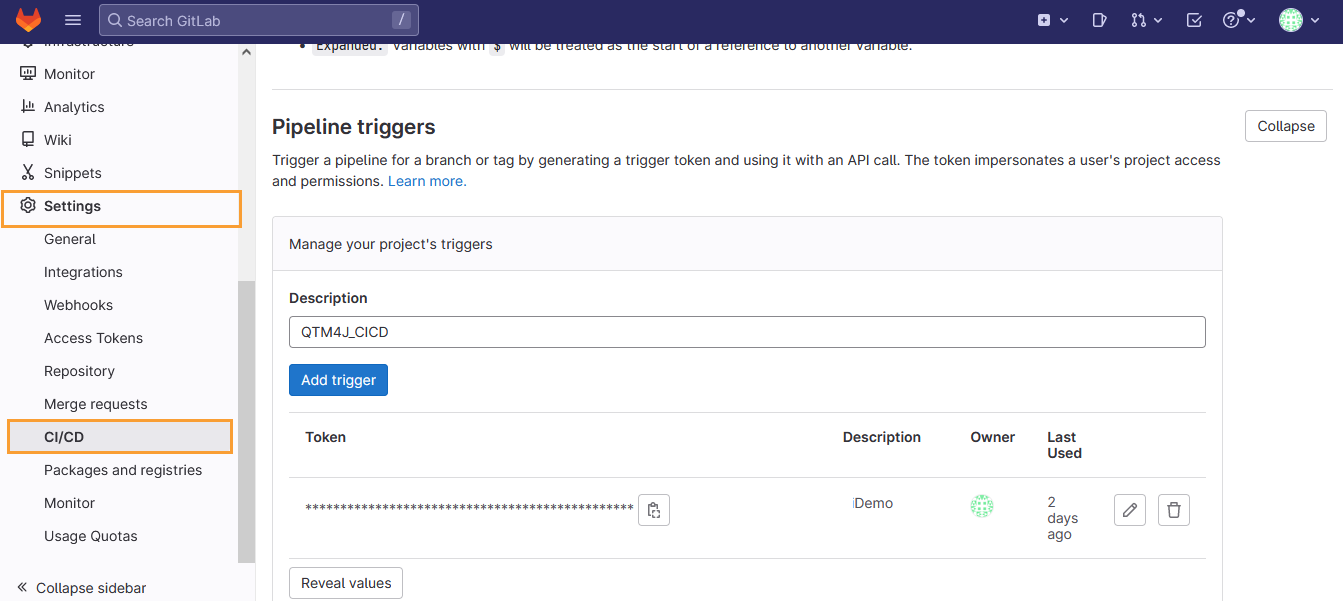
Follow the steps mentioned below to generate a token in GitLab. For detailed guidance, see GitLab documentation on adding a new trigger.
Go to your project in GitLab.
On the left sidebar, select Settings, and then CI/CD.
Expand Pipeline triggers.
Enter a description of the project’s trigger.
Click the Add trigger button.
Construct URL
The following is an example of constructing the URL to trigger a build in GitLab.
https://gitlab.com/api/v4/projects/<project_id>/trigger/pipeline
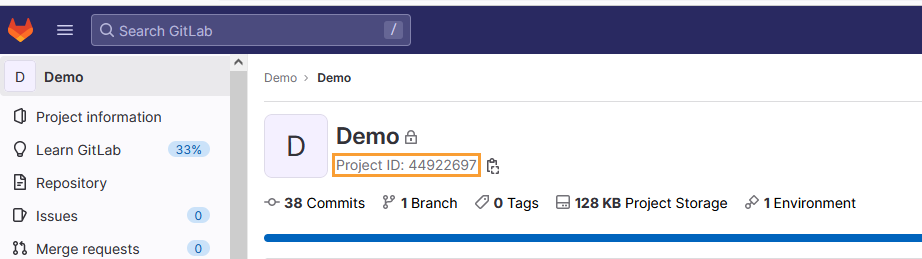
If your Project ID is 44922697 (as per the example shown in the image below), then the URL to trigger the build would be:
https://gitlab.com/api/v4/projects/44922697/trigger/pipeline
 |
CI/CD Rule Configuration in QTM
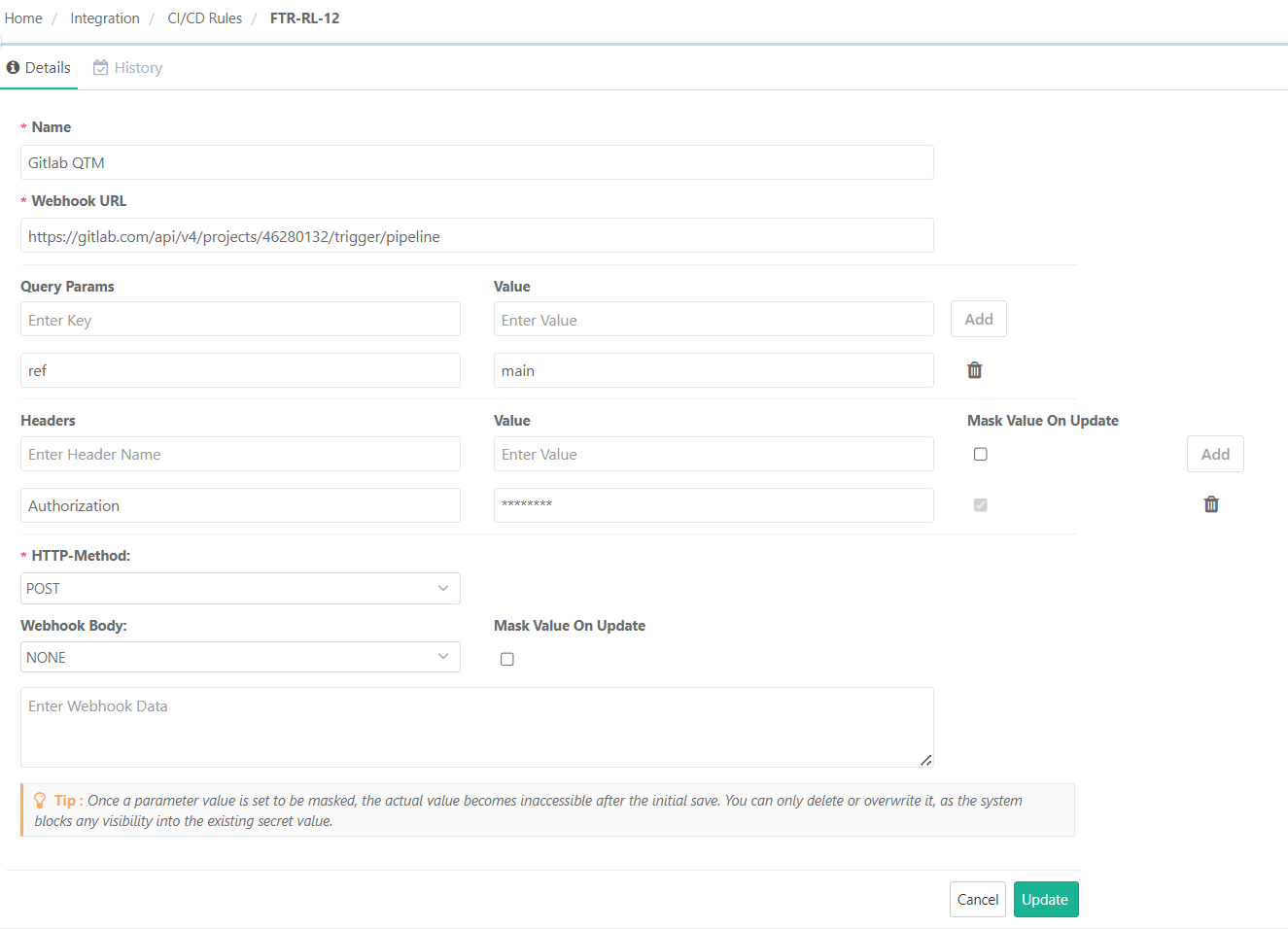
The following are examples of triggering the build without parameters and with query parameters.
CI/CD Rule Without Parameters
 |
CI/CD Rule With Query Parameters
![CI/CD rule configuration screen in QMetry showing setup for a GitLab QTM rule with parameters. The Webhook URL, authorization header, and POST method are defined. Query parameters include ref: main, variable [parameter]: QTM, and variable [environment]: Chrome.](../../../image/uuid-06e139df-7ae6-1fff-2936-1dbb015790b3.png "GitLab CI/CD Rule Configuration With Parameters") |
After creating the CI/CD rule in QMetry, you can trigger a pipeline job in GitLab.
The pipeline gets triggered successfully.