GitHub Actions
Pre-requisite
The .yml must exist in the main branch of your GitHub repository.
Generate Personal Authentication Token
Follow these steps to create a personal access token in GitHub:
Log in to GitHub.
Open your User Profile, then go to Settings.
In the left navigation pane, select Developer Settings.
Click Tokens (classic).
Click Generate new token.
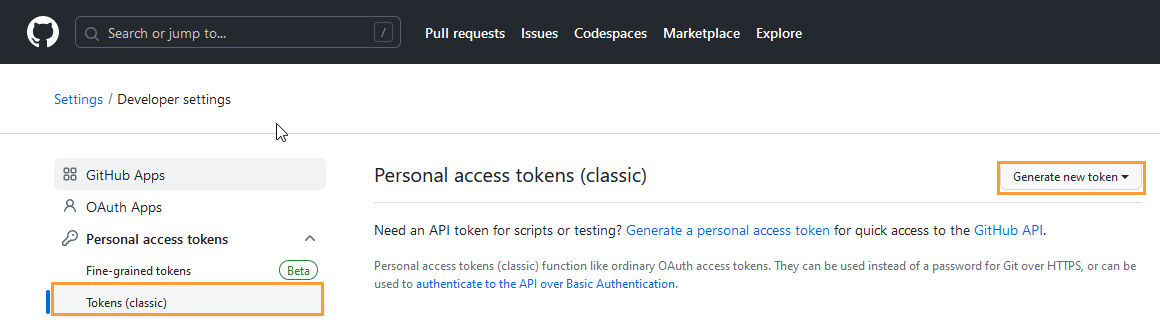
Define the Scopes to grant access to the token, then generate it.
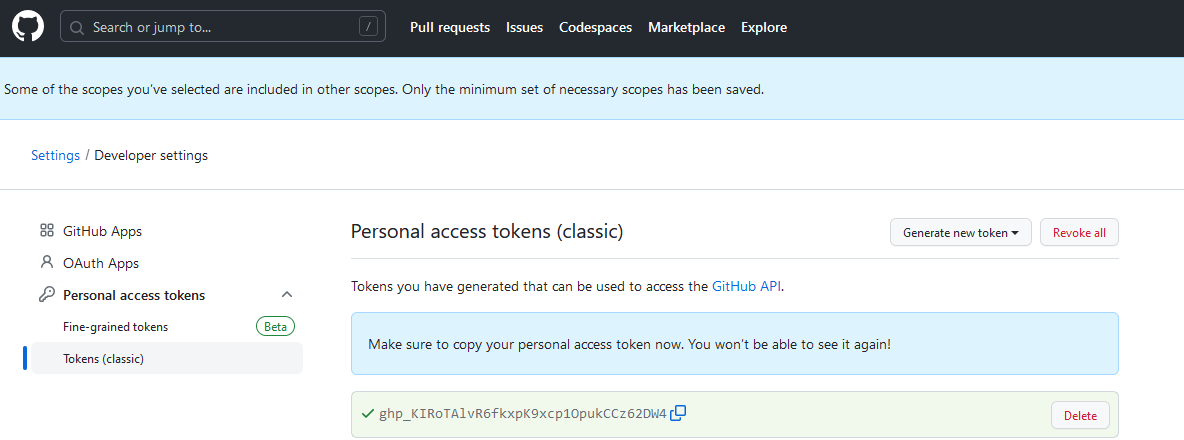
Copy and store the generated token securely.
Construct the URL
Use the following format to construct the GitHub Actions API URL for triggering a build:
https://api.github.com/repos/{owner}/{repo}/actions/workflows/{workflow_id}/dispatches
Placeholder values:
owner: GitHub username or organization name (for example,Lizamathew)repo: Repository name (for example,parameter)workflow_id: Workflow ID or file name (for example,54649623)
Example URL:
https://api.github.com/repos/Lizamathew/parameter/actions/workflows/54649623/dispatches
CI/CD Rule Configuration in QTM
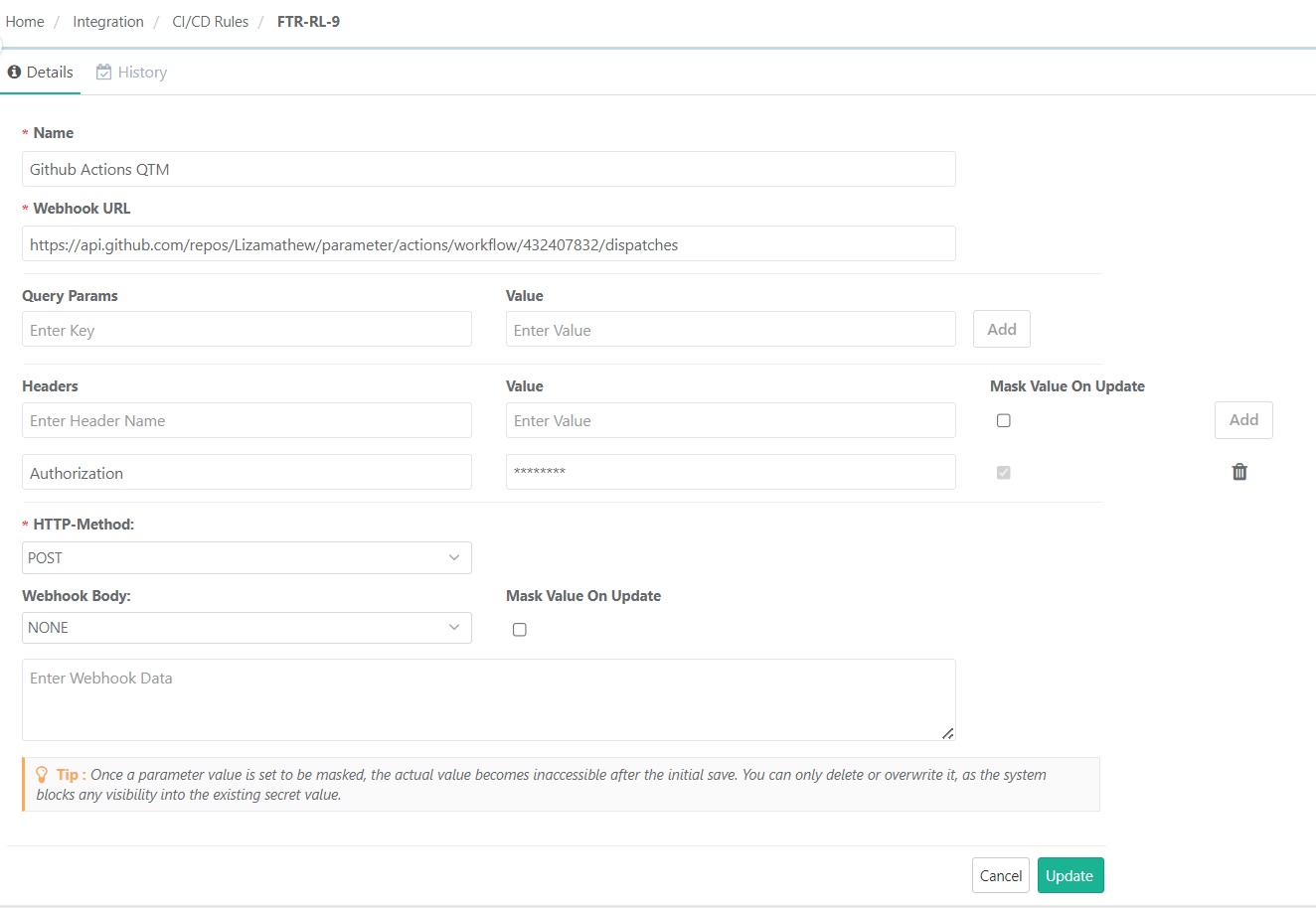
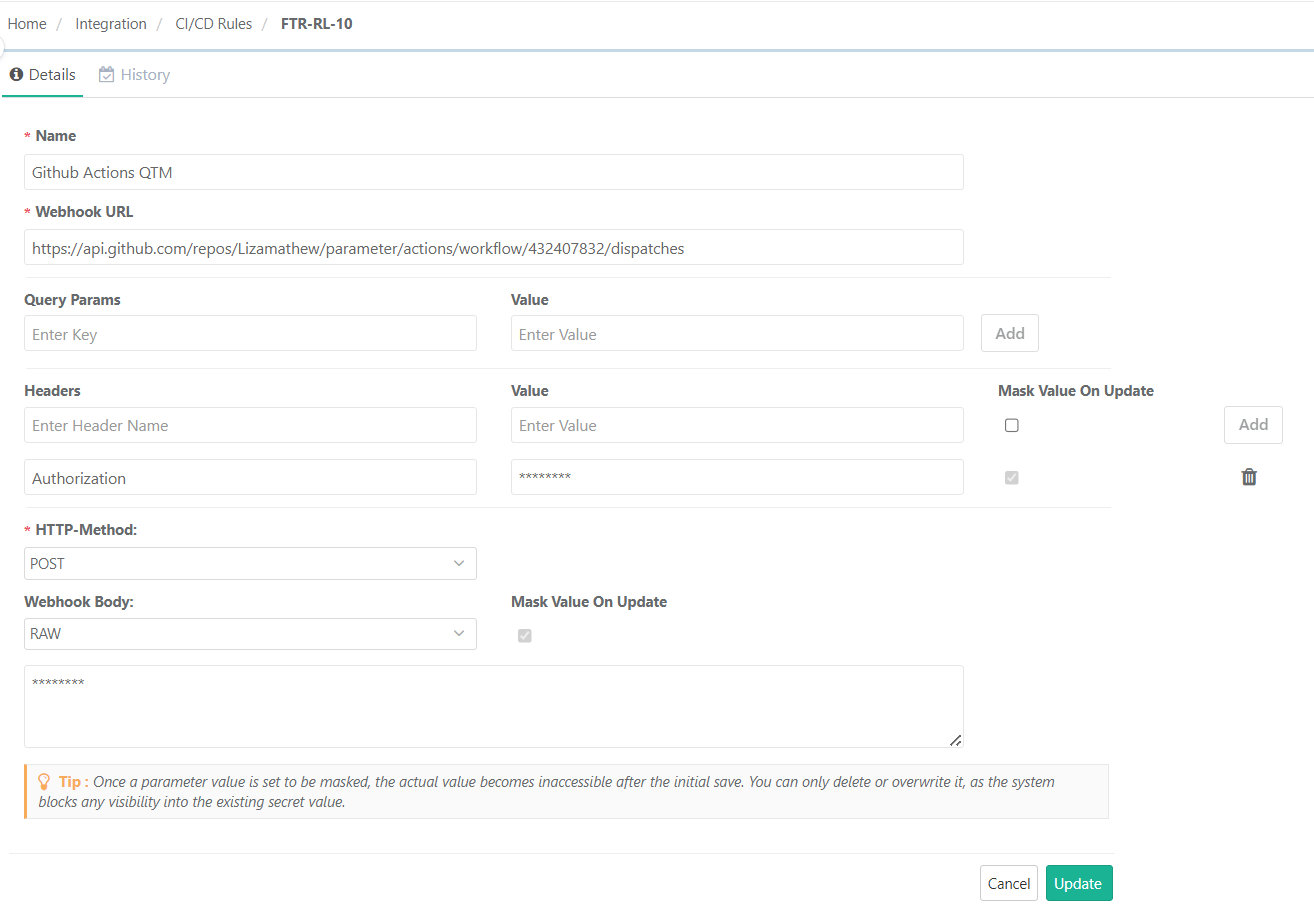
The following are examples of triggering the build without parameters and with query parameters.
CI/CD Rule Without Query Parameters
 |
CI/CD Rule With RAW Parameters
 |